27
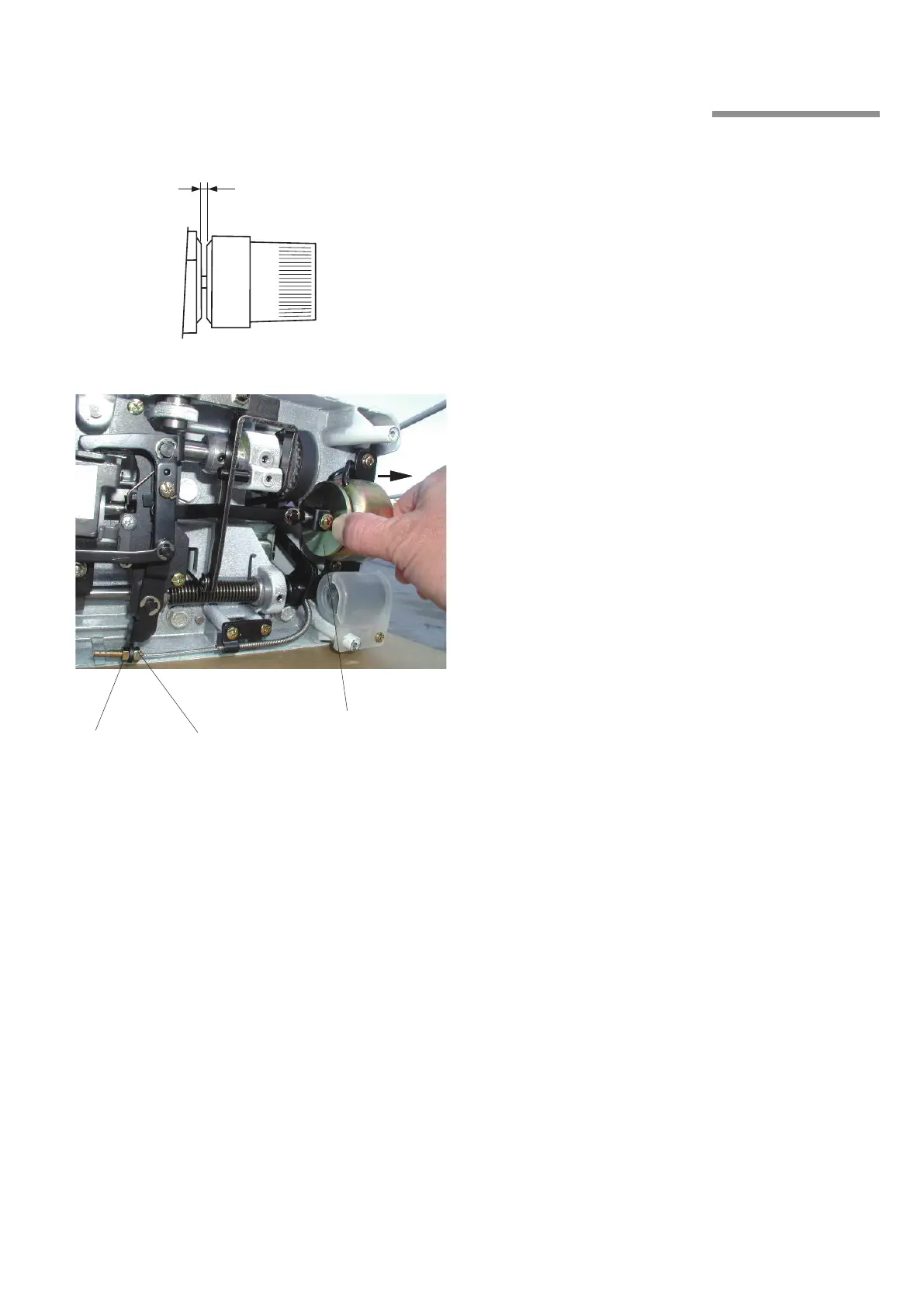
0.5 to 1.0mm
6. Auto Tension Release
Turn the handwheel toward you to raise the needle
bar until the needle point is just above the needle
plate.
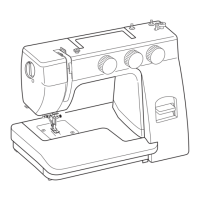
Set the tension dial at 4 and push the solenoid disk
q
fully to the right. The tension disks should open
0.5 to 1 mm.
Loosen the lock nut
w
and turn the adjusting nut
e
to
adjust the gap between the tension disks.
• If the gap is too wide, turn the adjusting nut
counterclockwise.
• If the gap is too narrow, turn the adjusting nut clockwise.
Tighten the lock nut
w
.
z
c
v
q
w
e



 To Next Page