EasyManua.ls Logo

Janome Memory Craft 8200QC - User Manual

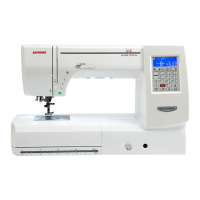
Janome Memory Craft 8200QC
91 pages
Print Icon
To Next Page IconTo Next Page
Loading...
JanomeFlyer.com
Janome Memory
Craft 8200QC
Instruction Book
Janome 8200 Sewing Machine Instruction Manual
www.janomeflyer.com
MC8200 Owners Manual/ User Guide

Table of Contents

Questions and Answers

  • C
    Charles ConleyAug 18, 2025
    Why does the needle thread break on my Janome Memory Craft 8200QC?
    • X
      xwhiteAug 19, 2025
      The needle thread may break on your Janome Sewing Machine due to several reasons: * The needle thread is not threaded properly. In this case, use the spool holder. * The needle thread tension is too tight. * The needle is bent or blunt. * The needle is incorrectly inserted. * The needle thread and the bobbin thread are not set under the presser foot when starting to sew. * The threads were not drawn to the rear after sewing. * The fabric is moved too fast when stitching free motion quilting. * The thread is tangled around the spool.
  • R
    Richard HoweAug 21, 2025
    What to do if my Janome Memory Craft 8200QC Sewing Machine skips stitches?
    • A
      Austin AdkinsAug 21, 2025
      If your Janome Sewing Machine is skipping stitches, it could be due to several reasons: * The needle is incorrectly inserted, bent, or blunt. In this case, use the stretch stitch needle. * The needle and/or threads are not suitable for the work being sewn. * A blue tip needle is not being used for sewing stretch, very fine fabrics, and synthetics. * The needle thread is not threaded properly. * A poor quality needle is used. In this case, change the needle.
  • M
    Molly BaileyAug 23, 2025
    Why does the bobbin thread break on my Janome Memory Craft 8200QC?
    • K
      Kelsey RamseyAug 23, 2025
      The bobbin thread may break due to: * The bobbin thread is not threaded properly in the bobbin holder. Change the bobbin in this case. * Lint has collected in the bobbin holder. * The bobbin is damaged and does not turn smoothly.
  • K
    Keith ShafferAug 26, 2025
    Why is my Janome Memory Craft 8200QC Sewing Machine so noisy?
    • G
      gkingAug 26, 2025
      Your Janome Sewing Machine might be noisy because: * Thread has been caught in the hook race. * Lint has built up in the hook race or bobbin holder.
  • M
    morganjoshuaAug 27, 2025
    What to do if my Janome Memory Craft 8200QC Sewing Machine does not work?
    • H
      Hector PatelAug 28, 2025
      If your Janome Sewing Machine isn't working, consider these possibilities: * The machine is not plugged in or the foot control is not connected. * Thread has been caught in the hook race. * The presser foot is not lowered.
  • K
    Kimberly KennedyAug 30, 2025
    What to do if the needle breaks on my Janome Memory Craft 8200QC Sewing Machine?
    • T
      thardinAug 30, 2025
      If the needle breaks on your Janome Sewing Machine, consider the following possible causes: * The needle is incorrectly inserted. Use the correct foot. * The needle clamp screw is loose. * The fabric is pulled forward when using the open-toe foot. * The needle is too fine for the fabric being used. * An inappropriate presser foot is used.
  • R
    Richard WilliamsSep 1, 2025
    Why is the cloth not feeding smoothly through my Janome Sewing Machine?
    • R
      Robert BradshawSep 1, 2025
      If the cloth is not feeding smoothly, check the following: * The feed dog is packed with lint. * The stitches are too fine. Make stitch longer. * The feed dog is not raised after ”drop feed” sewing.
  • G
    Gerald ClarkSep 3, 2025
    What causes seam puckering on my Janome Memory Craft 8200QC Sewing Machine?
    • L
      Lorraine RobinsonSep 3, 2025
      Seam puckering can occur due to: * The needle thread tension is too tight. In this case, make the stitch shorter. * The needle thread is not threaded properly. * The needle is too heavy for the fabric being sewn. * The stitch length is too long for the fabric. * The foot pressure is not adjusted properly. * A stabilizer is not used when sewing very fine fabrics. Apply a stabilizer.
  • P
    Patricia SchaeferSep 6, 2025
    What causes loops on the seams with my Janome Memory Craft 8200QC?
    • X
      xjacksonSep 6, 2025
      Loops on the seams may be caused by: * The needle thread tension is too loose. * The needle is too thick or too fine for the fabric.
  • D
    David SmithSep 8, 2025
    Why is buttonhole sewing not sewn properly on my Janome Memory Craft 8200QC Sewing Machine?
    • S
      Stacy McmahonSep 8, 2025
      If buttonhole sewing isn't sewn properly, it could be due to: * The stitch density is not suitable for the fabric being sewn. Apply an interfacing. * The interfacing has not been used for the stretch or synthetic fabric. * The buttonhole lever is not lowered.

Summary

Important Safety Instructions

Danger - Electric Shock Precautions

Instructions to reduce the risk of electric shock from the sewing machine.

Warning - General Safety Precautions

General safety precautions to prevent burns, fire, electric shock, or injury.

Getting Ready to Sew

Connecting the Power Supply

Step-by-step guide to safely connect the sewing machine to a power source.

Machine Operating Buttons

Start;Stop, Reverse, and Auto-Lock Buttons

Explains the function of the start/stop, reverse, and auto-lock buttons.

Needle Up;Down and Thread Cutter Buttons

Details the operation of the needle up/down and thread cutter buttons.

Controlling Sewing Speed

Function Keys Overview

LCD Screen and Basic Keys

Explains the LCD screen information and basic function keys like cursor and set.

Advanced Function Keys

Details keys for stitch adjustment, modes, twin needle, and lockout.

Presser Foot and Knee Lifter

Thread Tension Adjustment

Auto and Manual Thread Tension

How to set and balance thread tension for optimal stitch quality.

Lockout Key and Presser Foot Change

Needle Change and Fabric Guide

How to Change Needles

Step-by-step instructions for safely changing the sewing machine needle.

Bobbin Winding

Bobbin Removal and Setup

Steps for removing the bobbin and preparing for winding thread.

Bobbin Winding Process

Thread Path for Bobbin Winding

Detailed instructions on guiding the thread for proper bobbin winding.

Starting and Stopping Bobbin Winding

How to start, stop, and cut thread during bobbin winding.

Inserting the Bobbin

Bobbin Insertion Steps

Instructions for correctly inserting the wound bobbin into the bobbin holder.

Threading the Machine

Step-by-Step Threading Guide

Comprehensive guide on threading the upper and lower threads through the machine.

Built-in Needle Threader

Using the Automatic Needle Threader

Instructions on how to operate the machine's built-in needle threading system.

Drawing Up the Bobbin Thread

Bringing Bobbin Thread to the Top

How to bring the bobbin thread up to the needle area before sewing.

Selecting Stitch Patterns

Mode 1: Direct Pattern Selection

How to select stitch patterns directly using number keys in Mode 1.

Modes 2-6: Pattern Selection

Guide to selecting patterns in Modes 2 through 6, including utility and decorative stitches.

Traditional Sewing

Straight Stitch Basics

Fundamental steps for performing a straight stitch.

Adjusting Needle Drop and Stitch Length

Sewing with the Dual Feed Device

Dual Feed Device Operation

How to use the dual feed device for difficult fabrics and prevent layer slippage.

Needle Plate, Lock-a-Matic, and Locking Stitch

Specialty Straight and Knit Stitches

Zipper Sewing

Zipper Sewing - Continued

Zigzag Stitch

Blind Hemming

Blind Hemming Fabric Folding and Sewing

Steps for folding fabric and sewing a blind hem.

Square Buttonhole - Setup

Square Buttonhole Machine Settings

Settings for sewing a square buttonhole.

Attaching Automatic Buttonhole Foot R

How to attach the automatic buttonhole foot correctly.

Square Buttonhole - Sewing Process

Buttonhole Size and Placement

Adjusting buttonhole size and marking placement on fabric.

Sewing the Square Buttonhole

Step-by-step process for sewing a square buttonhole.

Square Buttonhole - Finishing

Buttonhole Sequence and Finishing

How the machine sews the buttonhole and final finishing steps.

Square Buttonhole - Adjustments

Adjusting Buttonhole Width

How to adjust the width of the buttonhole.

Other Buttonhole Types

Corded Buttonhole

Welted Buttonhole

Darning

Quilting

Stippling, Clasp Stitches, and Free Motion Quilting

Free Motion Quilting (Continued)

Satin Stitches

Twin Needle Sewing

Setting Up for Twin Needle Sewing

Instructions for installing a twin needle and threading the machine.

Programming Pattern Combinations

Pattern Combination Basics

How to program and combine multiple stitch patterns.

Programming Special Stitches

Mirror Image and Resuming Patterns

Editing Pattern Combinations

Deleting and Duplicating Patterns

Individual Stitch Adjustment

Correcting Distorted Stitch Patterns

Feed Balancing Dial for Stitch Correction

Using the feed balancing dial to correct distorted stitch patterns.

Care and Maintenance

Cleaning the Hook Area

Instructions for cleaning the hook race and related components.

Cleaning Thread Guides

Problems and Warning Signals

Troubleshooting Warning Signs

Guide to identifying and resolving machine warnings and errors.

Troubleshooting Common Issues

Needle Thread and Bobbin Thread Problems

Solutions for issues with needle thread breaking or bobbin thread issues.

Needle Breakage and Skipped Stitches

Troubleshooting common causes for needle breakage and skipped stitches.

Fabric Feeding and Seam Puckering

Addressing issues with fabric feeding and seam puckering.

Machine Not Working or Noisy

Resolving problems like machine not working or unusual noise.

Janome Memory Craft 8200QC Specifications

General IconGeneral
TypeComputerized Sewing Machine
Maximum Stitch Width9 mm
Maximum Stitch Length5 mm
Needle Positions91
LCD ScreenYes
Built-in MemoryYes
Free ArmYes
Automatic Needle ThreaderYes
Drop FeedYes
Speed ControlYes
Built-in Thread CutterYes
Sewing Speed1000 stitches per minute
Presser Feet7

Related product manuals