EVOLVE 200 USER MANUAL
10
1.6 Wi-Fi connection
The machine can be connected in a Wi-Fi network.
By Wi-Fi connection, it is possible to upgrade the machine firmware, use the app mobile as
remote control, and save welding data in the JTE cloud.
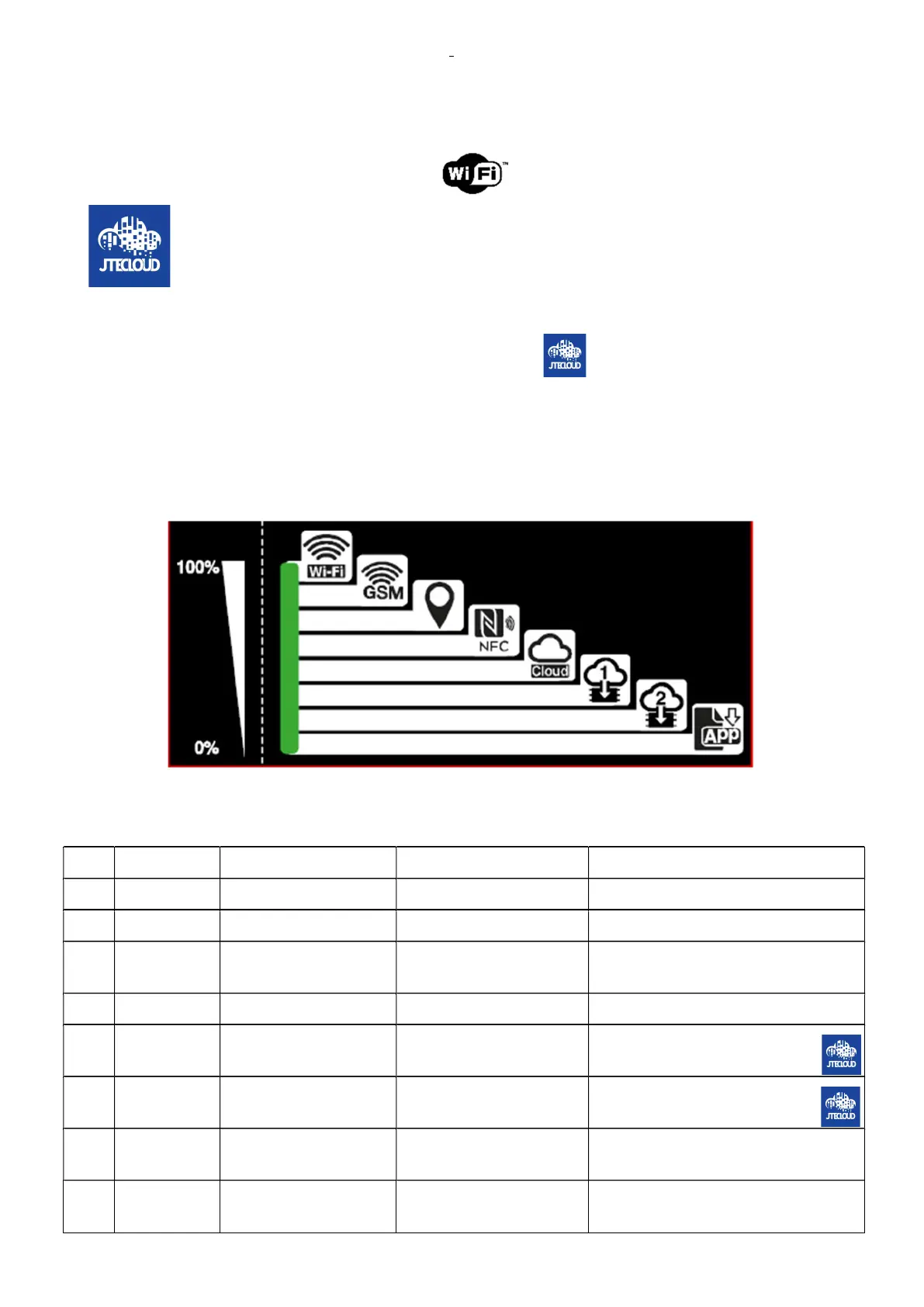
To connect on the Wi-Fi, the state of the Wi-Fi connection is available by the LEDS.
To configure the Wi-Fi connection, download and install the App in your mobile and follow the
instructions.
The App is available in the App store for IOS, and in the Play store for Android.
1.6.1 LED meanings legend
1.6.2 LED meanings instructions
LED FUNCTION ON OFF BLINK
1 WIFI Wi-Fi connected Wi-Fi off Configuration needed
2 GSM GSM connected GSM disconnected GSM in connection
3 GPS GPS Position obtained
No GPS position obtained
4 NFC NFC present NFC not present TAG Read
5 CLOUD Cloud connection OK No Cloud connection
Data exchange from/to cloud
6 FW1 FW1 update present FW2 update not present
Downloading from the JTE
cloud
7 FW2 FW2 update present FW2 update not present
Downloading from the JTE cloud
8 Mobile APP Mobile app connected
Mobile app not connected
-----












 To Next Page