EVOLVE 200 USER MANUAL
6
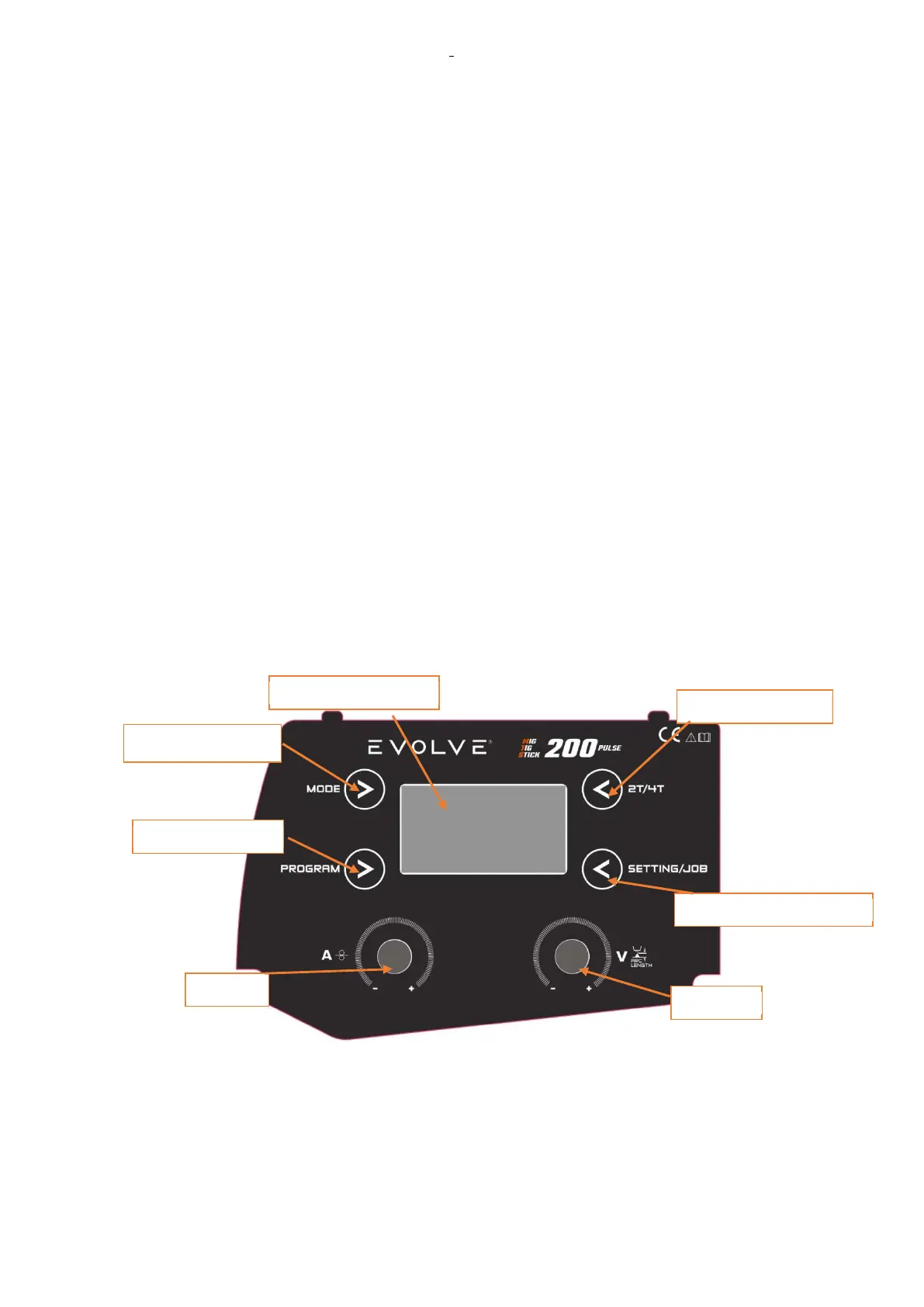
1.2 Front panel general descriptions
1.2.1 Button descriptions
BUTTON1-MODE:Mode change
BUTTON2-2T/4T:Welding operate mode change
BUTTON3-PROG:Welding materials selection
BUTTON4-SETTINGJOB:Welding technology parameter selection
1.2.2 Knob
KNOB1: Current and wire speed knob
KNOB2: Voltage and ARC length knob
1.2.3 Front panel commands descriptions
FRONT PANEL COMANDS DESCRIPTIONS
Fig.1
KNOB 2
BUTTON2 2T/4T
BUTTON4 SETTING/JOB
BUTTON1 MODE
BUTTON3 PROG.
DISPLAY LCD
KNOB 1












 To Next Page