EVOLVE 200 USER MANUAL
15
2.6 MMA welding function instructions
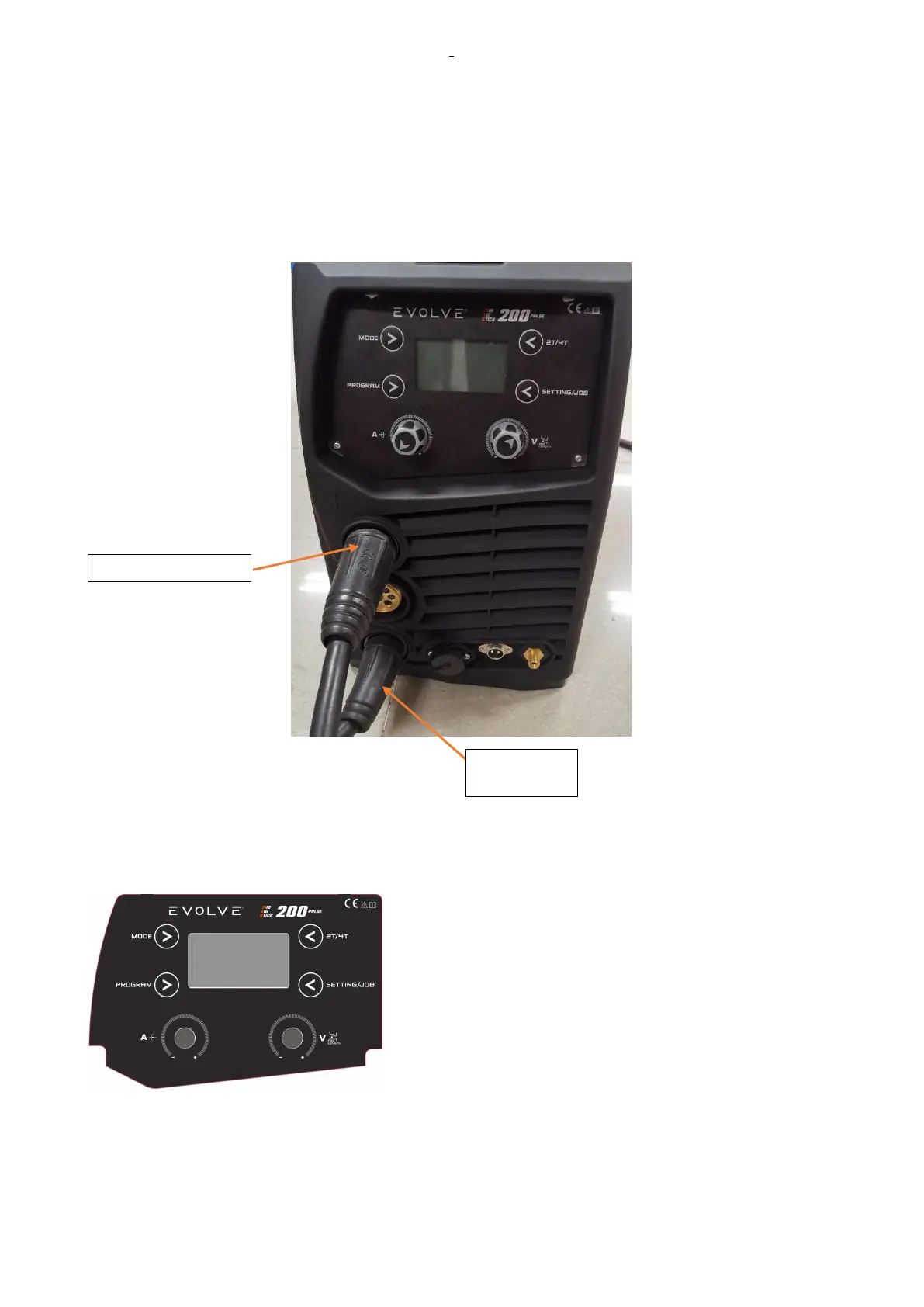
2.6.1MMA welding connection caption
Connect the electrode holder to the positive polarity and the earth clamp plugs to the negative polarity.
2.6.2 VRD set and instructions
This function reduces the output no-load voltage at a value less
than 25V in a very short time.
It increases the safety conditions of the machine user: the no-
load voltage is not dangerous but contact through human body
and live parts of earth cable and electrode holder can cause a
shock with loss of equilibrium control or similar.
The symbol “VRD ON” means that VRD protection is active with
an output no-load voltage equal to 15V.
When “VRD” feature is off, an icon led shows voltage greater
than 25V.
VRD OFF: The reduction of the output voltage will have after 200msec of the stop welding.
VRD ON: The reduction of the output voltage will have in every case after 30sec of stop welding.
VRD Set: In MMA mode, press the 2T/4T/JOB Button to switch VRD ON / VRD OFF.
the earth










 To Next Page