radio control system
EN
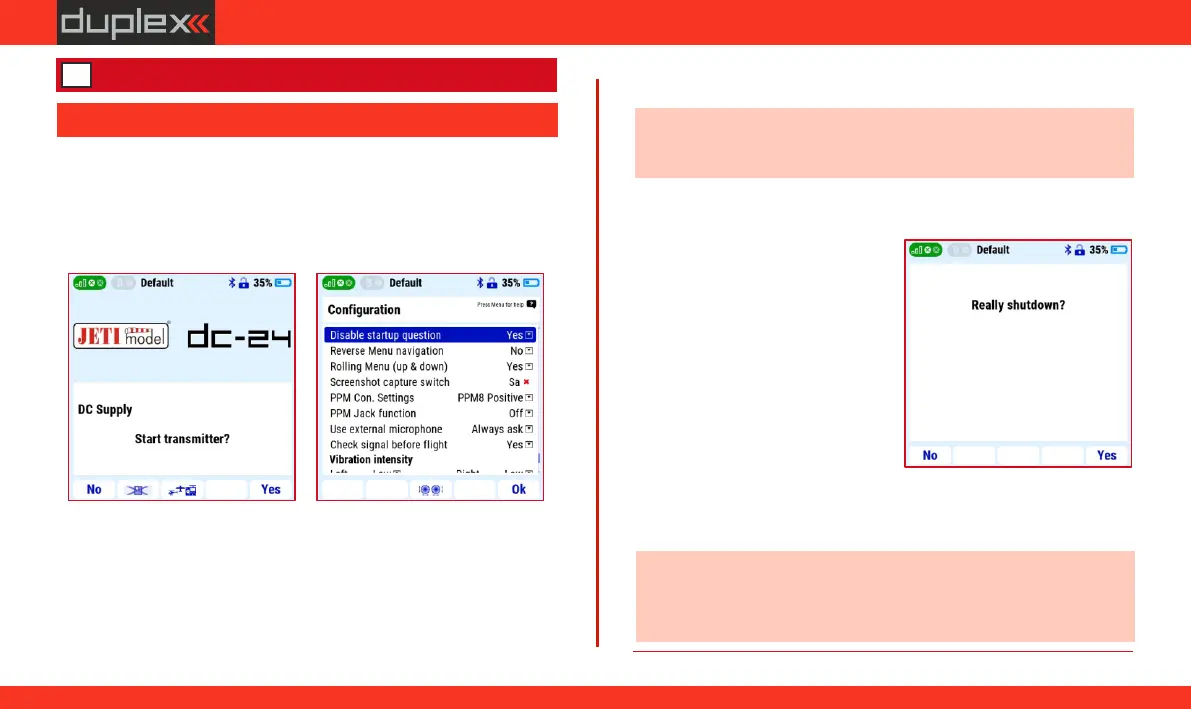
3.1.1 Turn on
1. The transmitter is turned on by long pressing the "POWER“
button.
2. Turning on has to be confirmed by pressing the "F5" button
below the display.
3. If turning on is not confirmed within the time limit of 10s, the
transmitter will automatically turn off. This confirmation protects
the transmitter against unwanted turning on, for example during
transport.
4. The transmitter can be turned on even without confirmation if the
item "Disable startup question" is set to "Yes" in the "Main menu
/ System / Configuration" menu. In this case, the transmitter is
turned on by a long press "POWER" button without confirmation.
Note: if the transmitter is connected to a charger or PC, the
"Disable startup question" function is disabled.
3.1.2 Turn off
1. The transmitter is turned off by
pressing the "POWER" button.
2. Turning off the transmitter
requires confirmation with the
" F 5" b ut to n u nd er the
transmitter display.
źif the shutdown process is not
confirmed within the 10s time
limit, the transmitter will
automa tical ly leave the
shutdown menu and remain on.
źtransmitter shutdown confirmation is a safety feature that cannot
be disabled.
Note: the transmitter can be turned off in an emergency (without
saving the current changes) by simultaneously long pressing the
"POWER" and "ESC" buttons.
3 First start up of the transmitter
3.1 Turning the transmitter on/off
19
www.modellmarkt24.ch



 To Next Page