radio control system
EN
7. Rotate the gimbal back to its original position and tighten the
screws.
8. Connect the power battery and screw on the rear cover of the
transmitter. In the "menu/system/configuration," set the current
date and time.
9. Check and, if necessary, set the type of switch for the specified
position ("menu/advanced settings/stick-switch settings").
Transmitter gimbals are used for controlling the basic flight
functions like throttle, roll(aileron), pitch(elevator), and yaw(rudder).
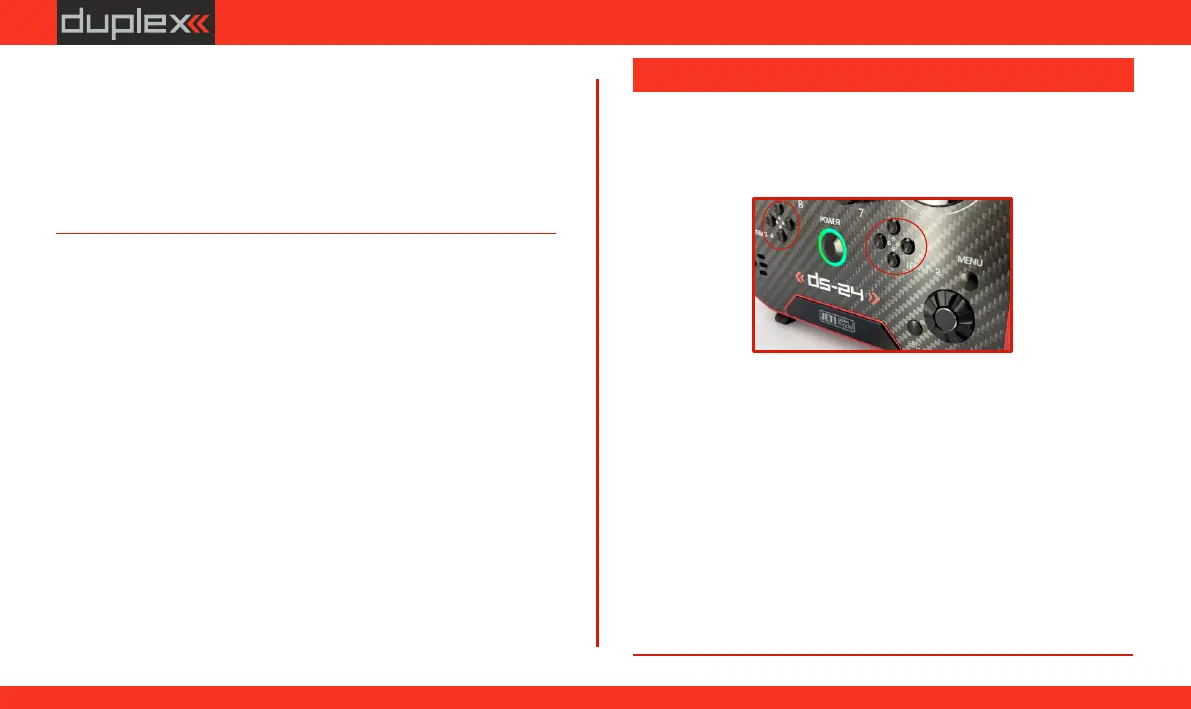
Immediately under the transmitter gimbal sticks you can see four
push-buttons which are the programmable, digital trim buttons.
The digital trims are used for fine trimming of the flying model. When
the transmitter is turned off, the trim values are stored in memory
and are recalled when the system is turned back on.
Every model has its own trim setup. Also all flight modes may be
configured to use different trim configurations. By pressing one of
the buttons, the screen will automatically change to display the
graphic position of that trim. The transmitter trims feature an
acoustic step and centre beep alarm.
In the "Digital trim“ menu it‘s possible to enable a special
function used as automatic trimming. Digital trim steps and trim
range setting is explained in "Main menu->Fine tuning/flight
modes->Digital trim“.
6.3 Digital Trims
71
www.modellmarkt24.ch



 To Next Page