radio control system
EN
6.18Transmitter Gimbals with Switch or Button .
Installation
If you want to operate the DC-24 II transmitter using the optional
stick end switch or button functions, you need to purchase one or
more of these separately:
• Stick with 2-position switch
• Stick with 3-position switch
• Stick with push-button
• Stick with potenciometer
Warning: Keep contact with transmitter PCB to a
minimum. Risk of damage electrostatic charge!
1. Turn off the transmitter and unscrew the screws of the rear
cover of the transmitter.
Disconnect the battery connector.
2.
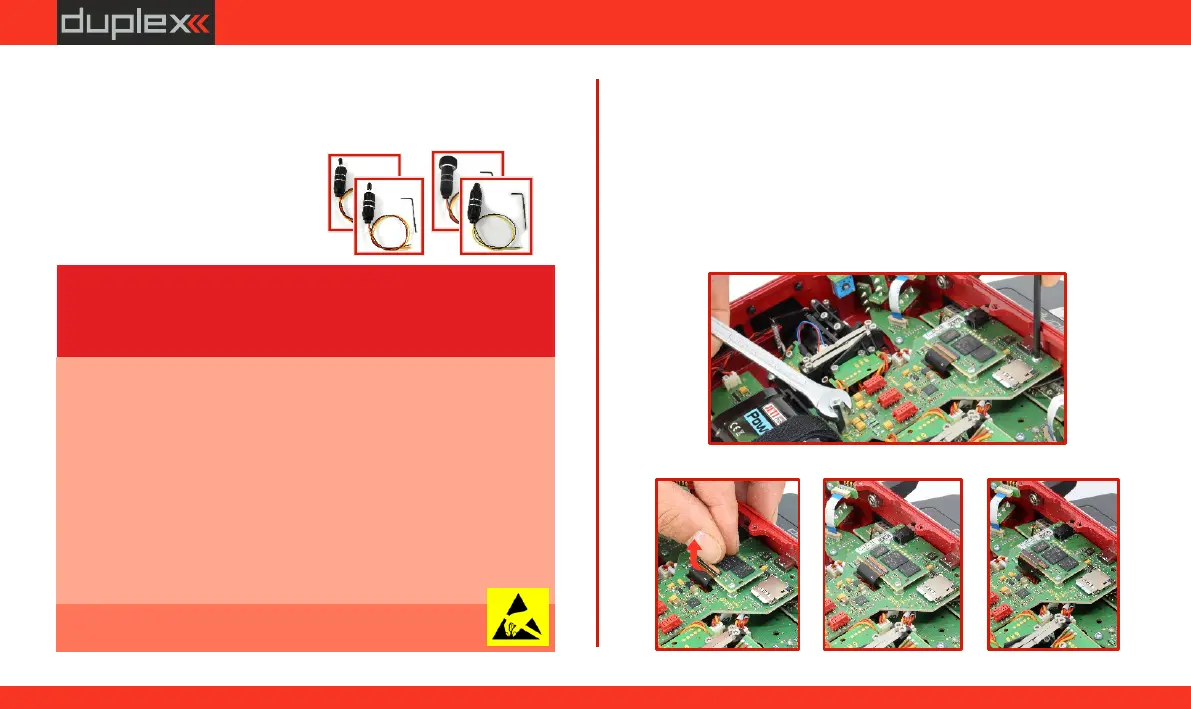
Remove the control circuit board using the following steps:
Loosen and unscrew the spacer column.
a)
Loosen and unscrew the screws (the tool is included in the b)
package).
Release the display connector and disconnect the display.
c)
To install the switch/button, it is necessary to remove the gimbal
from the transmitter using the following procedure:
(a)
(b)
(c 1)
(b)
(c 2)(c 1)
[
Note: If you want to remove the back cover of the transmitter,
proceed as follows:
1. Turn off the transmitter.
2. Use a T6 screwdriver to unscrew all the screws on the back cover of
the transmitter and remove it.
3. Disconnect the main battery.
4. Do not connect the USB cable or charging adapter to the
transmitter.
5. Adjust the sticks as you need.
6. Connect the main battery.
7. Replace the back cover and tighten all the screws.
Advice: For installation of the optional gimbal stick ends
with switches/buttons we recommend that you send your
transmitter to one of the factory authorized service
centers or to your authorized dealer.
65
www.modellmarkt24.ch



 To Next Page