5.
5.
computer
radio
control
system
EN
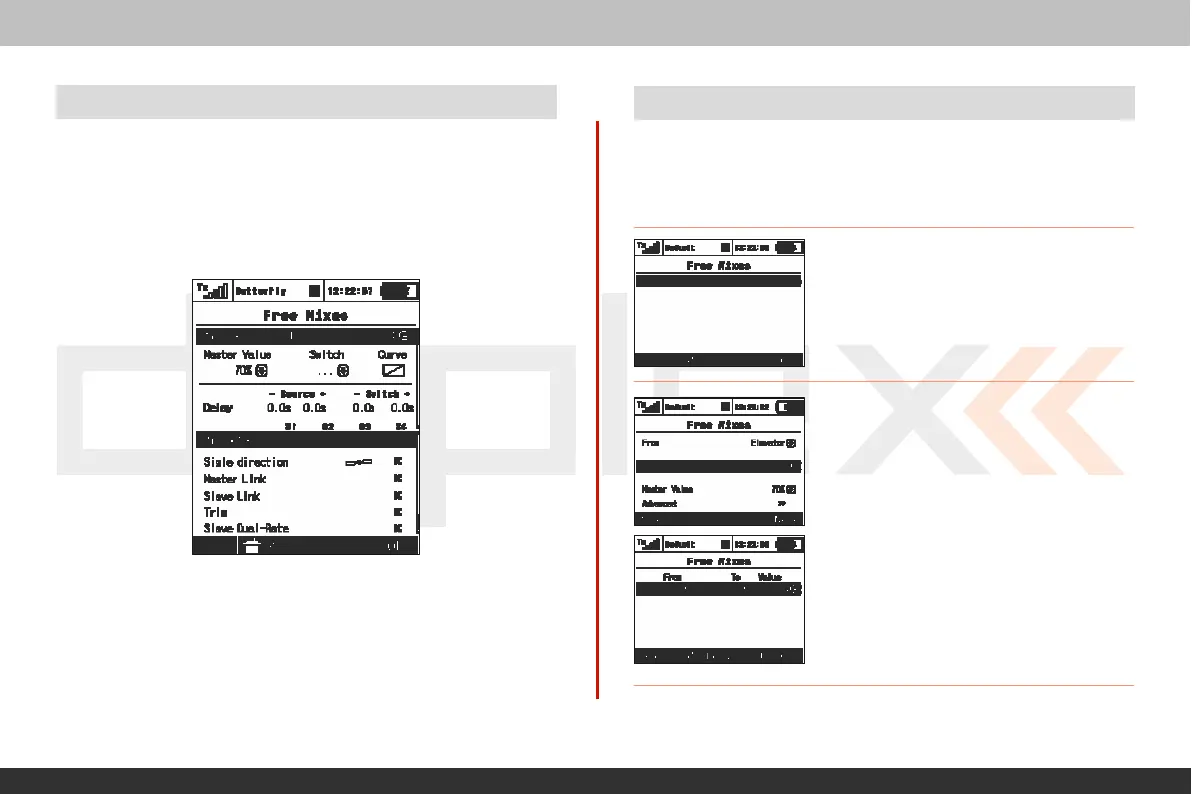
12.12 Aileron to Flap
Mix (Brake
Variation)
This
mix variation
is
used
if
your model
is
equipped
with 4 flaps
and
you want
only
the inner
flaps
(the set closest to the fuselage) to
mo
v
e
with the ailerons while leaving the outer flaps to be used only for
brak
ing
.
Except for the last step
belo
w
,
you will create this mix exactly
as
described
abo
v
e
.
(See
12.11)
12.13 Elevator to Flap Mix
I
f
your model
is
equipped
with flaps you might want consider
mixing
the flaps to the
elevator
.
I
n
some model designs this
mix
can
impr
o
v
e
the elevator
r
esponse
.
Y
ou
can use one of the free mixers to set
up
this mixing
function.
1. From inside the
„Fine
Tuning, >Free
mixes“
menu
,
press the
„F2 (Add)“
butt
on
to create a new mix.
2.
I
n
the
„From“
menu
line,
select
the
“Elevator” input function as the
mast
er
function and in the „To“ line select
the
“Flaps”
for your slave
f
un
c
t
i
o
n
.
The
“Master Value”
represents
the
per
c
entage
of elevator travel as it relates to the
spoiler
tra
v
el
.
Press
“F5
(Next)”to save the mix.
Set the
„Mix
Output“ for columns” „S1“ and „S4“ to 0%.
T
his
setting
will
not allow the
„S1“
or
„S4“
flaps to move with the ailer
on
mix
function.



 To Next Page