4.
4.
computer
radio
control
system
EN
9.5.8
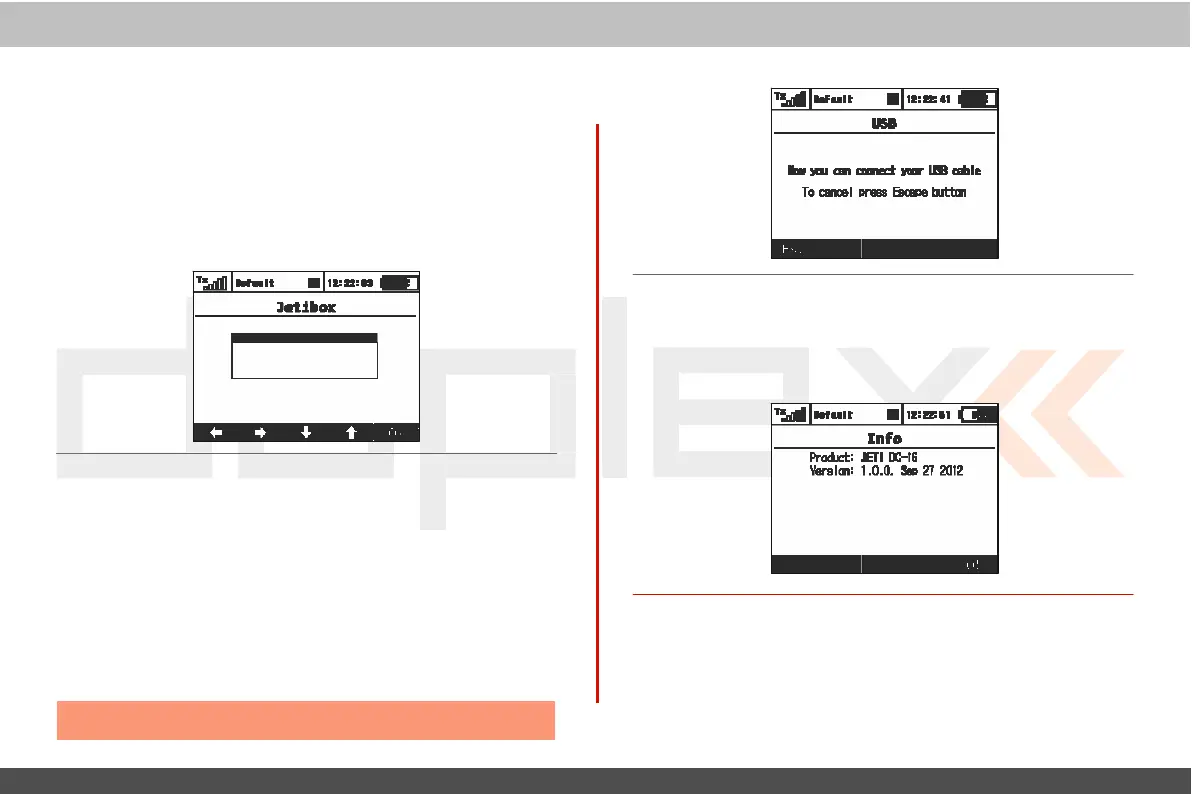
JETIBOX
For maximum compatibility with 1st
generation
Jeti
DUPLEX,
the
DC/DS-16 is
equipped
with a Jetibox emulation function.
T
his
emulation shows its information in the legacy two-line
displa
y
format.
Use
the function keys to navigate the Jetibox menu in
or
der
to view or change the individual
paramet
ers
.
Y
ou
can use
also
wirelessly access a bound
r
ec
eiv
er
’
s
menu and/or any c
onnec
t
ed
telemetry sensors c
onnec
t
ed
to the
r
ec
eiv
er
.
9.5.10
Inf
o
This
menu displays information about your DC/DS-16 such as:
product
name
,
firmware version, available
memor
y
,
et
c
.
Press
the
„F5
(
Ok)“
butt
on
to
exit
this
menu
.
9.5.9 USB
This
menu allows you to establish
communication between
y
our
DC/DS-16
and a PC once you have
connected
the two with a USB
cable
.
Ho
w
to connect your
DC/DS-16
to a PC:
1.
M
anually
enter the menu:
„Men
u
,
>System, >USB“
2. When
pr
opted
,
connect your transmitter and the
PC
with a USB
cable
.
Note:
L
eaving
the menu disables the
c
onnec
tion.



 To Next Page