EN
computer
radio
control
system
2. Proportional
Input
Displa
y
T
he
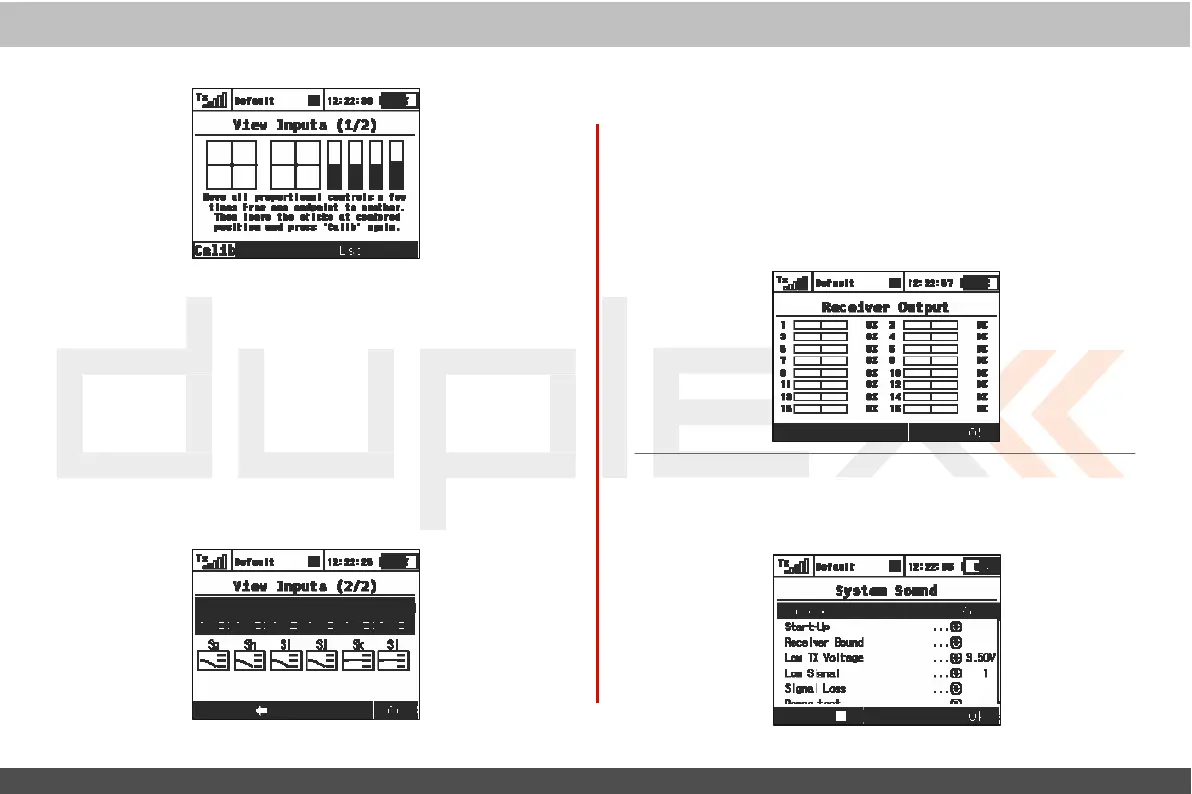
„Display Inputs (1/2)“ screen displays the currently
det
ec
t
ed
position of each proportional c
ontr
ol
.
3. Switch Status
Displa
y
Press the
„F3“
butt
on
to show the
„
V
ie
w
Inputs (2/2)“ scr
een.
This
screen shows the type and currently
detected
position of
the
transmitt
er
’
s
swit
ches
.
Use the
„3D
control“ to select an edit any of
the displayed
swit
ches
.
T
he
„Sk“ and „Sl“ switch positions
ar
e
reserved for the switches that can be
mounted
into the ends of
y
our
transmitter
sticks
.
9.5.4 Receiver Output (Servo Monitor)
T
his
menu displays the receiver
output
channels being
generated
b
y
the
transmitt
er
.
Y
ou
can press the „F3“
button
to see
y
our
programmed
receiver
output
function names and their
curr
ent
output
as a
per
c
entage
.
If
you have modified the „Channel
S
et
“
or
„Pin-Out
Setting“ of your Duplex receiver then the displayed
r
ec
eiv
er
output
channel numbers may not be
ac
curat
e
.
If,
ho
w
ev
er
,
y
our
Duplex receiver
still
has its default channel settings then this
list
will
be
ac
curat
e
.
9.5.5 System
S
ound
T
his
menu allows you to assign any available sound
file
to the
sy
st
em
ev
ents
.



 To Next Page