computer
radio
control
system
EN
9.4.
T
imers/S
ensors
-
Set up of
T
imers
and Telemetry
S
ensors
9.4.1
T
imers
T
he
DC/DS-16
allows you to simultaneously use up to 10
diff
er
ent
timers
.
This
is useful to separately track motor run
times
,
individual
lap
times
,
total flight time or just about anything else you c
ould
want.
Y
ou
can also name each of the
timers
.
Once you create a
timer
it
is
displayed in its own box on the desktop screen.
T
he
timer
values
are stored in each
model
’
s
setup
.
T
he
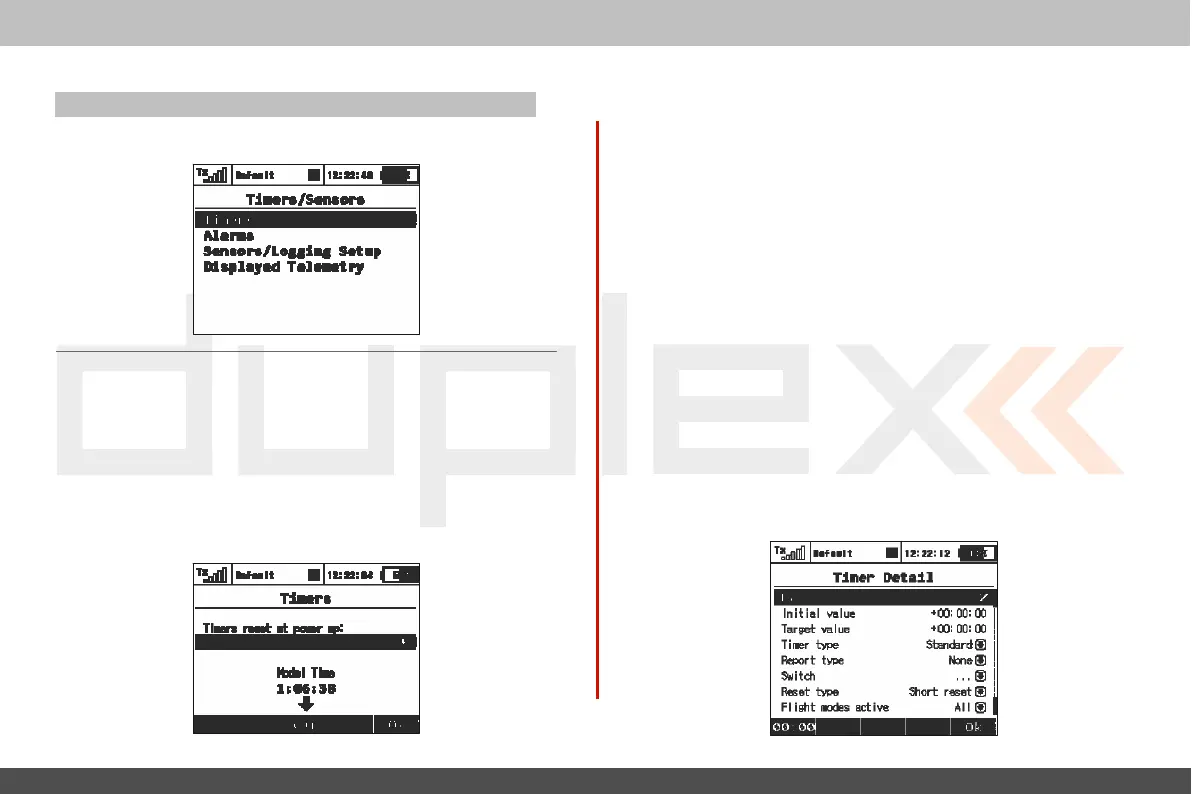
„Timers“
menu displays a list
of
all
of the timers you have
cr
eated
.
1. Model
T
ime/Reset
T
imers
at Power Up
By
pressing F1()
button
you can choose which timers
will
be
r
eset
after turning on the
TX
or after selecting the
model
.
By
default, all
timers with specified Short Reset option are
clear
ed
.
I
n
addition, it is
possible to have all timers cleared or
none
.
This
option is
model
specific.
T
he
model time runs incrementally during flight
(af
t
er
pressing
F(4)
Start
butt
on
on main screen or after starting any timer).
Button
F(3)
clears the model
time
.
I
t
is possible to show the model time on the main scr
een
„
Timers/Sensors->Displayed
T
elemetr
y
”
.
2.
Cr
ea
ting
a
new
T
imer
From the
„Main Menu
> Timers/Sensors >
Timers“
menu
,
press
the
„F2(
A
dd)“
butt
on
to create a new
timer
.
3. Deleting
a
T
imer
U
se
the
„F3(Del
.)“
butt
on
to delete the selected
timer
.
4.
Editing
T
imer
S
ettings
Use either the
„F3(Edit)“
button
or the „3D button“ to enter
the
„Timer Detail“
menu
.
T
hen
use the
„3D
button“ to select and
edit
the timer
settings
.



 To Next Page