EN
computer
radio
control
system
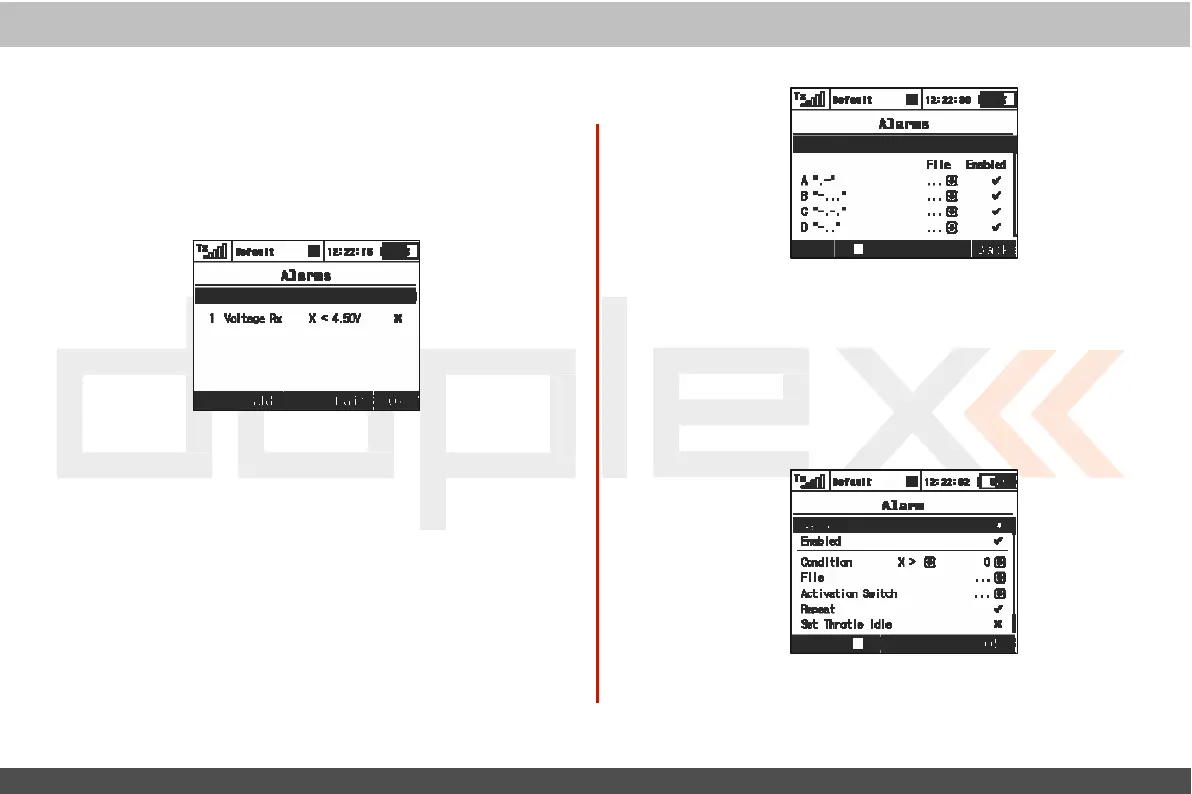
9.4.2 Alarms
If
you use the Jeti telemetry system, in this menu you can set
y
our
alarm thresholds and choose which sound is played in the
alarm
condition.
T
he
transmitter support both
first
generation
Duplex
and
Duplex
EX
alarms
.
F
irst Generation Alarms
First
generation
Duplex
(non-EX)
sensors
generate
their alarms
as
Morse
C
ode
.
If
you are using first
generation
Duplex sensors
then
you must select „Enable Morse Code Alarms“ using the „3D
button“
.
When this option
is
selec
t
ed
,
a table
appears
.
I
n
this
table
,
the first column shows the Morse Code alphabet.
T
he
sec
ond
column shows the .wav sound
files
associated with each
lett
er
.
Use
the „3D Button“ to change the .wav
file
association as
needed
.
T
he
third column shows whether the selected .wav
file
for each letter is
enabled
.
Use
the
„3D
button“ to enable or disable the alarm
sound
as
needed
.
This
configuration must be set for each model and is
saved
f
or
each model
independantly
.
EX
Alarms
Duplex
EX
sensors
generat
e
their alarms directly to the
transmitt
er
.
T
he
corresponding
Duplex
EX
sensor must first be
connected
to
a
Duplex
EX
receiver and the receiver must be bound to
the
transmitt
er
.
I
t
may take several minutes
f
or
the transmitter to initially
communicate
the
sensors
.
T
he
list
of
connected
sensors
is
found in:
„Main
Men
u >Timers/Sensors >Sensors/Logging
S
etup
“
.
For
this operation, both the transmitter and
all
receivers and
sensors
must be c
onnec
t
ed
and
po
w
er
ed
.
1.
Cr
ea
ting
an Alarm
Use the
„F2(Add)“
button
to add an alarm.
T
hen,
in the „Sensor“
item, select the sensor whose alarm
limit
you want to
set.



 To Next Page