computer
radio
control
system
EN
4.
4.
2. Enable an Alarm
Us
ing the „3D
button“
,
select „Enabled“ and press to enable
the
alarm and display the alarm
paramet
ers
.
3. Parameter
V
alues
„Condition“ defines the condition which must be met in order
t
o
trigger the alarm.
T
he
value
„
X“
will
var
y
with the sensor being
used
.
4. File
This
item allows you to select the audio
file
that is played when
the
alarm
oc
curs
.
Press
„F1“
to play the selected audio
file.
Press
„F2“
t
o
stop playing the selected audio
file
.
5.
Repea
t
If
the alarm condition occurrence is longer than the selected
audio
file,
you can use this item to repeat the audio
file. If
a check mark is
displayed then the audio
file will
repeat.
If
an
„x“
is displayed
then
the audio
file
will
play
only
onc
e
.
6. Set
T
hr
ottle
Idle
With
this item
activat
ed
,
you
model
’
s
throttle
will
go to idle when
the
alarm condition
oc
currs
.
7. Activation
S
witch
If
the switch is
assig
ned
,
the alarm is enabled or disabled
ac
c
or
ding
to the switch
status
.
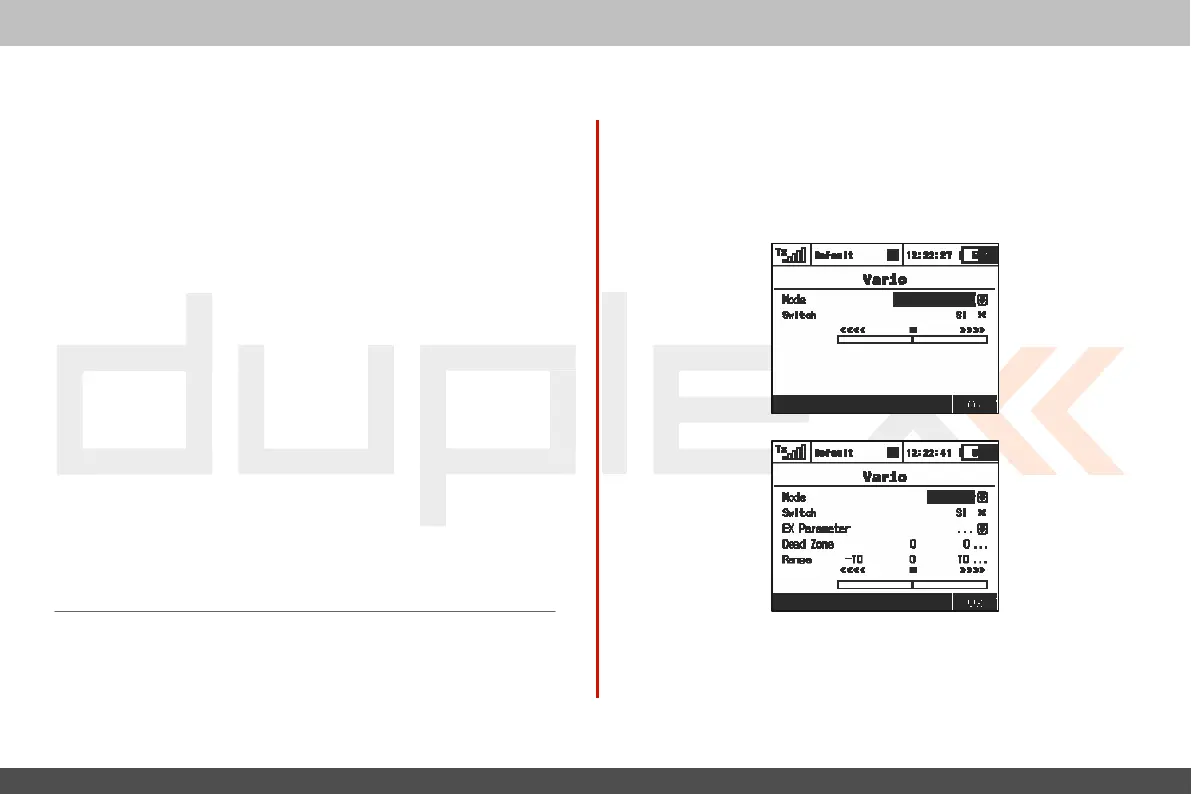
9.4.3 Vario
L
ocat
ed
in:
„Men
u->T
imers/S
ensors/Vario
”
.
T
her
e
are two types of
acoustic
sig
nalling
.
T
he
first
one
is
controlled directly by the
sensor's
alarm.
This is
mainly useful
if
a
non-EX
MVARIO is
installed inside
the
model
.
I
t
is possible to assign a switch that enables or disables
the
sound
.
T
he
slider at the
bottom
shows the actual value of
climb/sink
rat
e
.
T
he
second mode of the
V
ario
is
dedicated
to
EX
sensors
.
T
he
acoustic signalling varies directly
depe
n
d
i
ng
on the
a
c
t
u
a
l
numerical values sent by the
sensor
.
I
t
is also possible to assign
a
switch that enables the acoustic
sig
nal
.



 To Next Page