4.
4.
computer
radio
control
system
EN
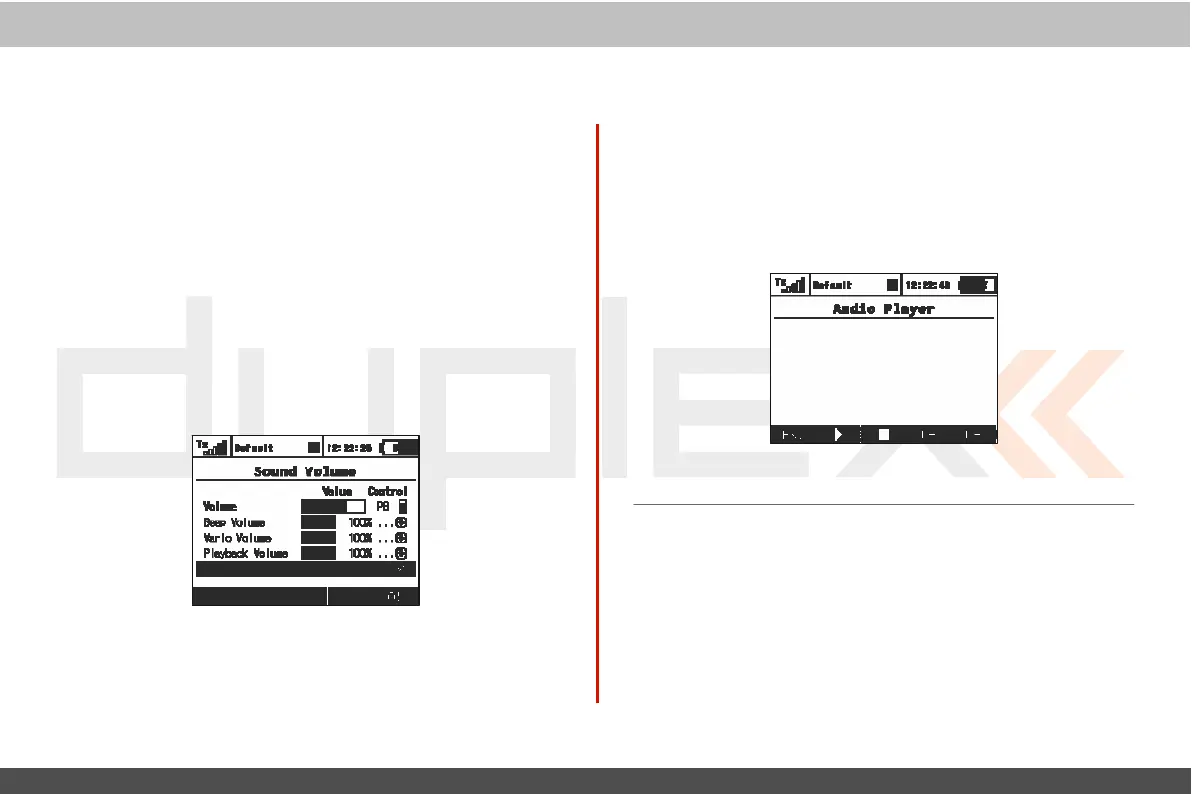
9.5.6. Sound
V
olume
Here you may select volumes for each part of the audio
sy
st
em
individually
.
Y
ou
are also free to assign any proportional c
ontr
ol
(stick or knob) for
adjustment.
T
he
first row
represents
a
mast
er
volume for the
transmitt
er
.
Other volumes are then derived
r
elativ
e
to this
value
.
•
Beep
V
olume
– controls volume of
beeping
and
trimming
.
•
V
ario
V
olume
– intensity of vario tone
sig
nalising
.
•
Playback
V
olume
– volume of played
WAV
files
(Alarms,
Audio
Pla
y
er
and Sound on
E
v
ent).
•
Stop Playback Switch – after activating the assigned switch (in
the picture
Sj), all
currently played
WAV files
are being
st
opped
.
T
his
doesn
’
t
influence any further
pla
yback
.
9.5.7 Audio
Pla
y
er
This
menu lists all of the data stored on your
transmitt
er
’
s
internal
memor
y
.
T
he
available audio
files
are stored in the Audio
f
older
.
Use the „3D
control“ to access and scr
oll
through the
Audio
folder c
ont
ents
.
T
he
function keys provide playback control: „F1
(Esc)“,
„F2
(Play)“,
„F3
(Stop
)
“
,
„F4
(
V
ol
-)“
and
„F5
(Vol+)“.
A
udio
files
are
supported
in
*.wav
f
ormat.



 To Next Page