4.
4.
computer
radio
control
system
EN
By
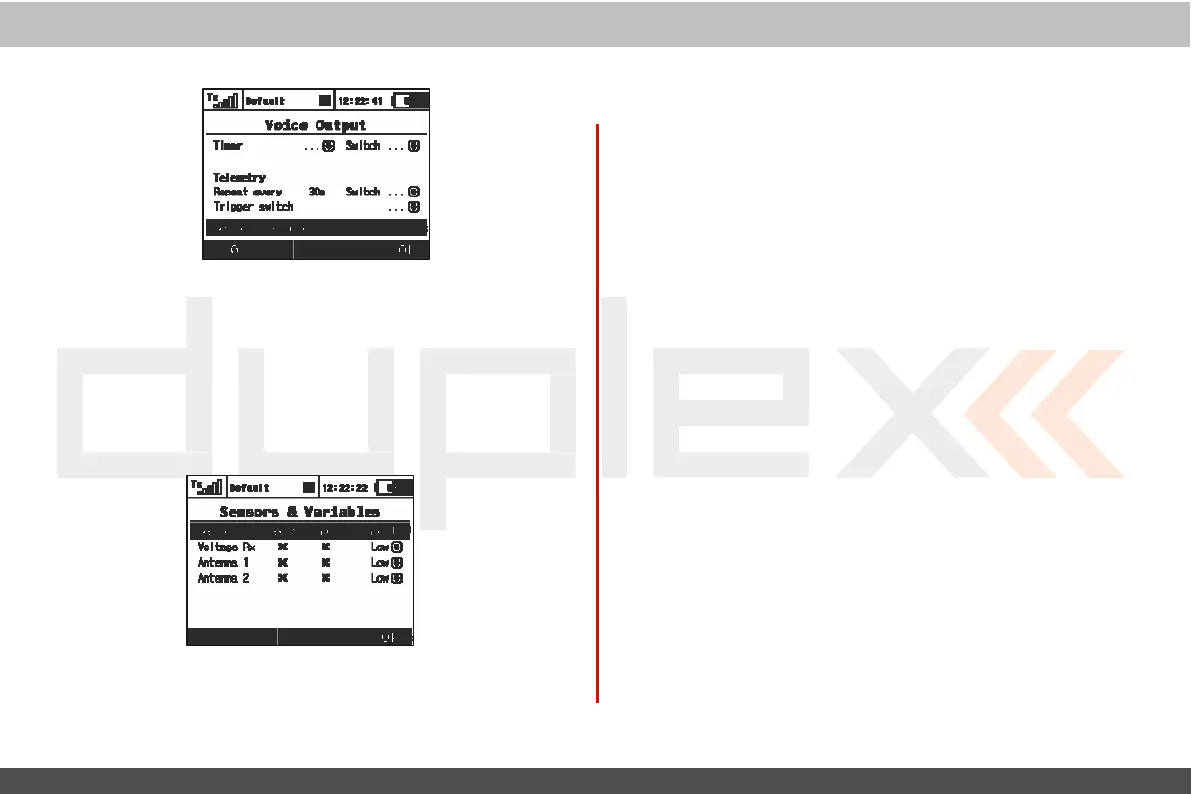
selecting the pushing the “Sensors
& V
ariables
”
option using
the
3D rotary button, you are able to choose which variables will
be
expressed by a synthesized
v
oic
e
.
T
he
first column
represents
the
name of the sensor or
variable
.
T
he
Repeat option provides an
easy
way to add a variable to the Repeat queue or to remove a
variable
from the Repeat
queue
.
By
selecting the
T
rigger
option, the
specified
variable is added into the
T
rigger
queue
,
so that every time
the
T
rigger
switch is
activat
ed
,
the items in the
T
rigger
queue
ar
e
expressed by synthesized
v
oic
e
.
Y
ou
may change the
priorit
y
of any
variable
.
T
his
will
also change
the
order of the
reported
it
ems
.
Possible choices for priority are:
L
o
w
,
Medium and
High.
T
he
or
der
,
top to bottom,
is
from High priority
t
o
L
o
w
priorit
y
.



 To Next Page