Page 23
John Bean VPI System III Operators Manual
9.0 SPLIT WEIGHTS - P92
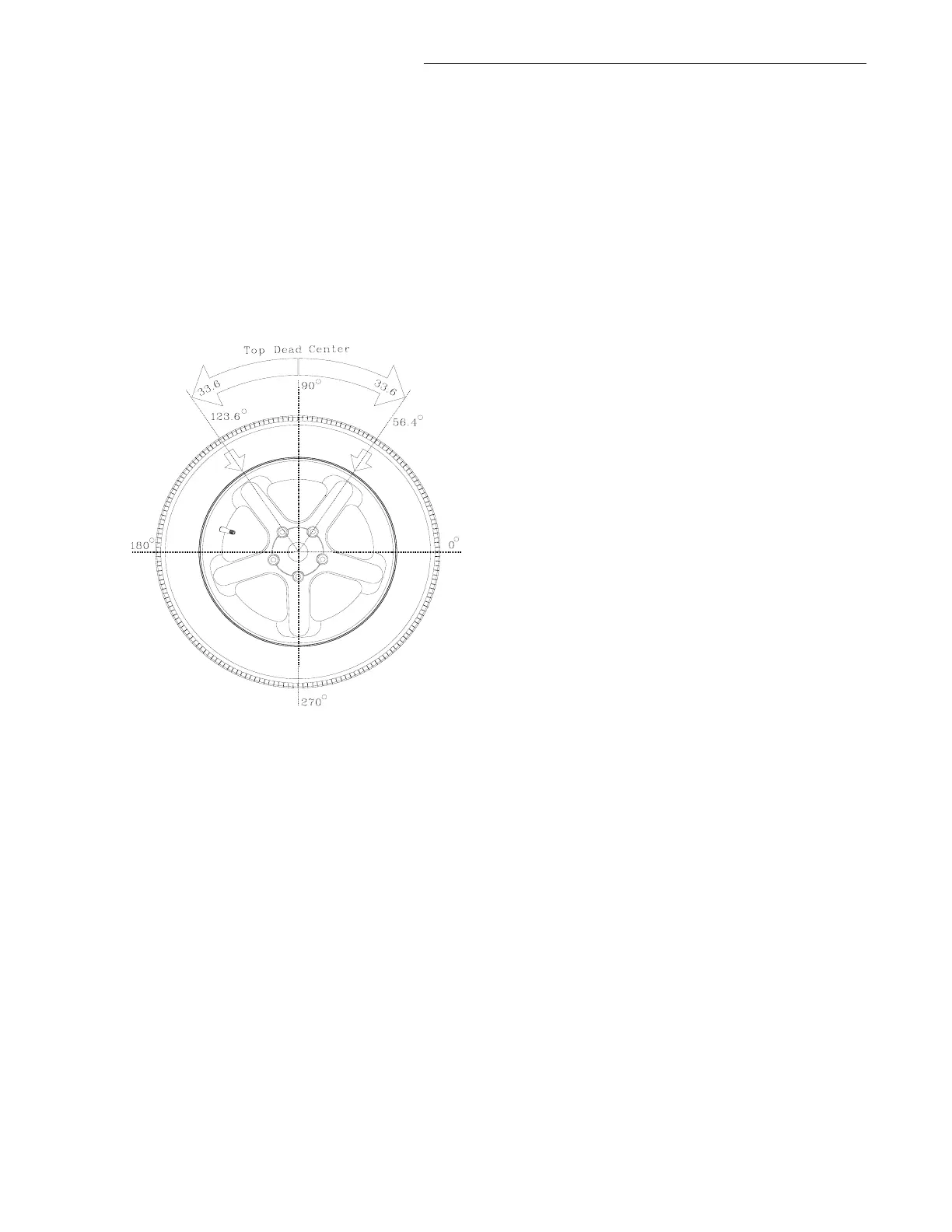
The “Split Weight” function is used to split one large
weight to two smaller weights with 60% of original weight
and 33.6° away each direction from the original position.
For instance, if the original unbalance weight is 3 oz, the
weight is split into two 1.75 oz weights and placed 56.4°
and 123.6° from the original larger value located top dead
center at 90 degrees. The minimum weight to activate
this function is 2 oz. The procedure is described below.
See Figure 38.
1. After balancing, the weight amounts are displayed
in left and right windows.
2. Enter F92, machine will display “SPL -L- “ or “SPL
-R-“ meaning which plane should be split.
3. Press the “STOP” button alternately to toggle be-
tween the left and right plane.
4. Once the desired plane is chosen, press the "F"
button. The machine splits the weight into two parts.
The split weight is 60% of the original weight. The
position is 33.6° from each side the original posi-
tion.
5. If the displayed weight is less than 2 oz (56.7 grams),
the machine will display “ NOT AVL” for one sec-
ond, and then resumes the normal display.
6. Pressing “STOP” cancels the split weight mode
and operation returns to normal. The operator can
check if the position of original weight is between
the two smaller weights.
7. Pressing the “STOP” button again, returns the ma-
chine to idle mode without weight amount or posi-
tion display.
8. For a check spin, lower the hood guard or press
“SPIN” button.
Figure 38



 To Next Page