Page Issue 02
Chapter - Hydraulic System
8:3
VT551 - Maintenance
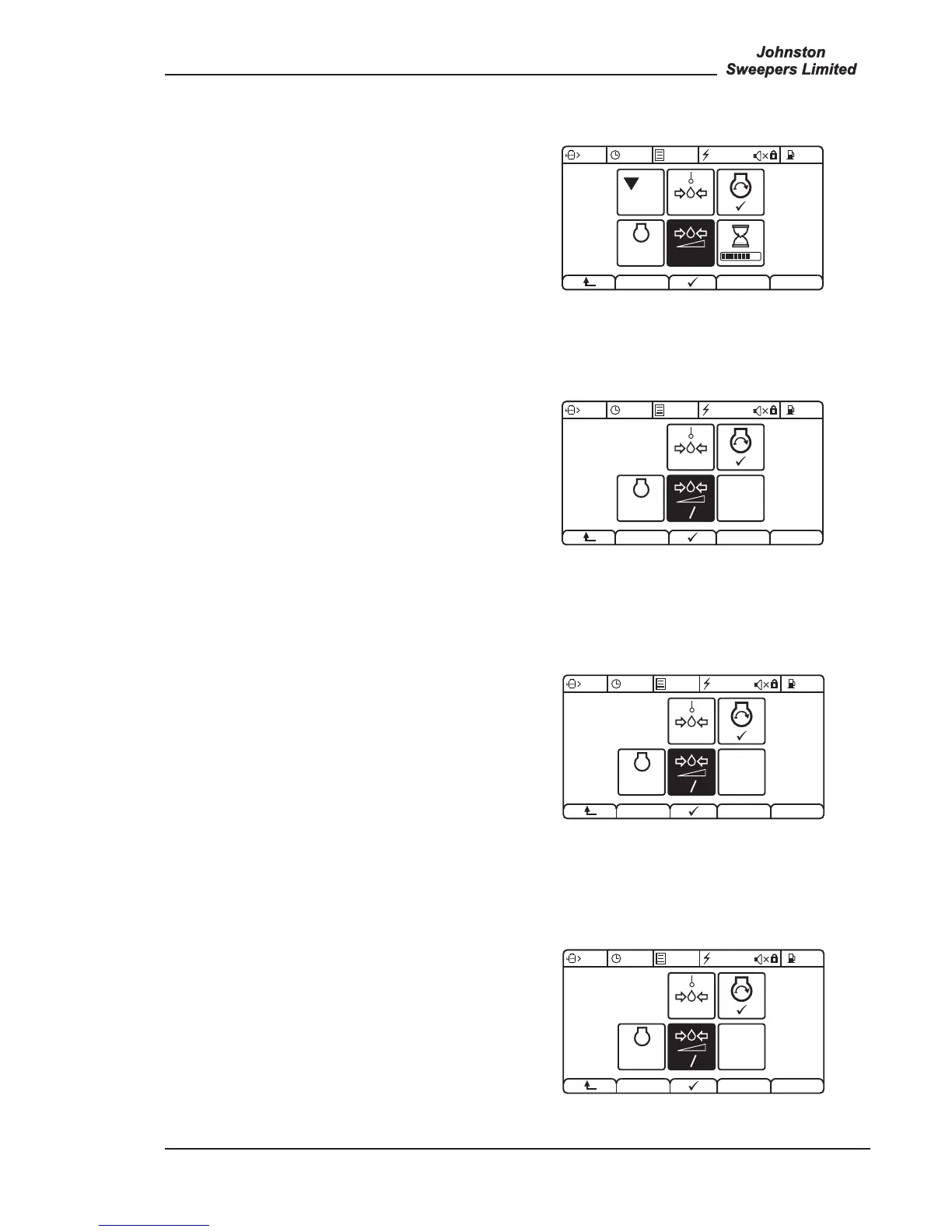
WATER SYSTEM - MENU 4.11.2
Connect a suitable 250 bar gauge to test point T9.
Follow the on screen CANview instructions.
This pressure should be 220 bar. Remember to cap off
hose 206 when port W1 is plugged.
If necessary manually adjust RV2.
SUCTION FAN - MENU 4.11.3
Fit a 250 bar minimum pressure gauge to test point T8.
Follow the on screen CANview instructions.
This pressure should be 150 bar.
If necessary press + or - to adjust the pressure to 150 bar
± 5. Press to save setting.
HOPPER RAISE - MENU 4.11.4
Connect a suitable 250 bar gauge to Test Point T8.
Follow the on screen CANview instructions.
This pressure should be 175 bar.
If necessary press + or - to adjust the pressure to 175 bar
± 5. Press to save setting.
HOPPER LOWER - MENU 4.11.5
Connect test point as detailed above and follow the on
screen CANview instructions.
This pressure should be 80 bar.
If necessary adjust pressure by pressing + or -.
Press to save setting.
93OG. 027-37


 To Next Page