Chapter 4 ADJUST MENU SETTINGS
4.6 SCANNER
4-20
4.6 SCANNER
Sets the scanner in details.
"Scanner" operations
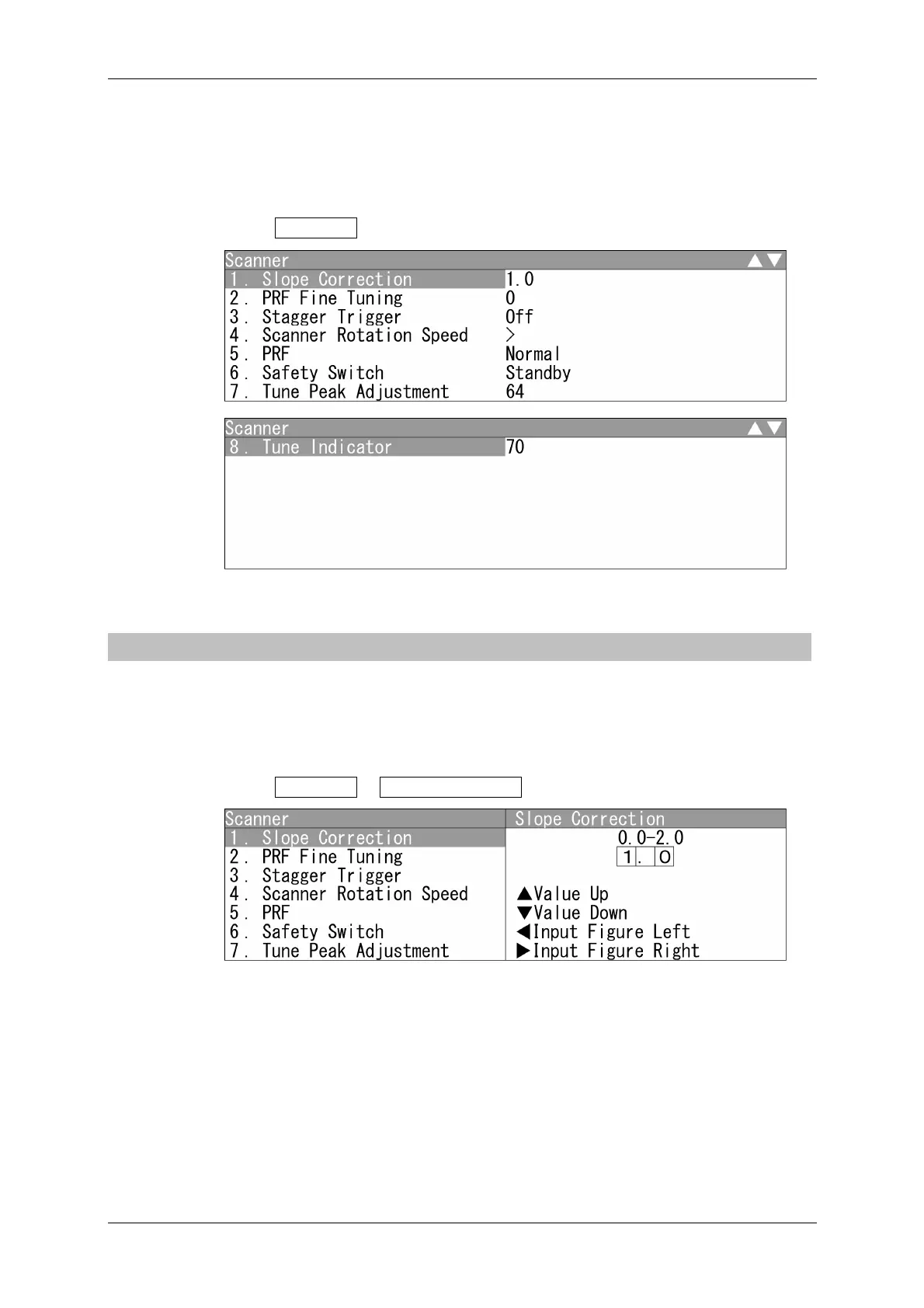
1 Open Scanner from the Adjust Menu.
"Scanner" menu appears.
4.6.1 SLOPE CORRECTION
Adjust the property because a scanner of 25 kW has a different receiver dynamic range
from those of 10 kW or less.
Setting Slope Correction
1 Open Scanner - Slope Correction .
"Slope Correction" menu appears.
Press the cursor key or turn the [MULTI] control to set the slope correction value.
The slope correction value can be set between 0.0 and 2.0.


 To Next Page
 Loading...