Chapter 5 VARIOUS FUNCTIONS
12
5.34 SCREEN CAPTURE
This equipment has the screen capture function.
This function only works while the USB memory is inserted into the front USB port.
Note:
The rear USB port is for mouse / trackball connection only.
The captured images are saved to “JMA-3400\CAPTURE” folder in the USB memory.
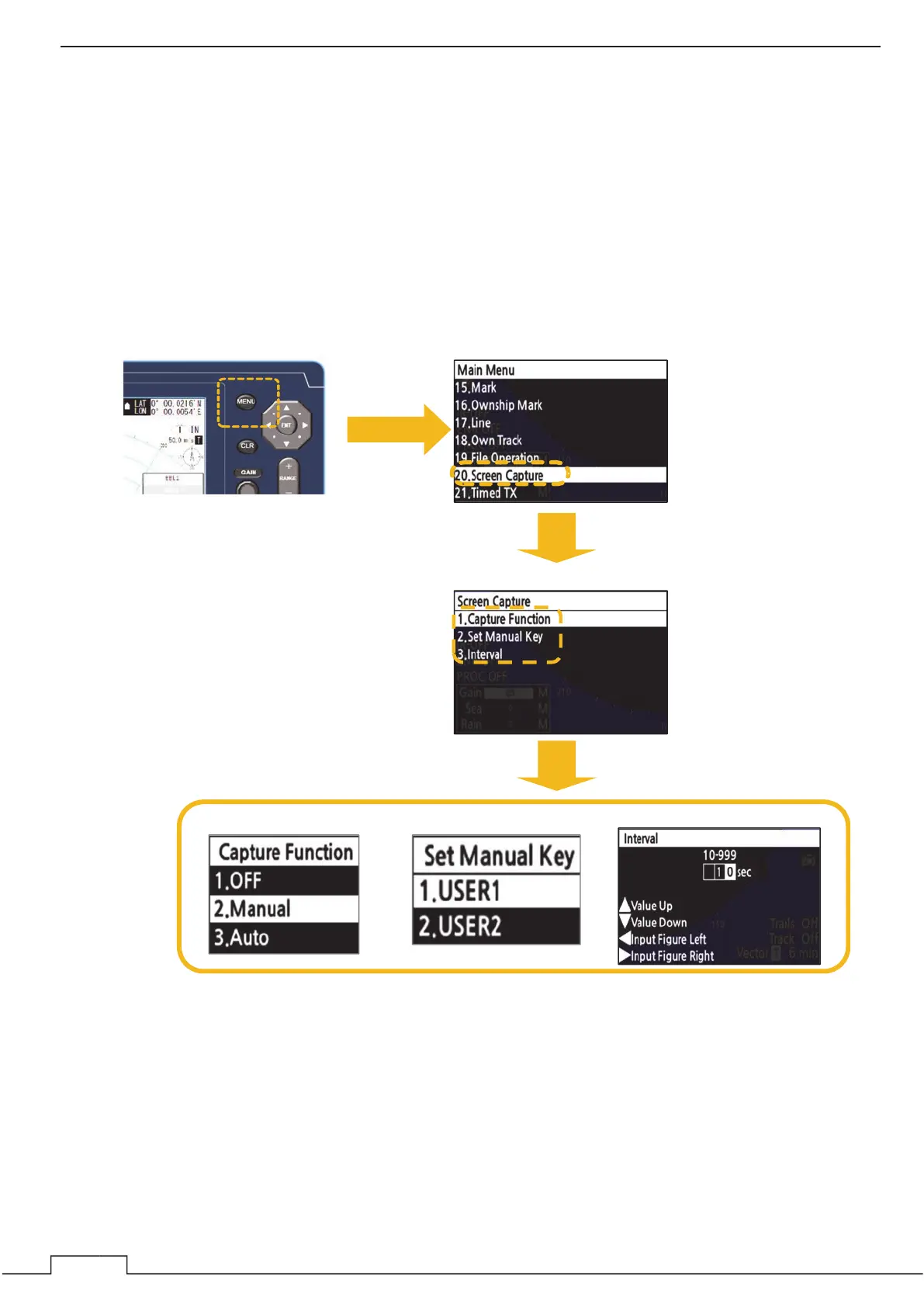
ձ Press the MENU button. ղ Select “Screen Capture”.
ճ Select each menu.
Interval
Set Manual Key
Capture function


 To Next Page
 Loading...