11
© 2017 JTECH Medical MN022_M
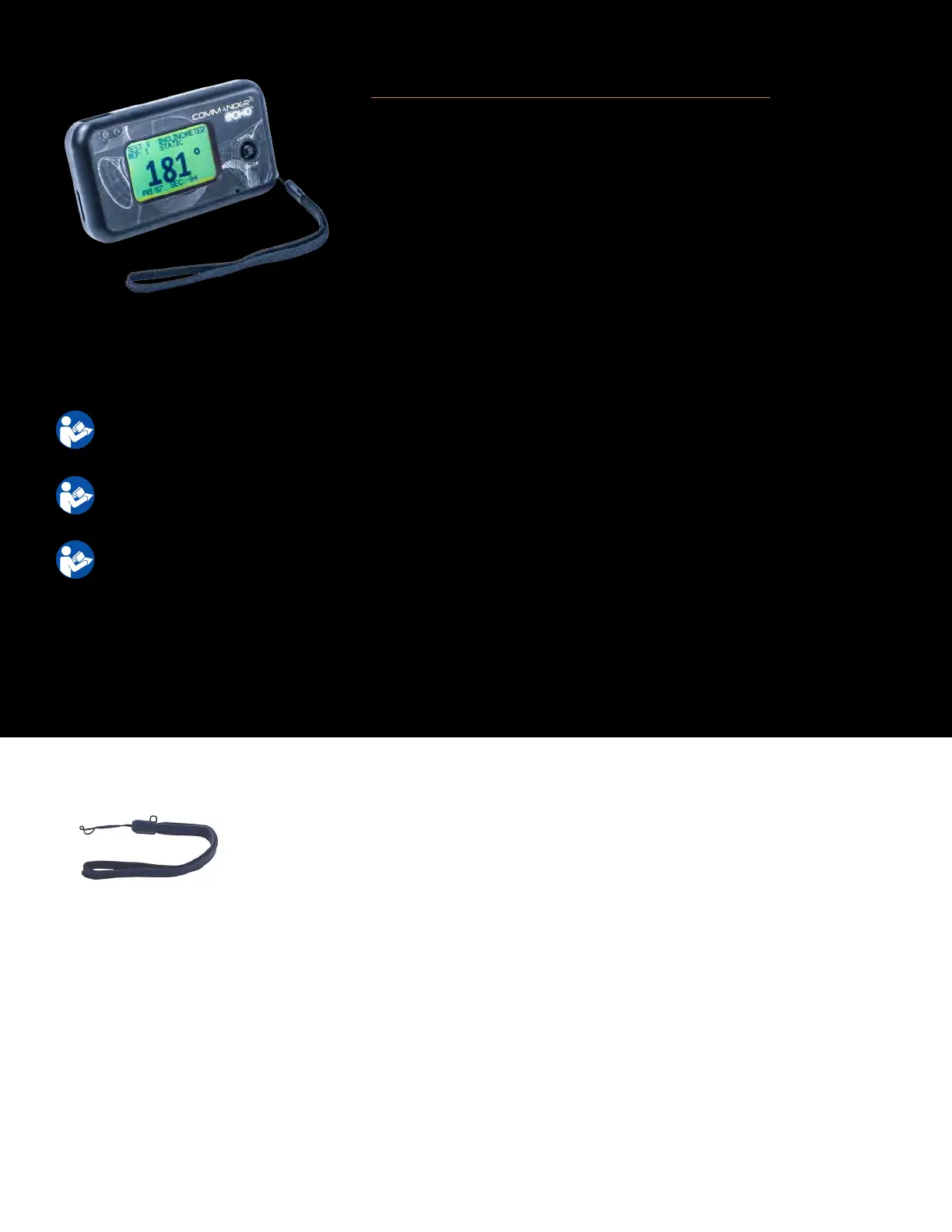
Commander Echo Console (9RF316)
Used to record informaon from the tesng devices.
To turn the Console o, hold the Control Sck down for 2 seconds. (Note: in some menus you have to exit the
menu before you can turn o the Console)
For detailed instrucons on operang the Commander Echo Console, please refer to pages 12-19 in the
manual.
For instrucons for specic instruments, please refer to Instrument Secon of the manual that includes
the Instrument you are interested in.
For instrucons on performing specic tests, refer to the oponal Mulmedia Help System CD.
For troubleshoong informaon, please see page 42
For technical specicaons, please see page 51
1. Press the Control Sck to enable the Commander Echo Console.
2. Select “Test”
3. Select the desired instrument.
4. Push the “On” buon on the desired instrument to enable
communicaon with the Commander Echo Console.
Detachable parts
Wrist Lanyard (7AC006) – The Wrist Lanyard is used to help prevent dropping the
Commander Echo Console when carrying the Console.



 To Next Page