© 2017 JTECH Medical MN022_M
34
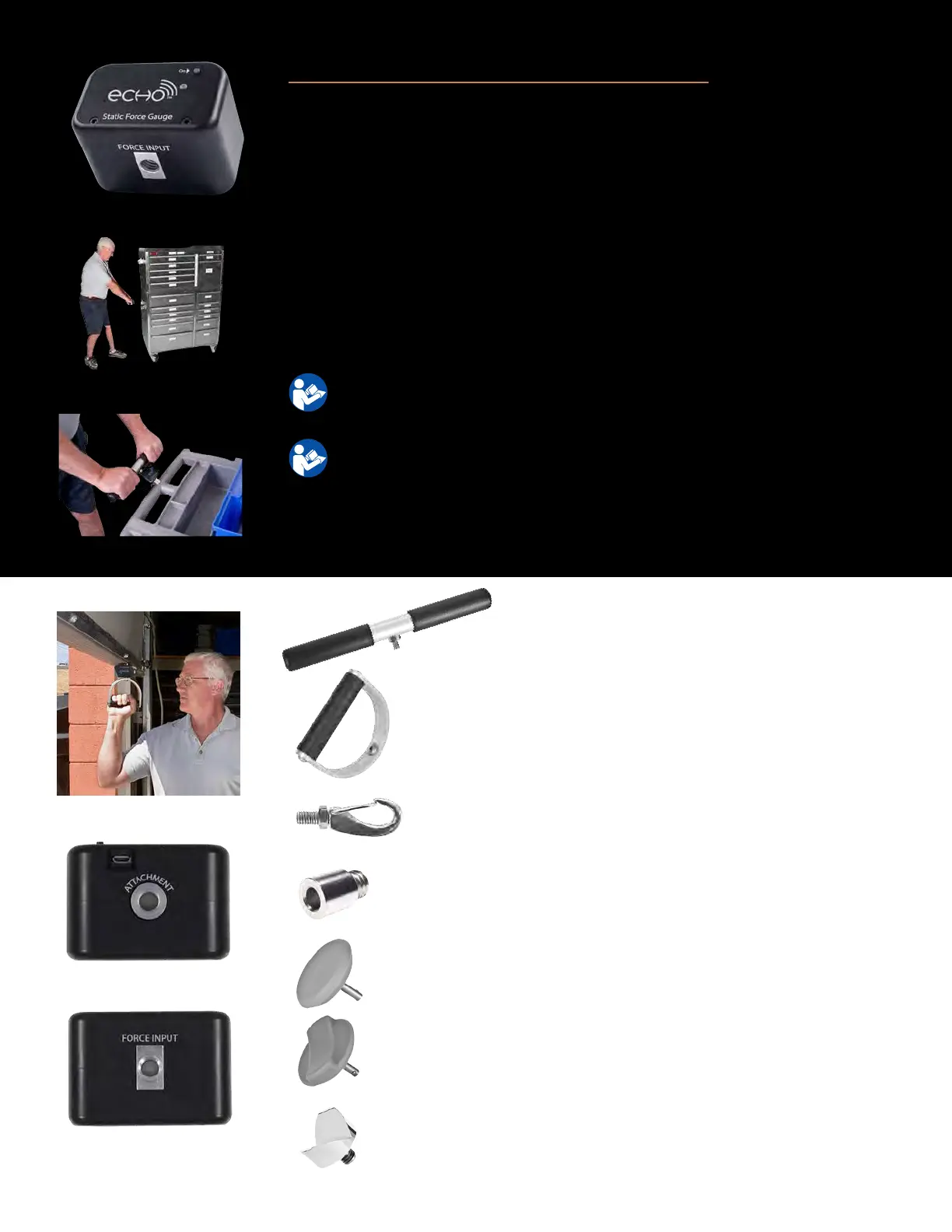
Wireless Stac Force Gauge (9RF310)
Used to convey funconal abilies concerning stac strength in a variety of
applicaons such as liing, pushing, or pulling, or to convey a subject’s ability to
resist force for a given muscle or muscle group.
1. Aach appropriate accessory to Stac Force Gauge by threading the metal
sha on the accessory into the accessory aachment receptacle or force
input receptacle on the Stac Force Gauge.
2. Push the “On” buon to enable communicaon with the Commander Echo
Console.
For instrucons on operang the Commander Echo Console, please refer
to the Console Secon of the manual.
For instrucons on performing specic tests, please refer to the oponal
Mulmedia Help System CD.
For troubleshoong informaon, please see page 43
For technical specicaons, please see page 58
T-Bar (9AC002) – The T-Bar is essenal for doing
liing or pulling tests that require the use of two
hands. Aaches to the Accessory Aachment
receptacle.
D-Handle (9AC003)– The D-Handle is the perfect choice
for doing one-hand lis or pulls. Aaches to the Accessory
Aachment receptacle.
Hook w/Stud (741) – The hook aachment allows you to use
virtually any item for liing or pulling tests. Aaches to the
Force Input receptacle.
Threaded Pad Adapter (8MH097) – Adapts the threaded
Force Input receptacle to allow the metal shas on the at
or curved pads to be inserted into the Stac Force Gauge.
Flat Pad (8AC008)– The at pad can be used for exerng
force against at items, or muscle tesng. Aaches to the
Threaded Pad Adapter.
Curved Pad (8AC009)– The curved pad can be used for
exerng force against items that are not completely at, or
muscle tesng. Aaches to the Threaded Pad Adapter.
Accessories
Oponal V-Slot (745) – The oponal V-Slot makes it easy to
exert force against the corner of walls or other structures
for doing push tests. Aaches to the Force input receptacle.



 To Next Page