© 2017 JTECH Medical MN022_M
38
First Time Using Commander Echo Downloader
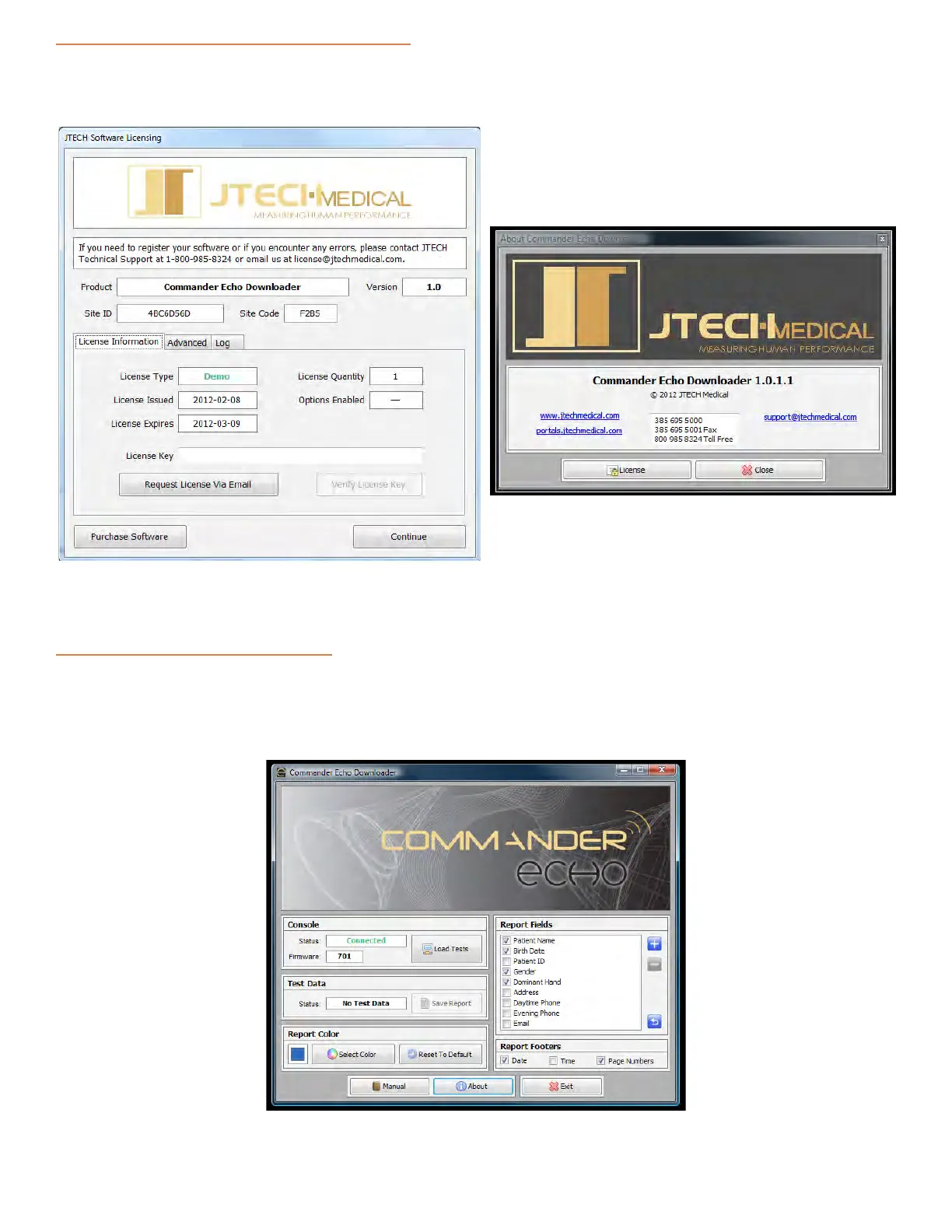
When you rst open the Commander Echo Downloader Soware, you will need to contact JTECH Medical
customer service in order to register your soware, and receive a license for connual use.
The following form will open:
Contact JTECH Medical at 1-800-985-8324 or click the “Request a License Via Email” buon in order to obtain a
license key.
Using Commander Echo Downloader
With the Commander Echo Console connected to the computer with the supplied USB cable, open the
Commander Echo Downloader Soware. The soware should show that the Console’s status is Connected, and
the rmware box should be populated.
Click on the “Load Tests” buon to import the test data you have collected on your Commander Echo Console.
About Screen
License Screen



 To Next Page