(3) Constant-dimension stitching pattern
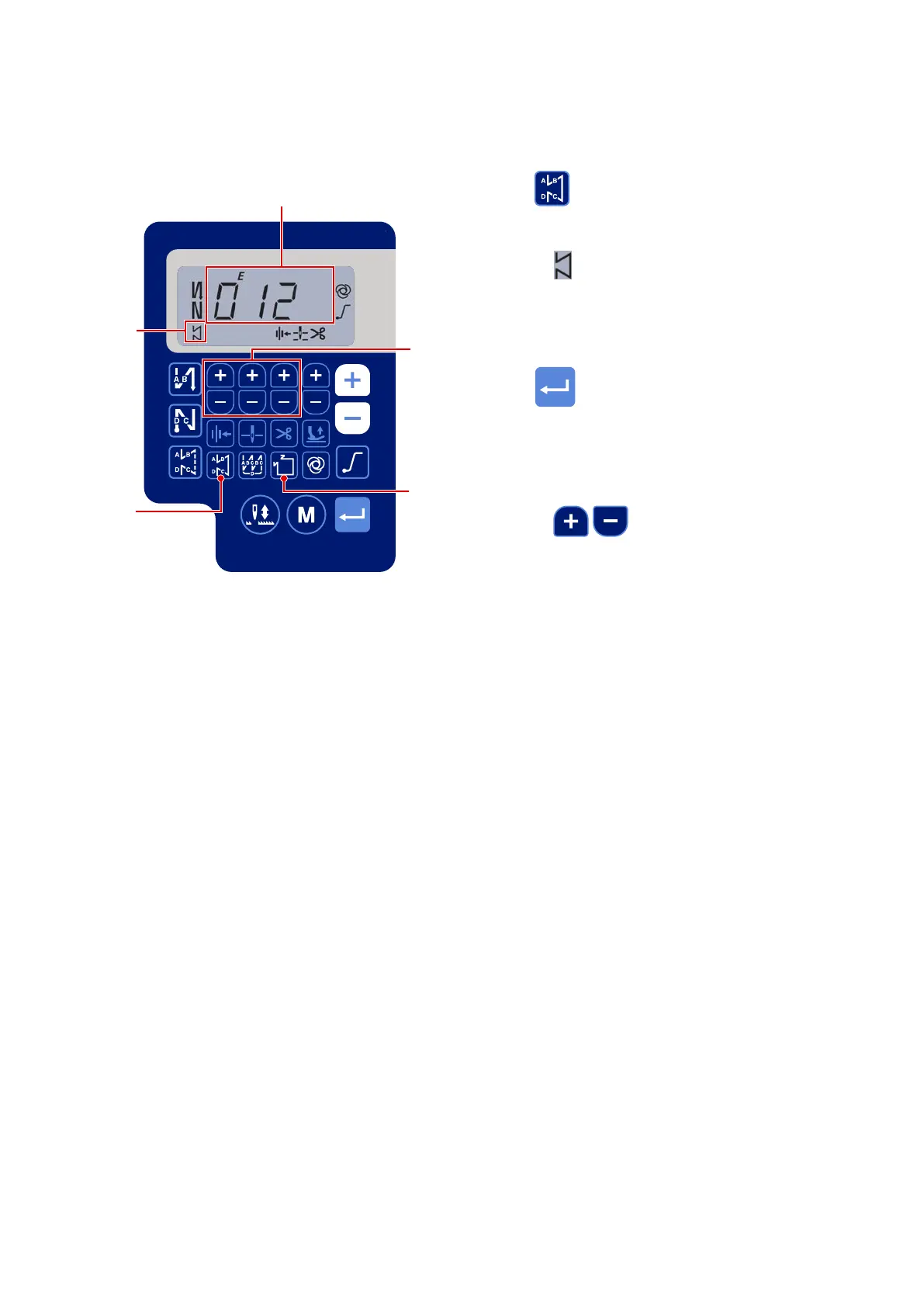
The constant-dimension stitching pattern can be set.
[How to set the constant-dimension stitching]
* Straight stitching
1) Press
to enable the constant-dimension
sewing pattern (straight stitch).
When the constant-dimension sewing pattern is
enabled, is displayed on the display portion L.
Immediately after the constant-dimension stitching
is enabled, the numbers of reverse feed stitching
processes (A, B, C and D) are displayed on the
display section
Z
.
2) When
is pressed, the content shown on
display section
Z
is changed over to the number
of stitches for the constant-dimension stitching.
The number of stitches (0 to 999) for the con-
stant-dimension stitching can be selected by
pressing
~
.
L
Z
– 23 –


 To Next Page
 Loading...