-
26
-
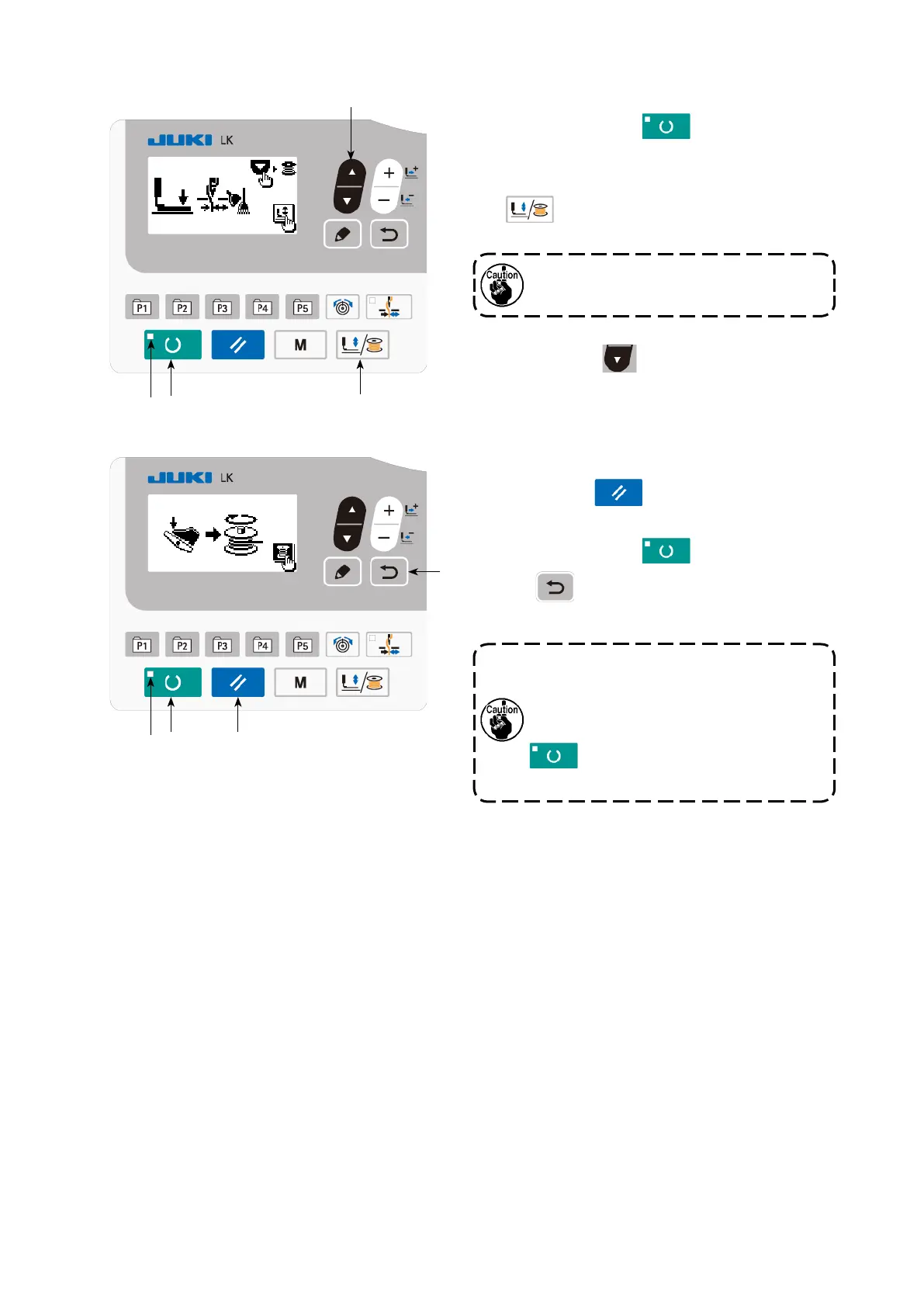
(2) For winding a bobbin only
1) Press READY key
❷
to turn off SET
READY LED
.
2) Press work PRESSER and WINDER key
❺
and select lowering of the work
clamp.
❻
❸
❺❷
❷
Bobbin winder does not work immediately
after turning ON the power. Perform the
bobbin winding after setting pattern No.
or the like once, pressing the READY key
❷
, and making the SET READY
LED
light up.
3) Press ▼ key
❻
. The bobbin winding
screen is displayed.
4) When you depress the pedal, the sewing ma-
chine starts rotating.
5) Depress the pedal switch again or press
RESET key
❸
to stop the sewing ma-
chine.
6) Press READY key
❷
and RETURN
key
❾
to exit from the bobbin winding
screen.
Selection cannot be performed when the
SET READY LED is lit up.
❾



 To Next Page