-
55
-
9. OTHERS
9-1. LK-1910/-1920 data ROM
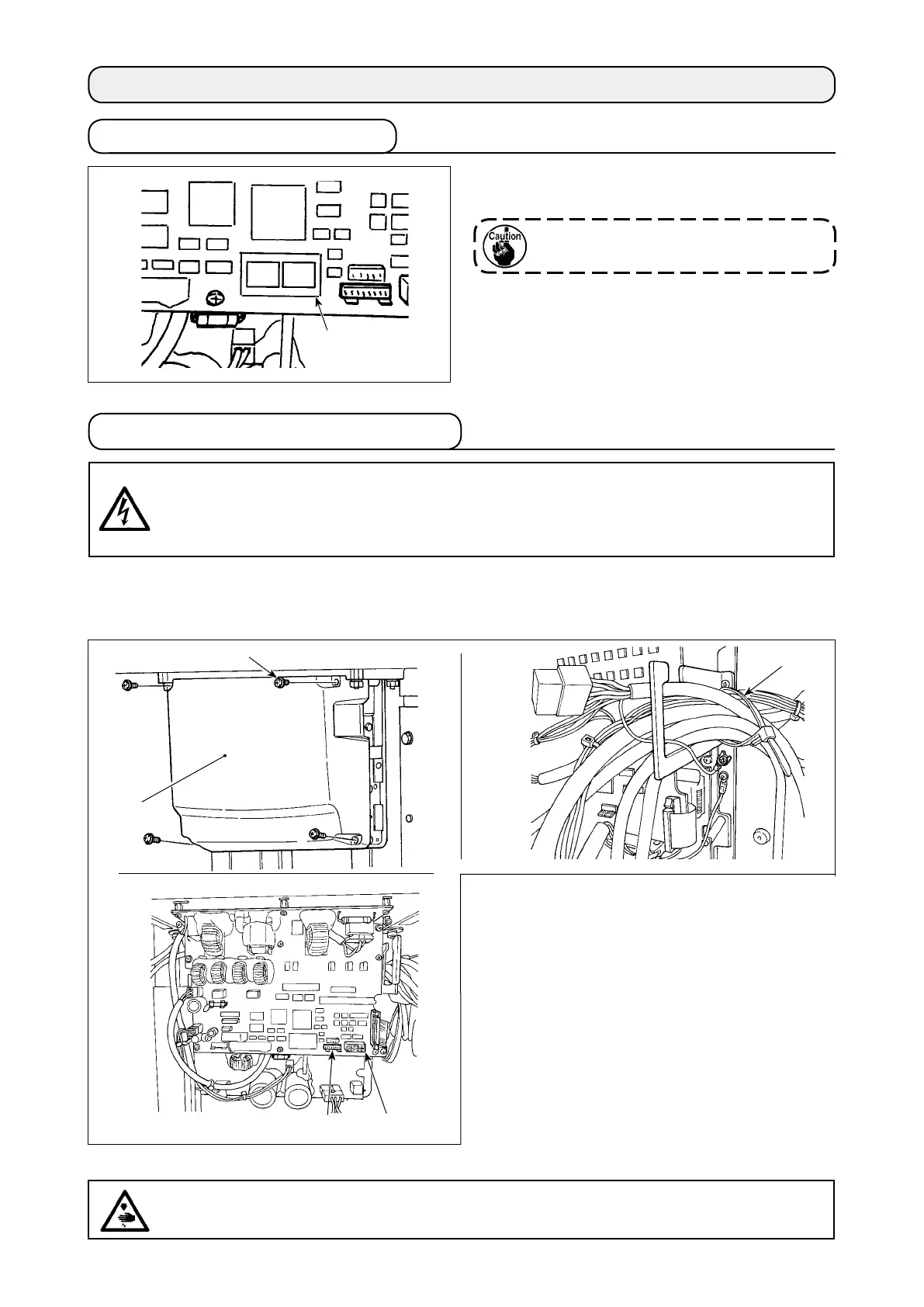
The LK-1910/-1920 data ROM should be used by
inserting it into the IC socket on the MAIN PCB.
Carefully check the direction of insertion.
ROMs that can be used
58C256 EEP-ROM
JUKI part number : HL011940000
9-2. Connection of the optional pedal
In the case of using the optional pedal, refer to
"9-5. Table of the optional parts"p.63
for how to use
the memory switch.
1) Loosen the four setscrews
❷
in the control
box to remove cover
❶
.
2) Remove the standard pedal cords from J18
and J26 connectors on the MAIN circuit
board.
3) Enter the 2-step pedal cord into the control
box and connect it with J26 connector on the
MAIN circuit board.
2-step pedal : Part number M85205800A0
4) Loosen cable clip band
❸
. Bind and secure
the foot pedal switch cable with the by clip
band
❸
, together with the other cables.
❸
J26 White
❷
❶
(1) Connection of the 2-step pedal
J18 White
DANGER :
To prevent personal injuries caused by electric shock hazards or abrupt start of the sewing
machine, carry out the work after turning OFF the power switch and a lapse of 5 minutes or more.
To prevent accidents caused by unaccustomed work or electric shock, request the electric expert
or engineer of our dealers when adjusting the electrical components.
DANGER :
It is very important to carefully connect the cables to the correct connectors on the PWB. Wrong
connection poses a great risk.
IC socket



 To Next Page