-
44
-
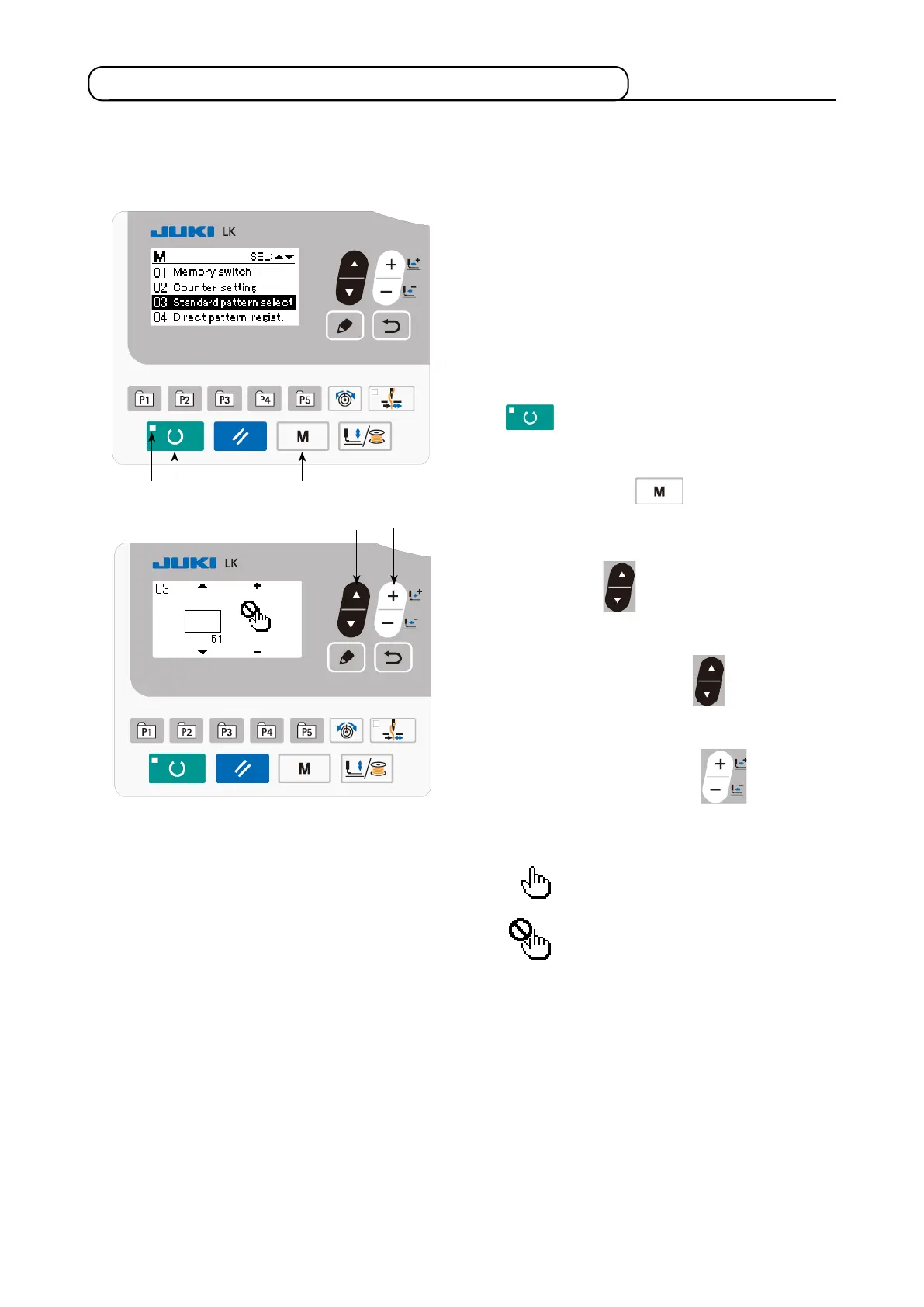
6-8. Setting enable/disable of standard pattern invoking
❻ ❼
Invoking of a wrong pattern is prevented by disabling invoking of unnecessary patterns.
In addition, necessary patterns can be invoked and used.
Example of setting: Invoking of pattern No. 51 is
disabled.
1) Putting the sewing machine in the input
mode
Under the input mode where the SET READY
LED
goes out, setting of data is enabled.
Under the sewing mode, press READY key
❷
to change over the mode to the
input mode.
2) Press MODE key
❹
to display the
mode screen. Set the standard pattern use/
disuse selection in the "use" state with ITEM
SELECT key
❻
. Then, press the select
key.
3) Press ITEM SELECT key
❻
to display
pattern No. 51.
4) Press DATA CHANGE key
❼
to select
use/disuse of the pattern.
Use
Disuse
❷ ❹



 To Next Page