-
20
-
5-3. Setting the pattern number
5-4. Setting the item data
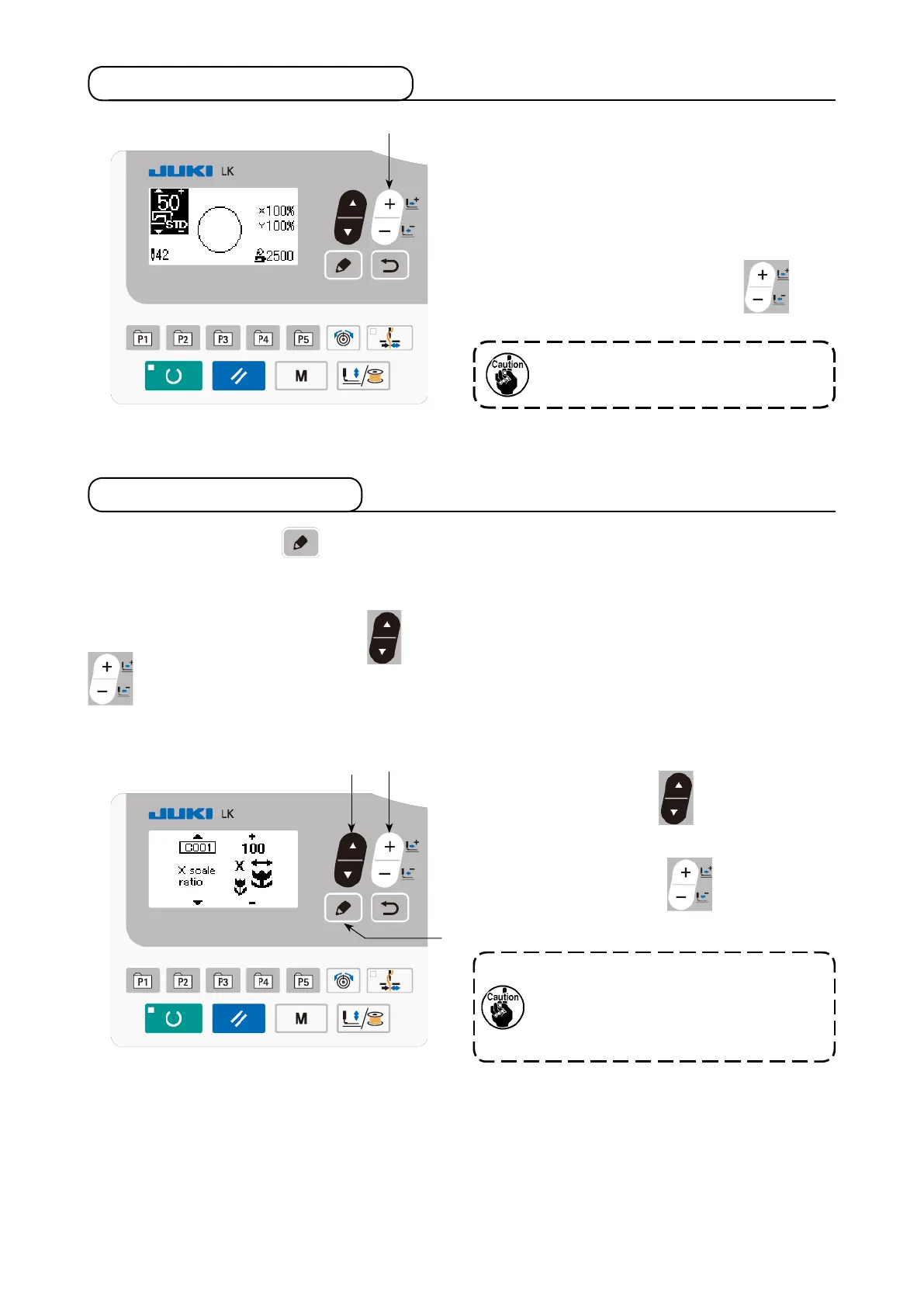
Turn ON the power switch.
Pattern number is displayed at the upper left por-
tion of the screen. In addition, the pattern shape,
XY scale and sewing speed of the pattern are
displayed on the remaining portion of the screen.
When you press DATA CHANGE key
❼
,
the pattern number can be changed.
❼
❻
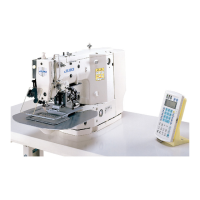
When you press EDIT key
❽
, the item data input screen is displayed.
The items that can be edited are displayed on the left section of the screen and the set contents are dis-
played on the right section of the screen.
Select an item with ITEM SELECT key
❻
. Then, change the set content with DATA CHANGE key
❼
.
❼
Press ITEM SELECT key
❻
to display the
C001 X size.
Press DATA CHANGE key
❼
to display the
value you desire.
❽
The setting exceeding 100% is danger-
ous since needle and the cloth presser
interferes with each other and needle
breakage or the like will occur.
(1) Inputting the X size
Refer the pattern No. to the separate
table.



 To Next Page