-
35
-
6-3. Sewing through the use of the counter
❹
❸
(1) Setting procedure of the counter value
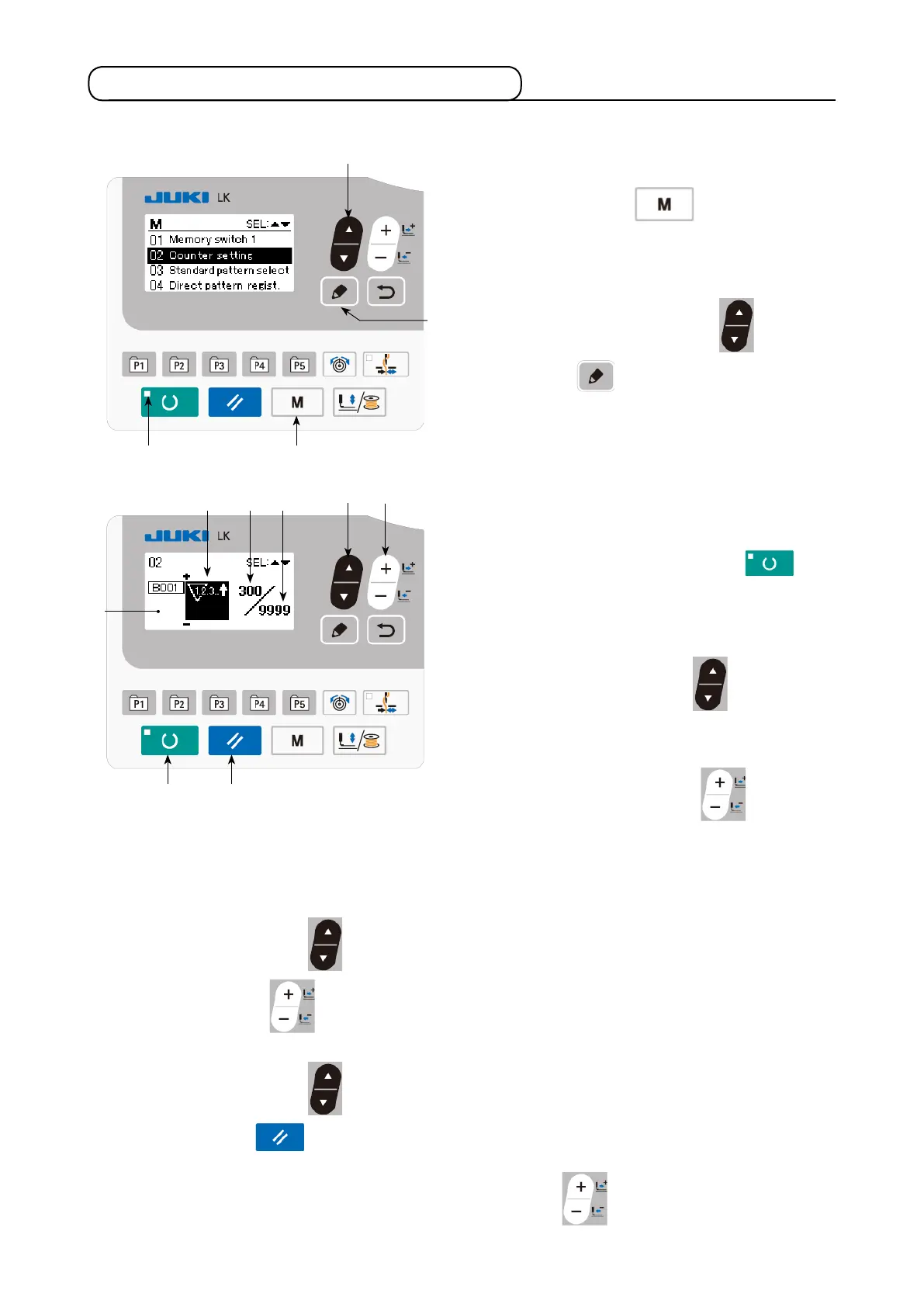
1) Call counter setting screen
Press MODE key
❹
, in the state
where SET READY LED
goes out, to dis-
play the mode screen.
Place "02 Counter setting" in the selected
state with ITEM SELECT key
❻
. Press
EDIT key
❽
to display the counter
screen
A
.
Counter screen
A
is displayed to accept
setting. The value for the counter can only be
set under the input mode. In the case of the
sewing mode, press READY key
❷
to
enter the input mode.
2) Selection of kinds of counters
Press ITEM SELECT key
❻
to display
the pictograph
B
which indicates the counter
type in reverse video.
Press DATA CHANGE key
❼
, and
select the counter you desire from among the
kinds of counters below.
❻
B D C
❼
3) Change of counter set value
Press ITEM SELECT key to display the set value
C
of the counter in reverse video. Press
DATA CHANGE key
❼
and input the set value until count-up is reached.
4) Change of existing counter value
Press ITEM SELECT key
❻
to display the current value
D
of the counter in reverse video.
Press RESET key
❸
and the value on the way of counting can be cleared. In addition, it is
possible to edit the numerical value with DATA CHANGE key
❼
.
A
❷
❻
❽



 To Next Page