-
25
-
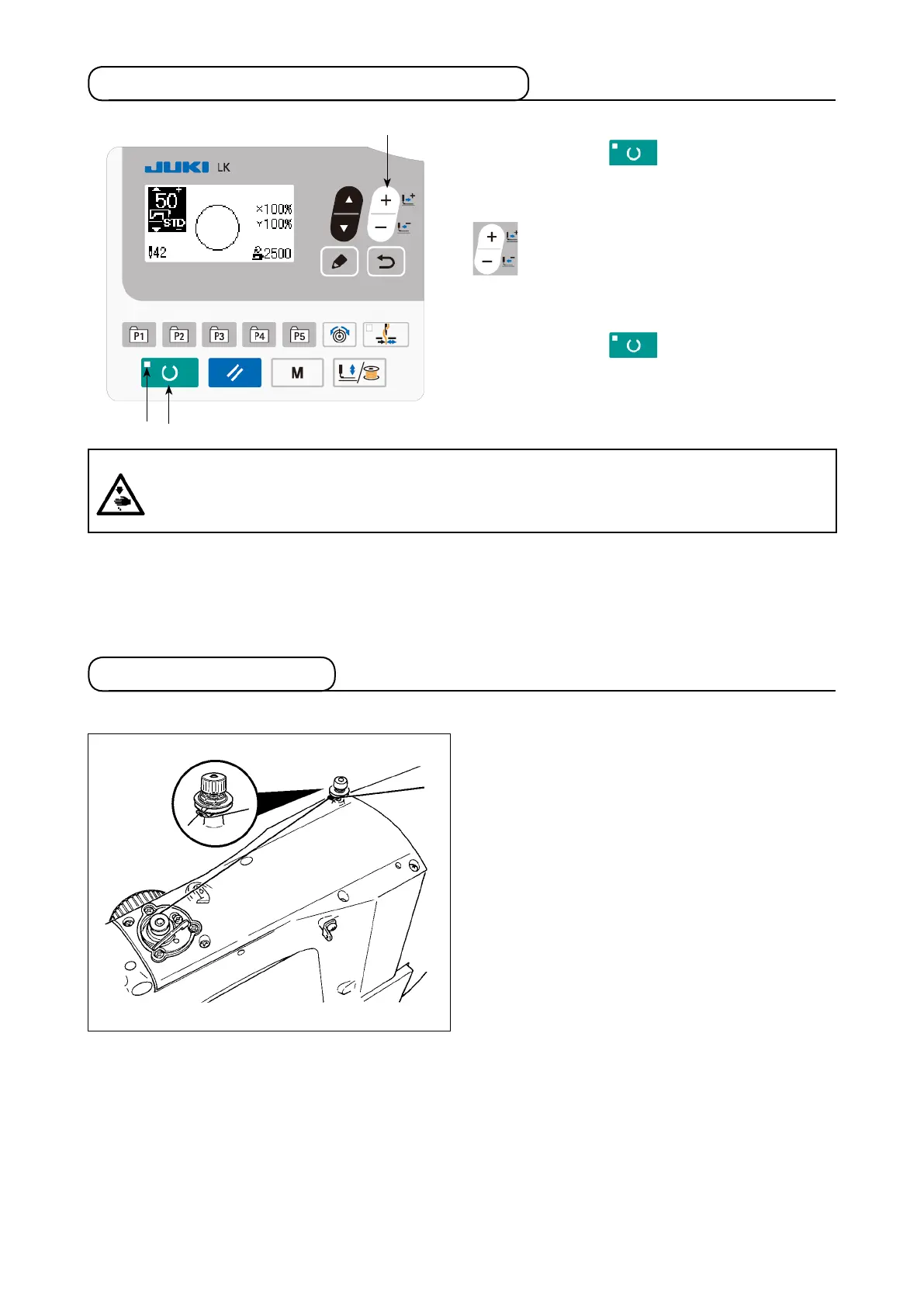
5-7. Changing the pattern to a different one
Press READY key
❷
to turn off SET
READY LED
.
Set a pattern number with DATA CHANGE key
❼
.
Set the XY enlargement/reduction scale and speed
as with
"5-4. Setting the item data" p.20
.
Press READY key
❷
to light up SET
READY LED
to enable sewing.
❼
❷
5-8. Winding a bobbin
(1) To wind a bobbin while the sewing machine is performing sewing
Thread the bobbin winder and wind the bobbin
thread onto the bobbin as illustrated in the gure.
WARNING :
・
Make sure without fail of the contour of the sewing pattern after selection of the sewing pattern.
・
If the sewing pattern extends outside the work clamp feet, the needle will interfere with the work
clamp feet during sewing, causing dangerous troubles including needle breakage.



 To Next Page