-
38
-
6-4. How to use the temporary stop
The sewing machine can be stopped while it is engaged in sewing.
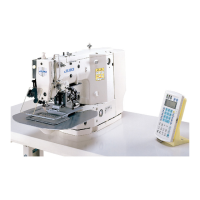
2) The error is reset by pressing RESET key
❸
. Then, the feed forward/backward
screen is displayed.
3) Three operations can be carried out after the
error is reset.
1. Re-starting of sewing with the start switch
2. Thread trimming by pressing RESET key
❸
, position adjustment with DATA
CHANGE key
❼
, then re-starting of
sewing with the start switch.
3. Thread trimming by pressing RESET key
❸
. Then, origin retrieval by re-press-
ing RESET key
❸
.
❸
❸
❼
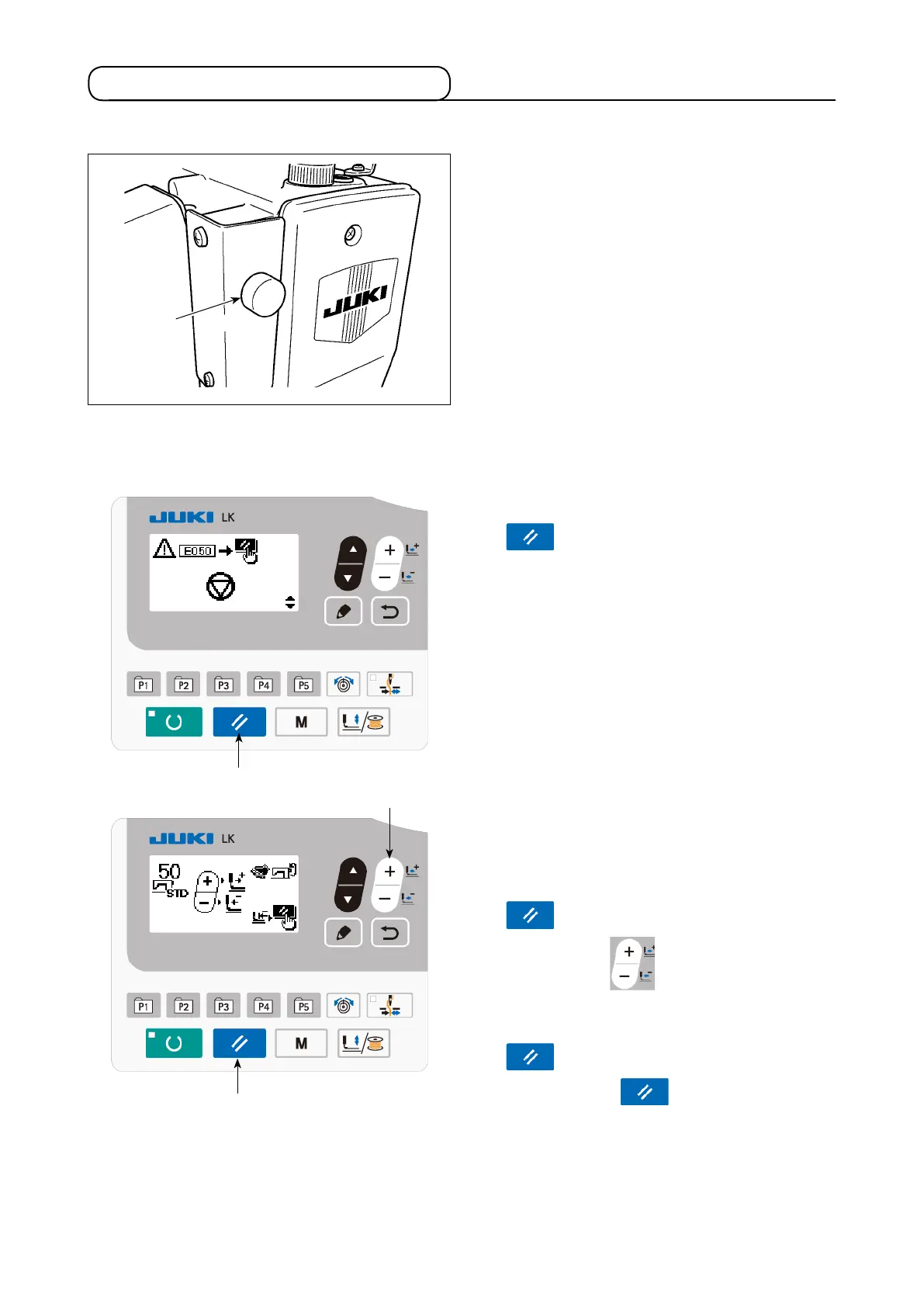
1) The sewing machine is stopped by pressing
pause switch
❶
. At this time, E050 is dis-
played on the screen.
❶



 To Next Page