-
21
-
❻
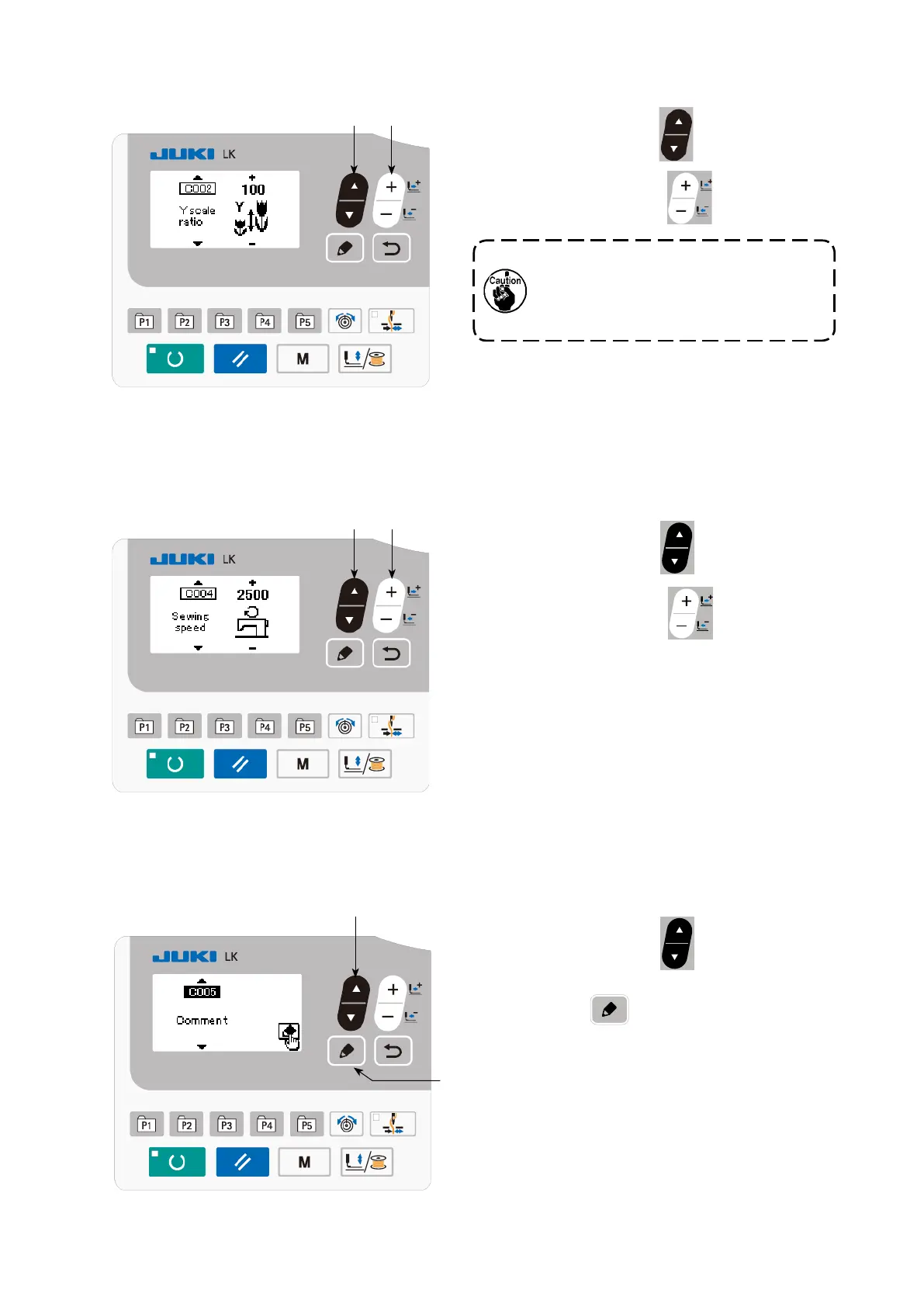
(2) Inputting the Y size
Press ITEM SELECT key
❻
to display the
C002 Y size.
Press DATA CHANGE key
❼
to display the
value you desire.
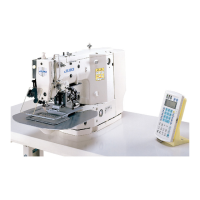
(3) Inputting the sewing speed
❽
❻
❼
❻
❼
The setting exceeding 100% is danger-
ous since needle and the cloth presser
interferes with each other and needle
breakage or the like will occur.
Press ITEM SELECT key
❻
to display the
C004 sewing speed.
Press DATA CHANGE key
❼
to display the
value you desire.
The maximum input range is the maximum sewing
speed of the memory switch U001.
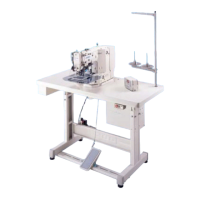
(4) Setting the comment
Press ITEM SELECT key
❻
to display the
C005 comment.
Press EDIT key
❽
to display the comment
input screen.



 To Next Page