-
22
-
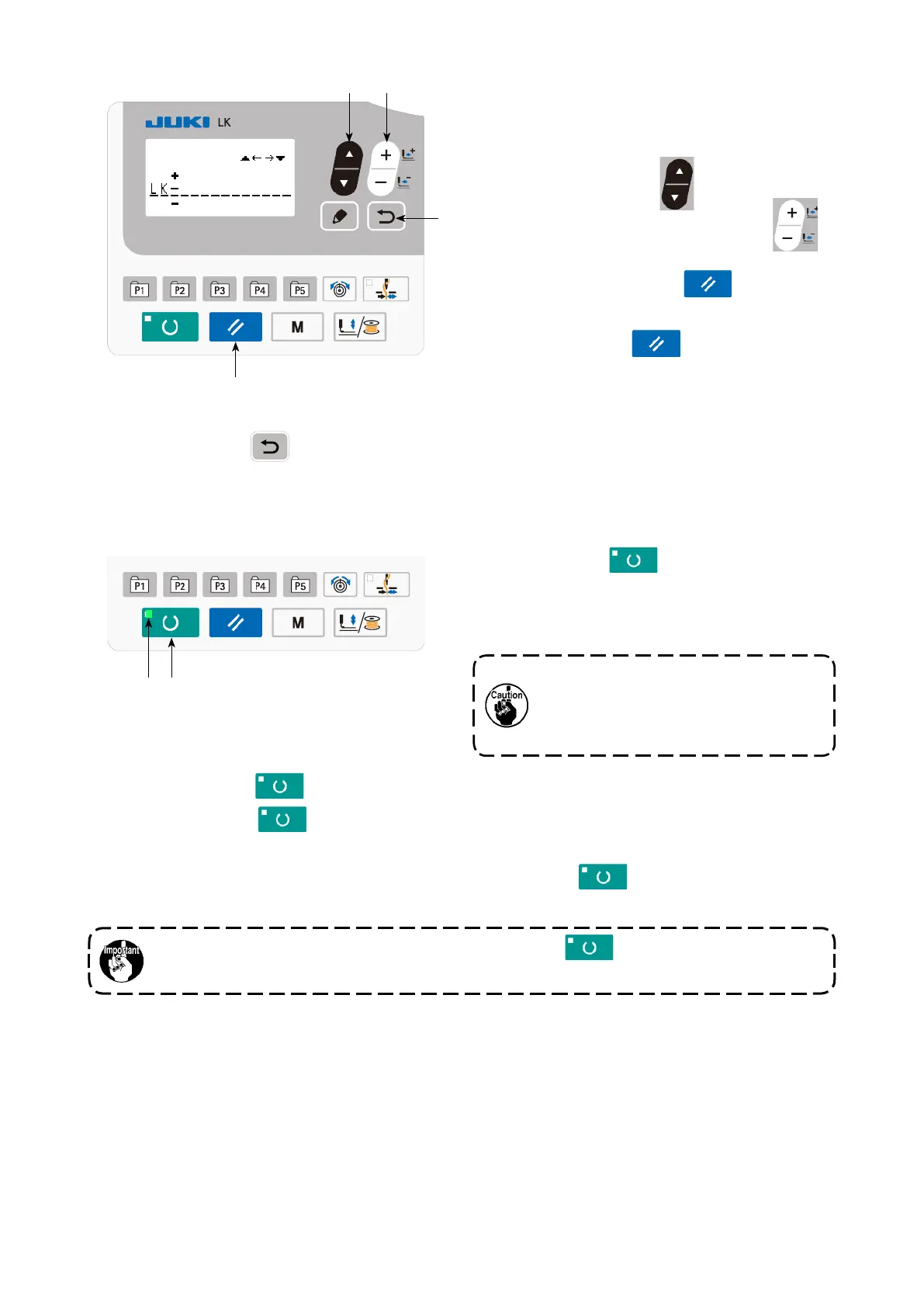
On the comment input screen, as many as 14
characters can be input
The characters that can be input are alphabets,
numbers and symbols.
Press ITEM SELECT key
❻
to specify the
input position. Press DATA CHANGE key
❼
to select the characters to be entered.
When you press RESET key
❸
, the char-
acter at the current input position is erased. When
you keep RESET key
❸
held pressed, all
characters which have been input are erased.
❾
(5) Completing the setting
Press READY key
❷
.
The work clamp moves. Then, SET READY LED
lights up after the work clamp has gone up to
enable sewing.
❷
* When READY key
❷
is pressed, the set values of pattern No., X/Y scale, etc. are memorized.
*
When READY key
❷
is pressed, SET READY LED
goes out. Setting of each item can
be changed.
* Check the pattern number before use. If you press READY key
❷
with pattern number 0
displayed, error display E010 will be shown on the screen. At this time, re-set the pattern number.
If you turn the power OFF without pressing READY key
❷
, settings for the pattern
number, XY scale and the maximum sewing speed will not be saved.
❸
❻
❼
When the presser is raised, be careful
that ngers are not caught in the press-
er since the presser moves after having
lowered.
After the completion of input of a comment, the screen is returned to the previous screen by press-
ing RETURN key
❾
.



 To Next Page