20
Teletext function
LT-Z37DX5 / LCT1961-001A / English
ENGLISH
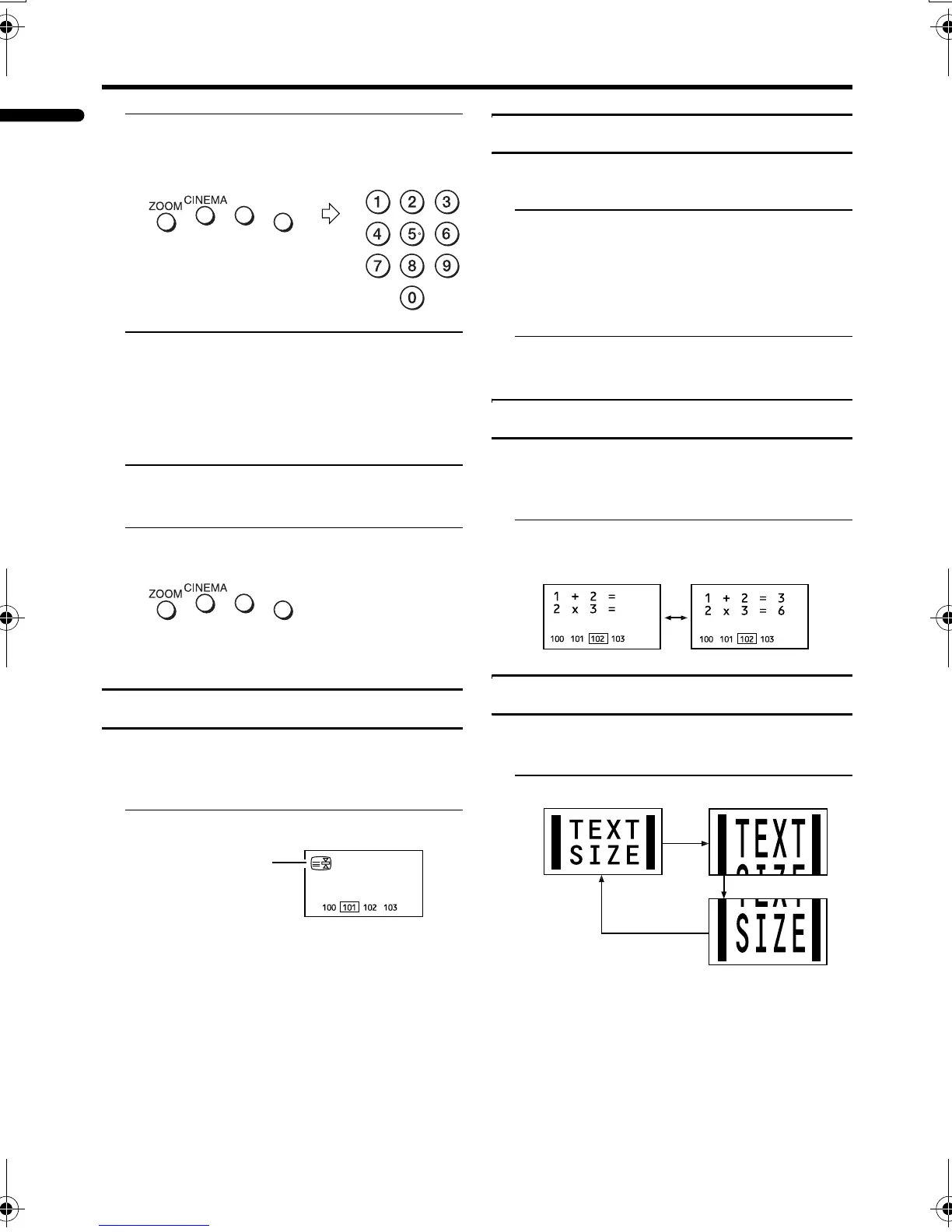
2 Press a colour button to choose a
position. Then press the number
buttons to enter the page number
3 Press and hold down the A (Store)
button
The four page numbers blink white to
show that they are stored in memory.
To call up a stored page:
1 Press the B button to enter the
List mode
2 Press a colour button having a
stored page
To exit the List mode:
Press the B button again.
Hold
You can hold a teletext page on the screen for
as long as you want, even while several other
teletext pages are being received.
Press the C (Hold) button
To cancel the Hold function:
Press C (Hold) button again.
Sub-page
Some teletext pages include sub-pages that
are automatically displayed.
1 Choose a teletext page that
includes sub-pages
Sub-page numbers that can be viewed are
automatically displayed at the top of the
screen.
2 Press the 5 buttons to choose a
sub-page number
Reveal
Some teletext pages include hidden text
(such as answers to a quiz).
You can display the hidden text.
Each time you press the E (Reveal)
button, text is hidden or revealed
Size
You can double the height of the teletext
display.
Press the F (Size) button
Hold indication
LT-Z37DX5_Eng.book Page 20 Tuesday, September 27, 2005 5:01 PM



 To Next Page
 Loading...