DN112-06v02
JYE Tech - 33 - www.jyetech.com
5) Start AVRUBD. Click the button “Language” and select
“English”.
6) Click at “Options” on the main menu. Change settings on
the tab “AVR” as shown in figures above. The Connect
key has to be set to HEX 64. Flash size should be 64K.
7) Change settings on tab “System”. Communications
protocol should be set to “Lite Xmodem”. Increase
“Maximum connection count” to 100. This will make
connection easier.
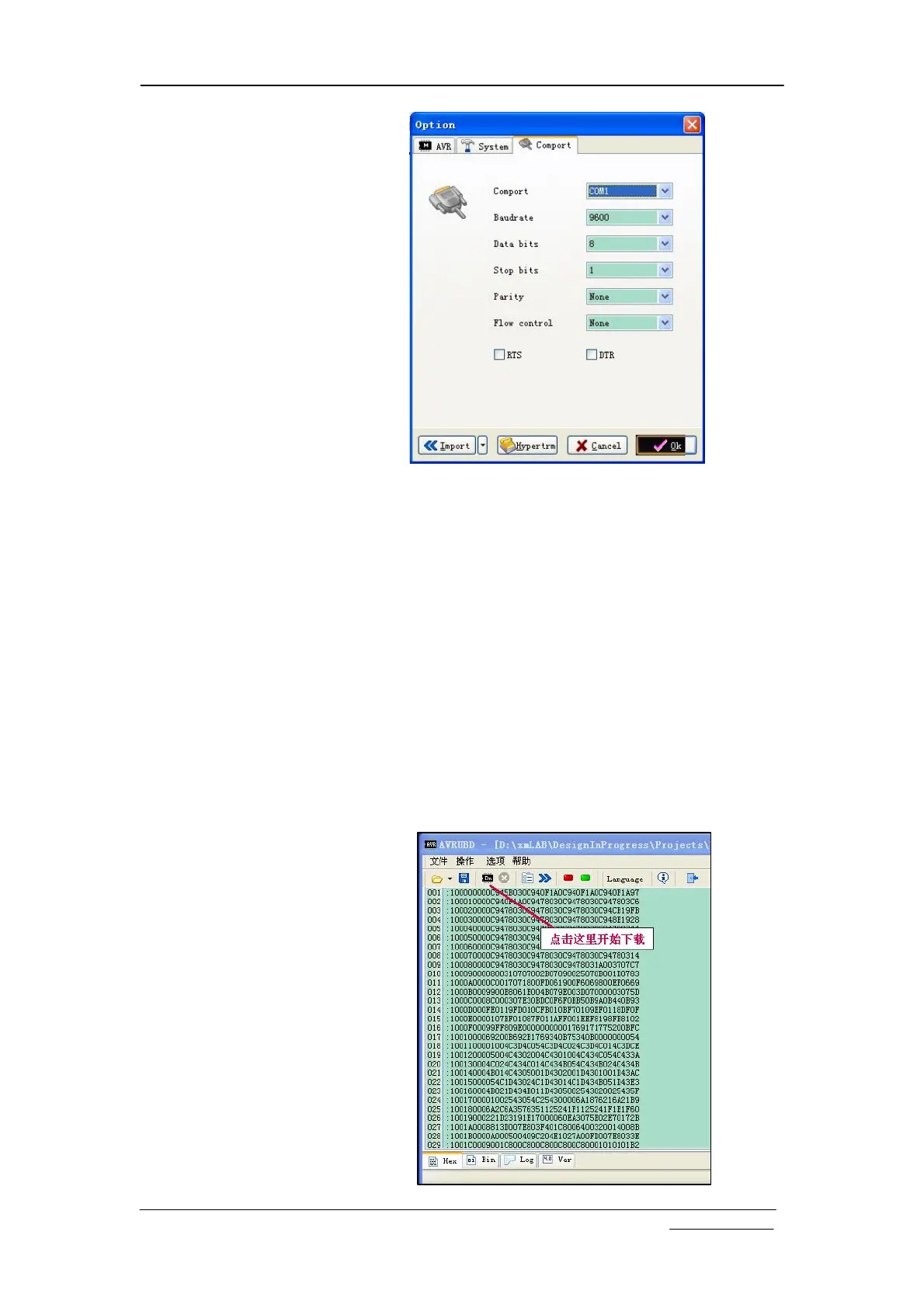
8) Change settings on tab “Com Port”. Com port number
should be chosen to the one corresponding to DSO112A.
Communication format must be set to 9600 bps, 8N1, no
parity and flow control. Then click OK button.
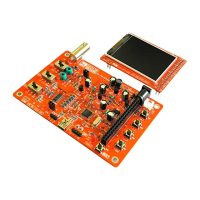
9) Load firmware (hex file) to AVRUBD by clicking “File –
Load”.
10) Click on “Dn” icon to start writing (see figure below).


 To Next Page