Maintenance
9 --- 35
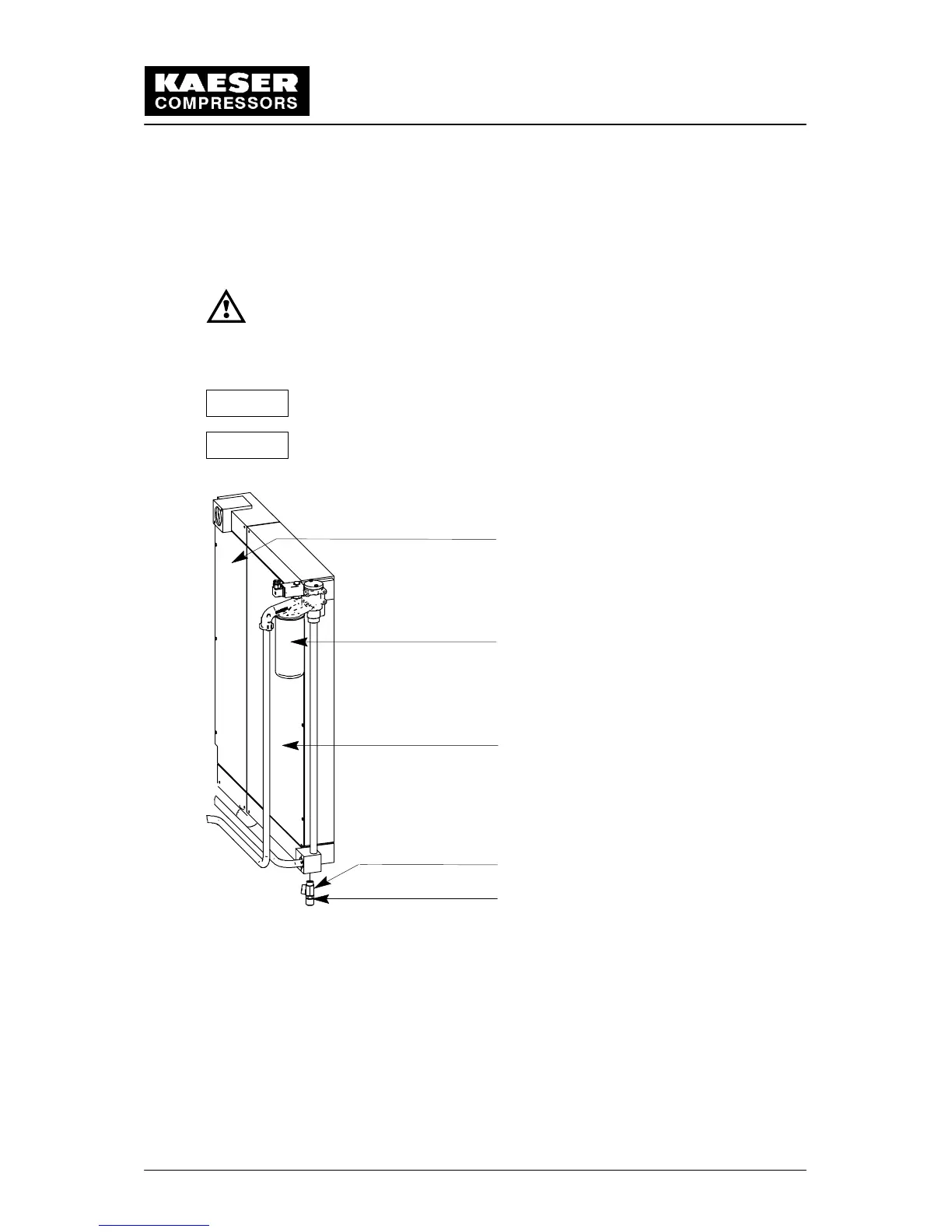
9.4 Cleaning the Oil Cooler and Aftercooler
The oil and air aftercooler must be checked for clogging regularly. Heavy contamination
could lead to excessive high temperatures in the oil circulation system.
See regular maintenance schedule for cooler Maintenance interval (chapter 9.3).
Switch off the compressor package (see chapter 8.4).
Lock the main disconnect switch in the ”off” position in accordance
with applicable lockout/tagout procedures to ensure the compressor
does not restart.
If the cooler is only lightly contaminated, brush off and vacuum dirt.
Do not use any sharp cleaning instrument that may damage the cooler.
If the coolers are badly contaminated have them cleaned by authorized
KAESER distributor.
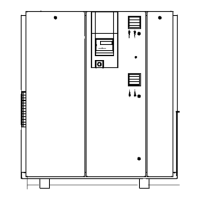
1
3
2
4
5
1 Air cooler
2 Oil cooler
3 Oil filter
4 Shut---off valve
5 Hose coupling for oil cooler
Attention!
Attention!


 To Next Page