Page 7.4 - 8 COMBIVERT F5-A, -E, -H © KEB, 2012-10
Setpoint, rotation- and ramp setting
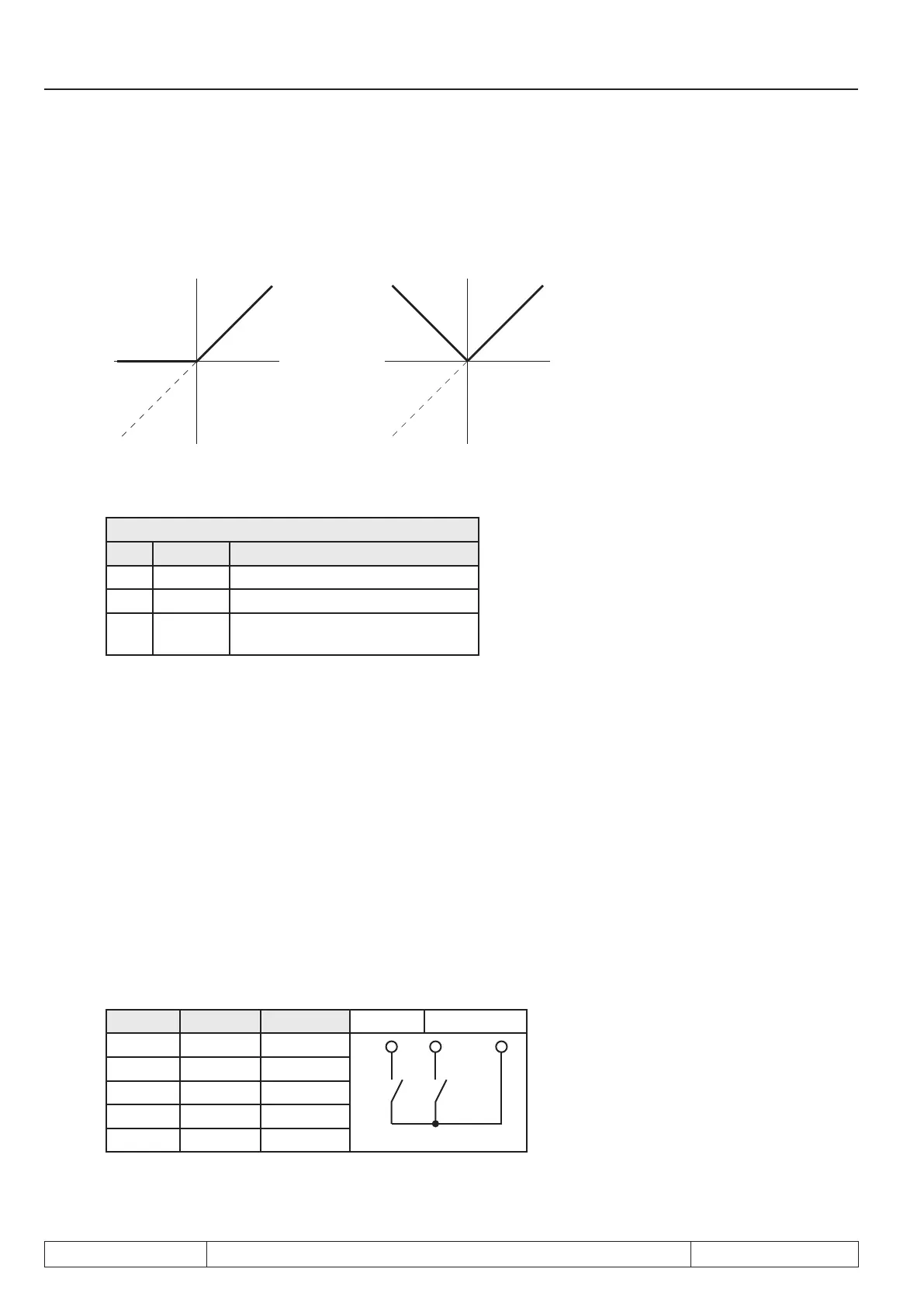
Figure 7.4.3.a Absolute and 0 limited set value setting
0-limited absolute
Setpoint Setpoint
Setpoint
adjust-
ment
Setpoint
adjust-
ment
Rotation setting oP.02 ; (oP.01 = 0 or 1)
oP.02: Rotation setting
Bit Display Setpoint rotation
0 LS Standstill (Low Speed)
1 F forward (clockwise rotation)
2 R reverse (counter-clockwise rotati-
on)
Rotation adjustment via terminal strip
The rotation selection via terminal strip allows the adjustment of the direction of rotation via switch or from a
primary control.
Direction forward input selection (Run / Stop) oP.60, direction reverse (forward / reverse) oP.61
With parameter oP.60 one input is determined for rotation direction forward (or run/stop) and with oP.61 one
input for rotation direction reverse (or forward/reverse). (see chapter 7.3)
oP.01 = „2“ or „3“
In forward/reverse rotation setting (oP.01= "2" or "3") the inputs determined with oP.60 and oP.61 work as fol-
lows:
forward reverse Input X2A.14 X2A.15
F R Function
0 0 LS
0 1 reverse
1 0 forward
1 1 forward
oP.1 = „4“ or „5“


 To Next Page
 Loading...