–14–
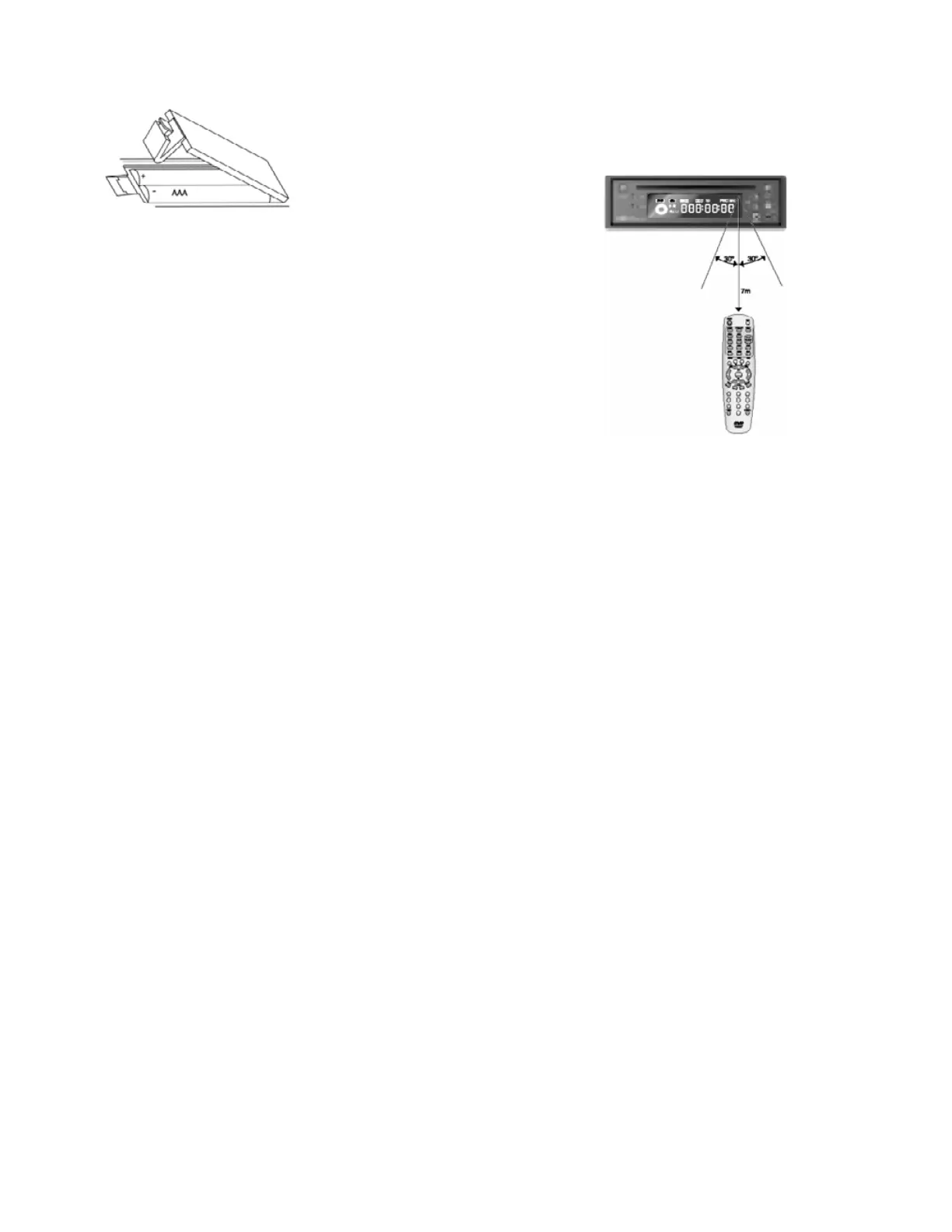
INSTALLING BATT ERIES IN THE REMOTE CONT ROLLER
1. Press the tab and lift the battery cover open.
2. I nsert new batt er ies, maki ng sure t hat the correct pol arity is observed.
3. Replace the battery cover.
Usi ng the Rem ote Co ntroll er
The effective operating range of the remote controller is about 23 feet
(7 meters), and 30° off axis left or right from the remote receptor on
the DVD-2 front panel.
Battery Handling Precautions
• Incorrect use of the batteries may cause leakage or corrosion.
• Ensure t hat polarities are correct when inserting batteries.
• Do not subject the batteries to heat or fire. Do not disassemble or
short-circuit the batteries.
• Do not insert exhausted batteries into the remote controller.
• Do not mix diff erent types of batt eries together. Do not use old batt eries together with new ones.
• Remove batteries to avoid possible corrosion damage if the remote controller will not be used for a
long time.
• Replace the batteri es with new ones i f t he remote contr oll er does not oper at e smoothly or if the
operating distance becomes too shor t.
• If battery leakage occurs, clean the liquid completely from the remote control before inserting new
batteries.
Remote C ontr oll er Handl ing Pr ecauti ons
• Do not expose the remote cont roller t o shock.
• Do not leave the remote controller in a hot or damp place.
• Do not drop liquids or pl ace heavy objects on t he on a remot e cont rol ler.
• Do not disassemble the remote controller.
Special Note on R-Link Operation
If you are uti lizing KEC’s R-LINK Syst em, the r emote cont roller may be pointed at t he remot e sensor of any
component (LCD, DVD or VCP) connected in the R-LINK chain.


 To Next Page