–19–
PLAYING A DVD DISC (DVD/VCD/CD)
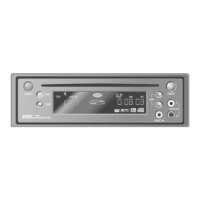
Insert the DVD disc
• Make sure that the disc's label is facing up.
• Sliding a disc i nto t he sl ot automati cally begi ns play.
To stop, press the STOP button
To t empor ari ly int er rupt playback, press the PAUSE but ton.
Pressi ng the PAUSE button repeat edly wi ll advance t he movie frame by frame
To resume play again, press the PLAY button
Last Po sition Memory:
The DVD-2 memorizes the last disc location when the STOP button is pressed.
Pressing the PLAY button will resume playback of t he movie from t he point where you left of f.
Last Position Memory will funct ion even if the POWER is turned off. When power is restored, the DVD-2
will locat e the previous posit ion and begin playback.
Please not e that eject ing t he disc cl ears the memory.
Caution s:
• "No Disc" will be displayed on the screen if a disc is inserted upside down, or if a damaged or
otherwise unplayable disc is inser ted.
• "REGION ERROR” is displayed on the screen if a disc from a region different from the player is
inserted.


 To Next Page