–16–
CONNECTIONS – AUDIO CONN ECTIONS
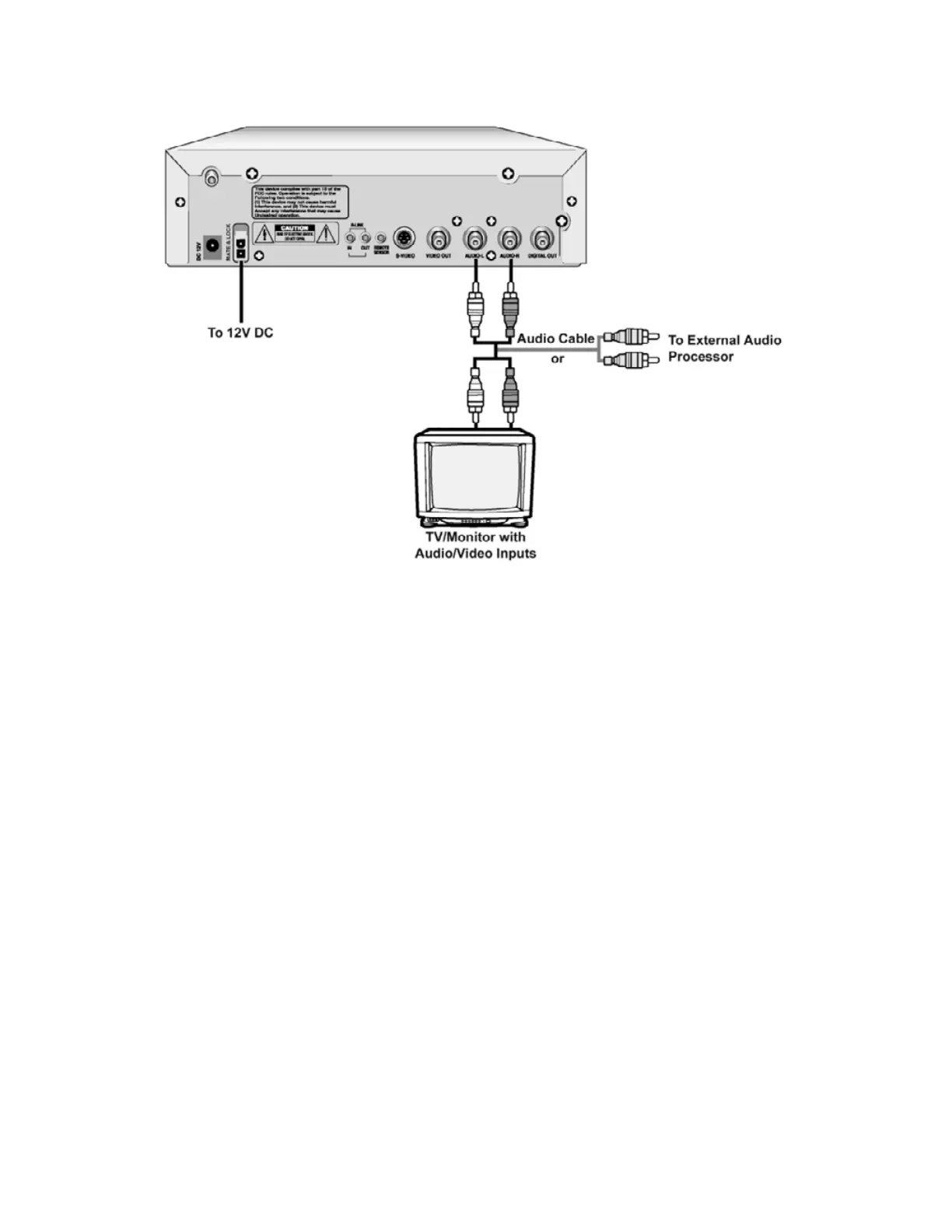
• Connect the audi o cables between the Lef t & Right Audio Output jacks on the back of the DVD-2
player and the corresponding Audio Input jacks on your audio system.
• Alternately, connect the audio cables from the back of the DVD-2 to an external audio processor such
as a wireless headphone transmitter or an audio receiver or an FM transmitter.
Caution:
Be sure to turn off power and unplug all units before making any connections.
War ni ng:
Do not set the Di git al Audi o Output of this DVD player t o " PCM" unless you are connect ing t he Digital
Audio jack of this DVD player to an AV decoder that has Dolby Digital decoding function. High volume
sound may damage your hearing as well as speakers.


 To Next Page