–31–
REFERENCE
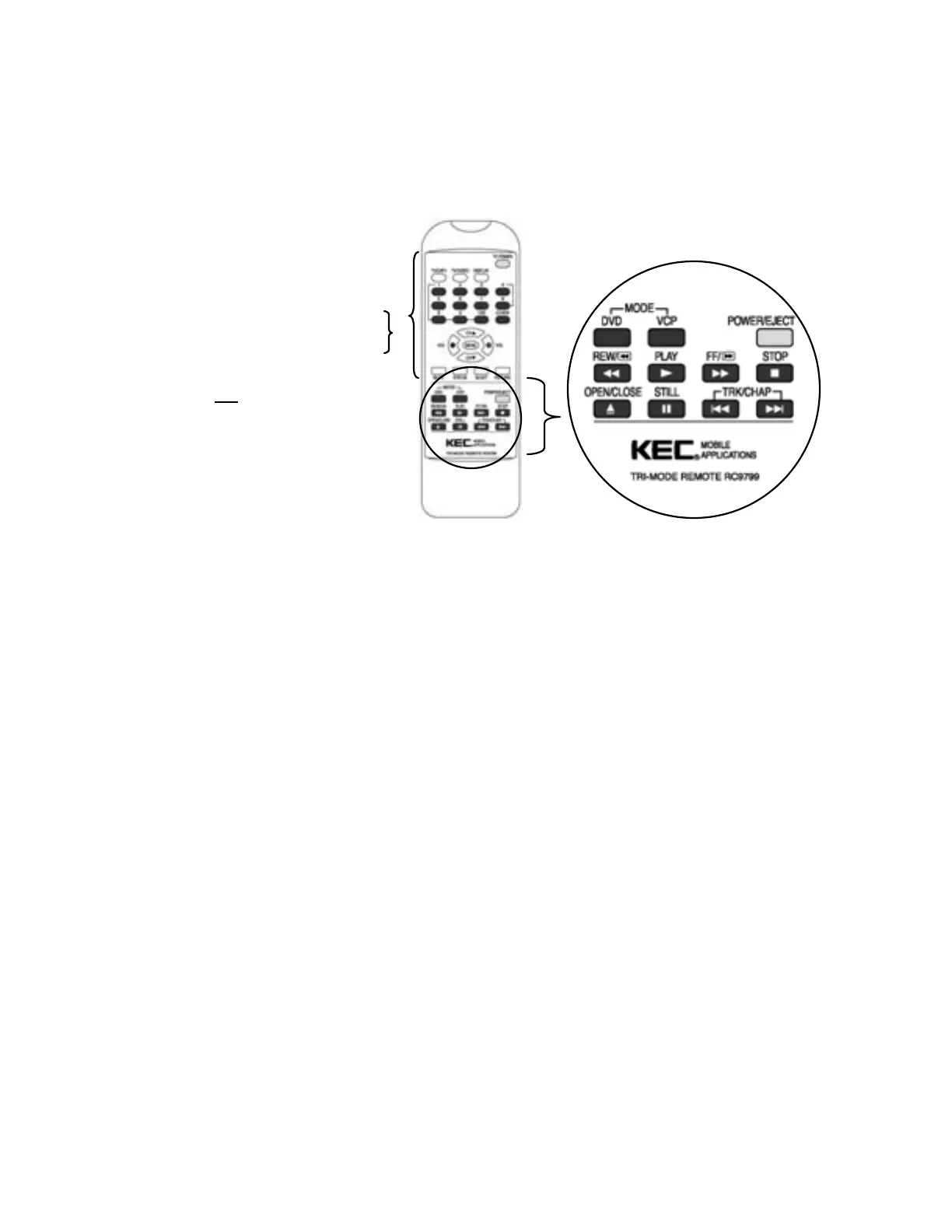
KEC MOBI LE APPLI CATI ONS TRI -MODE REMOTE CONT ROLLER # RC9799
The Tri-Mode Re mote Controller is packaged with most KEC LCD Systems. In addition to full remote
control of the LCD System, it also provides basic remote control commands for our DVD and Videocassette
Players.
To control the DVD-2 with the RC9799,
press the DVD MODE button.
To change to VCP control, press the VCP
MODE button.
Not es:
• The LCD System control buttons
are always available. They are
not affected by the DVD/VCP
MODE buttons.
• This unit is not
a universal remote
controller. It is only desi gned to
transmit cont rol codes to KEC Mobile
Applicat ions pr oducts.
A NOTE TO INSTALLERS CONCERNING THE KEC R-LINK SYSTEM
Most KEC Mobile Applications video products (TV, LCD, VCP & DVD) employ our R-LINK System. This
allows all of our components to be remote cont rolled even if some of the components ar e hidden from view.
If you are installing the DVD-2 along wit h one of our TV’s or monitors an d one of our VCP’s:
1. Connect an R-Link cable from the KEC TV/Monitor to the DVD-2’s R-Link Input
2. Connect an R-Link cable from the DVD-2’s R-Link Output to the R- Link jack on the rear panel of
the KEC VCP.
All KEC component s may now be remot e control led by point ing any of the KEC remote controllers at the
remot e sensor on any of the KEC components.
Please note that since pairs of KEC Mobile Applications Headrest Monitors are designed to be operated
independently of each other, they are not equipped with R-Links. Please refer to the installation information
accompanying our Headrest Monitor Systems for information on the use of R-Link in conjunction with those
sy st ems.


 To Next Page