–26–
ADVANCED OPERATION & SPECIAL FEATUR ES
DVD TITLE MENUS
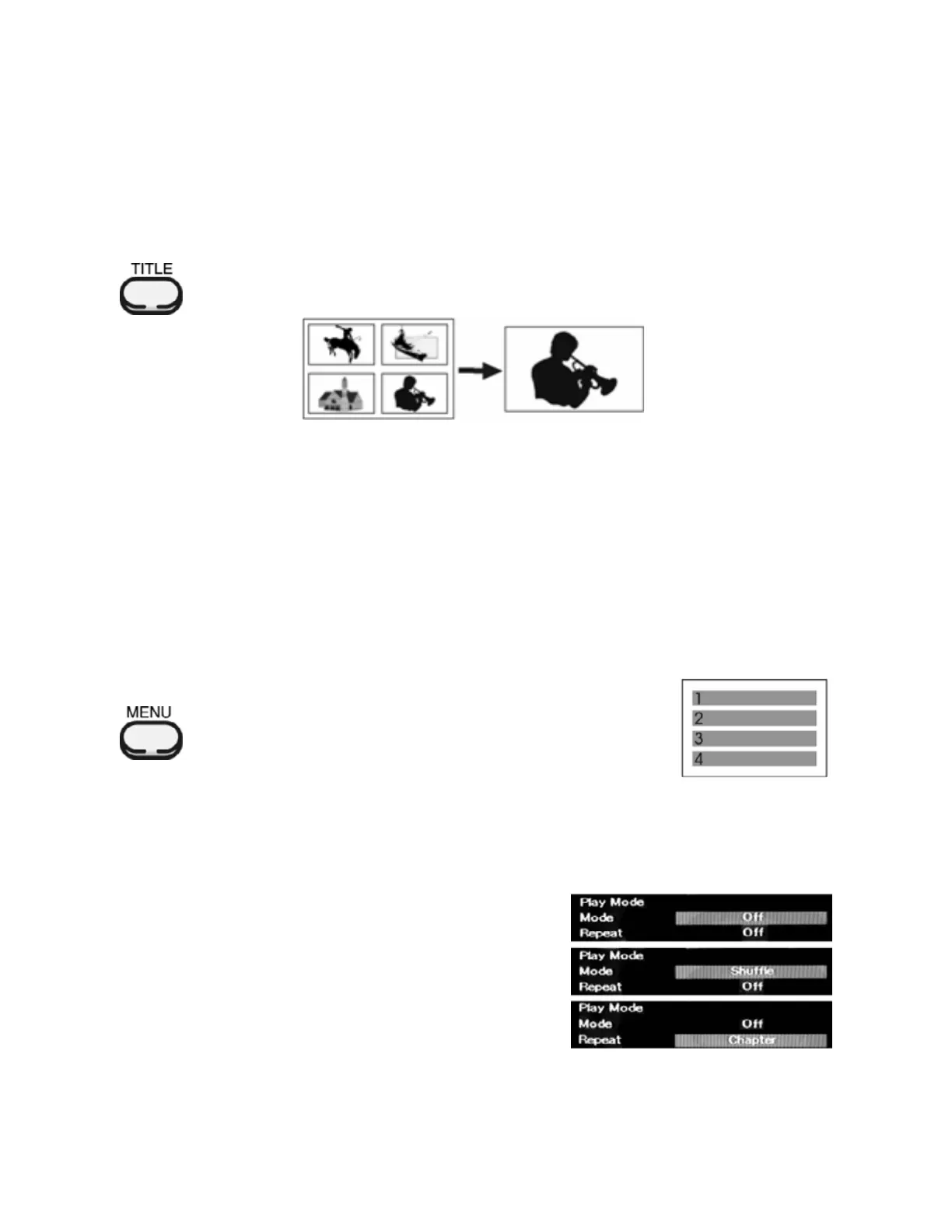
Some DVD dis cs may contain 2 more tit les. If t he disc has a tit le menu recorded on it, the TI TLE butt on can
be used to select the movie title.
The exact details of operation will depend on how a particular disc was manufactured.
The TITLE button will have no eff ect if there are no tit les on the disc.
1. Press t he TITLE but ton. A list of the tit les on t he disc will be displayed.
(Press TITLE again to resume play from the point where the TITLE button was first pressed
Th e Resu me Pl ay feat ure may not f unct ion corr ectly dependi ng on how the disc’s ti tles
were made).
2. Use the ARROW or numeric keypad butt ons to select the desired tit le and press ENTER or PLAY.
DVD DISC MENUS
Many DVD discs have unique menu structures called DVD Menus. These menus may take many forms.
For example, DVD's programmed with complex contents provide guide menus and those recorded wi th
soundtracks in several different languages provide menus for audio and subtitle language. Although the
contents and operation of DVD Menus will vary greatly f rom disc to disc, general inst ructions on how to use
them follow.
Please note that the exact details of operation will depend on how a particular disc was manufactured. Also
note t hat t he MENU but ton will have no ef fect if t here are no menus on the disc.
To display the menu r ecor ded on DVD or VCD 2. 0 discs:
1. Press the MENU button
• The menu recorded on the disc will appear on screen.
• Menu appearance varies widely from disc to disc.
• CD Audio discs and VCD1.1 discs do not have disc menus
2. Press the ARROW buttons to move to the item that you want, and then press
the ENTER button to select it.
The MODE Butto n – Shuffl e & Repeat Play
The DVD-2 can randoml y or selectively repeat Chapters or Titles on the disc.
1. Press the MODE butt on duri ng disc playback to display the
Play Mode menu.
The 1
st
item, “Mode” will be highlighted. Press t he ENTER
button repeatedly to cycle between “Off” and “Shuffle”
(random) play.
2. Use the ARROW butt ons t o highlight the 2
nd
item, “Repeat”.
Press the ENTER button repeatedly to cycle between “Off”,
“Chapter” and “Title”.
3. After maki ng the desired select ion(s), press the MODE
button again to remove the Mode menu from the screen.
Not e that t he Repeat choices f or VCD’s & Audio CD’s are Off, Repeat Single Track and Repeat All Tracks.


 To Next Page