–8–
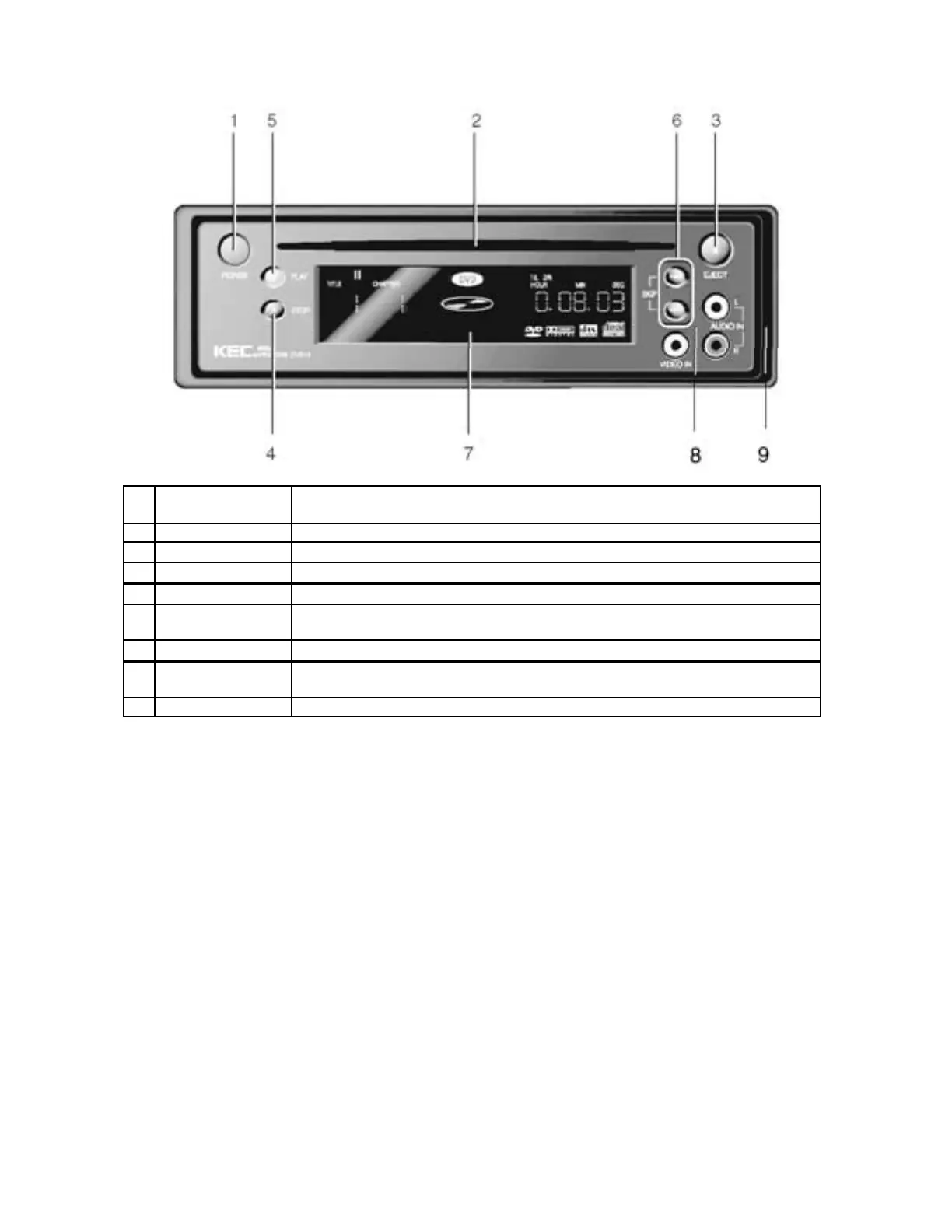
DESCRIPTION – FRONT PANEL
1 POWER
Turns the power On/Off ( When power is Off, AUX In puts ar e On)
( DVD-2T: Press repeat edly to cycle bet ween Disc Pl ay, TV Tuner & Of f)
2
Di sc Sl ot Discs are inserted and ejected her e
3
EJECT Ejects the disc
4
STOP Stops disc play
5
PLAY Begins di sc pl ay
6 SKIP
Use t o skip to the next or pr evious scene or music track
( DVD-2T: Advance s to the n ext or pr evious channel)
7
Display Window Displays information about the current state of the DVD player and disc
8 AUX Inputs
Auxiliary Video/Audio Inputs
These inputs are “live” whenever power is off
9
Tr im Plat e


 To Next Page