–25–
DVD-2 SETUP MENU – PARENTAL CONTROL PASSWORD & RATING
S et ti ng The Pa re nt al Contr ol Pa s sw or d & Ra ti ng Lev el
Parents may set a Password to prevent playback of any DVD discs whose "Rating" they deem unsuitable
for viewing.
Note: In addition to the Parent al Control Rat ing Block provided by t his player, some DVD discs also
provide a menu choice t hat allows parents to restrict access to specifi c scene s which they may believe are
unsuitable for viewing by children.
The DVD-2 is equipped with a password feature. It is designed to prevent children from changing the rating
level set by t heir parents. Follow the 2 steps below to set t he Rat ing Level & Password:
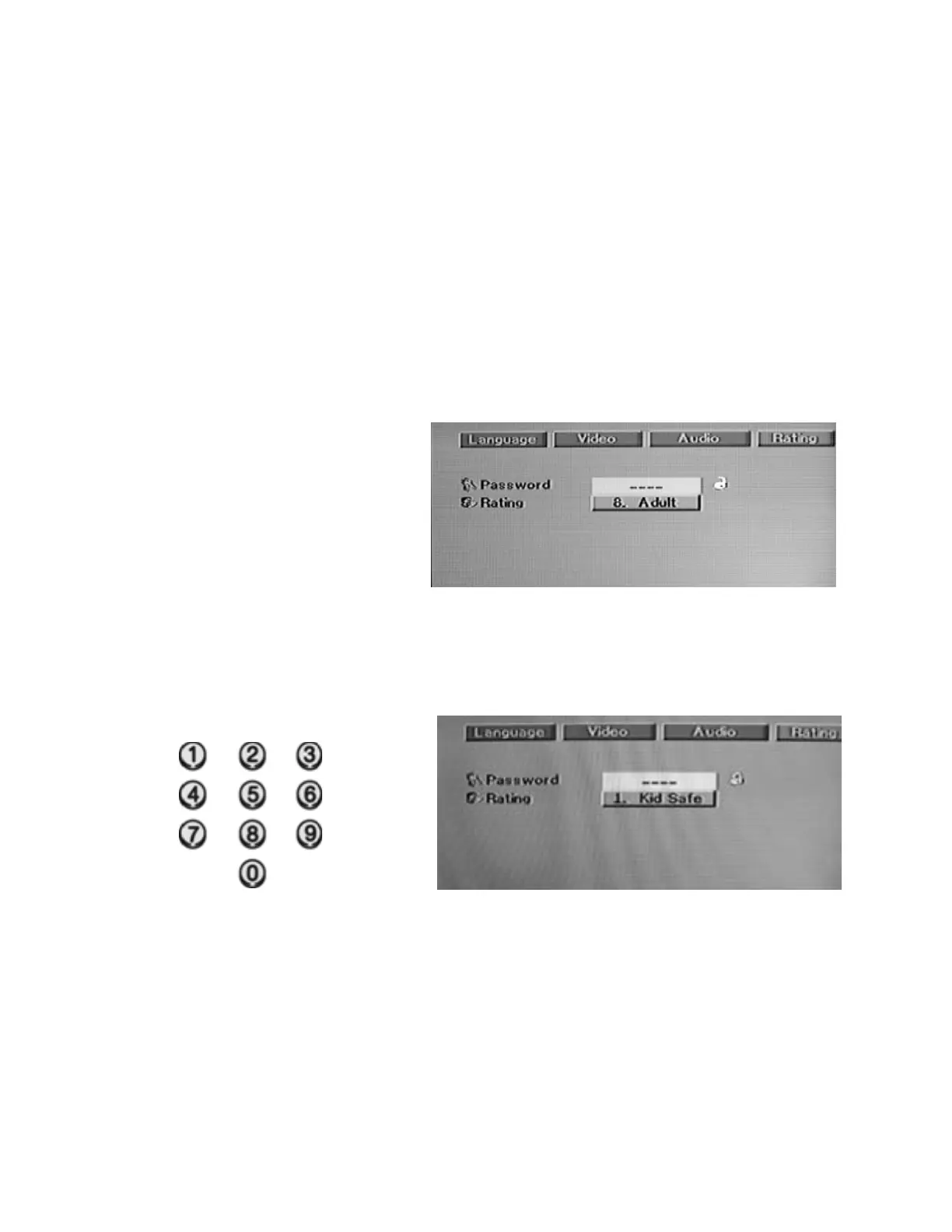
Step 1: Selecting Rating Level (DVD Only)
Press SETUP to call up the Setup menu. Press the X ARROW button to highlight RATING and press
ENTE R to call up the Rating sub-menu. Press the ARROW button to hi ghlight RATING.
Press the ENTER button repeatedly to cycle through and select the highest rating you do not wish to block
from t he 8 available choices:
1. Kid Safe
2. G
3. PG
4. PG 13
5. PG R
6. R
7. NC 17
8. Adult
When the desired Rating Level is displayed, press the ARROW t o set the PASSWORD: " – – – –" will be
highlight ed.
Step 2: Setting the password
You must enter a password in order to turn on the parental control feature.
Choose any 4-digit number usi ng the numeric keypad (0~9) on the remote control.
As you enter each digit, an ast erisk will appear. When you have entered all 4 digits, press ENTER and t he
passwor d wil l be set.
The “Lock” logo will change f rom opened t o closed indicat ing t hat t he parent al cont rol lock is turned on.
The playback of any DVD with a rating higher than your selection will now be blocked as indicated by a
PASSWORD prompt on the screen. The movie will not play unless the password is entered or blocking is
turned off at the setup screen.
To cancel the password, go to the RATING setup screen, enter the PASSWORD and press the ENTER
butt on. The lock logo will change to unlocked and blocking will be t urned off .


 To Next Page