–24–
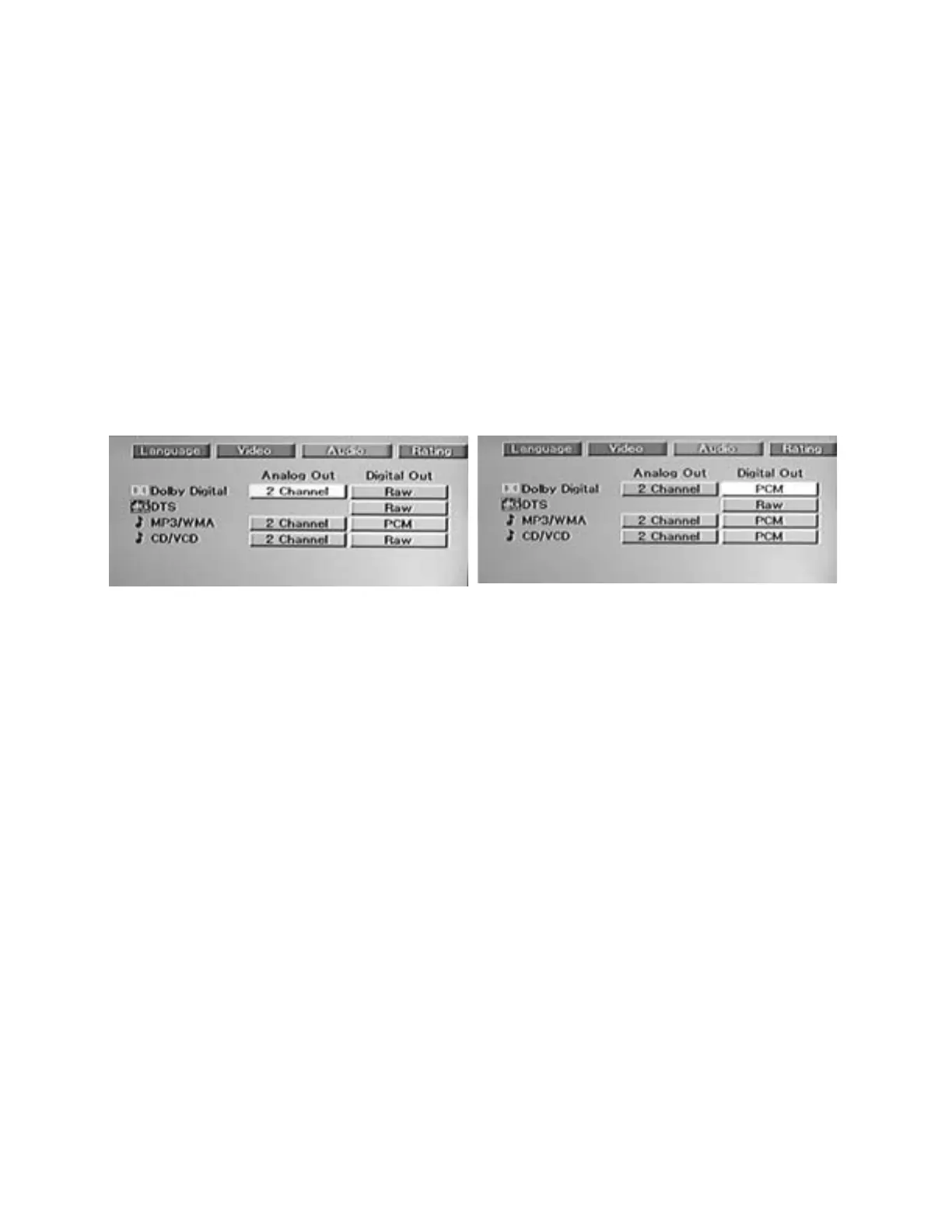
DVD-2 SETU P MENU – AUDIO – DIGITAL AUDIO OUTPUT SETTINGS
Important Notes:
It is not necessary to make any changes to the factory default settings unless you have an audio system
that is connected to the Digital Audio Output of the DVD-2.
If you are unsure of the effect that a particular setting will have, we recommend that you just leave it at the
fa ct or y d ef au lt.
To restore al l set tings to their f actory default s, refer to the instructions on Page 22 labeled "Restoring
Factory Defaults" at the end of the section on the Language Menu.
Most DVD discs have a variety of audio output options. Set the DVD-2's Digital Audio Output according to
the type of audio system you use. Please refer to the instruction manual(s) accompanying your audio
equipment for detailed i nstruct ions on the proper setti ngs of the DVD- 2’s Digital Output.
Procedure:
1. Press SETUP to call up the Setup menu.
2. Pr ess t he X ARROW button twice to highlight AUDIO.
3. Press the ENTER button to call up the Audio sub-menu.
4. Pr ess t he X ARROW button to move to the Digital Out settings (the Analog Out settings are set to “2
Channel” and cannot b e changed) .
5. Use the ARROW buttons to move to the desired item(s).
6. Press the ENTER button repeatedly to cycle through the available choices for each item.
7. When the desired choice is displayed, use the ARROW buttons to move to the next item you wish to
change.
Dolby D: Select Raw, Off or PCM.
DTS: Select Raw or Of f.
MP3/WMA: Select PCM or Off.
CD/VCD: Select Raw, Of f or PCM.
Note: The Volume + / – butt ons on the DVD-2 remote control do not aff ect t he level of t he Digital Audio
Output.


 To Next Page