–15–
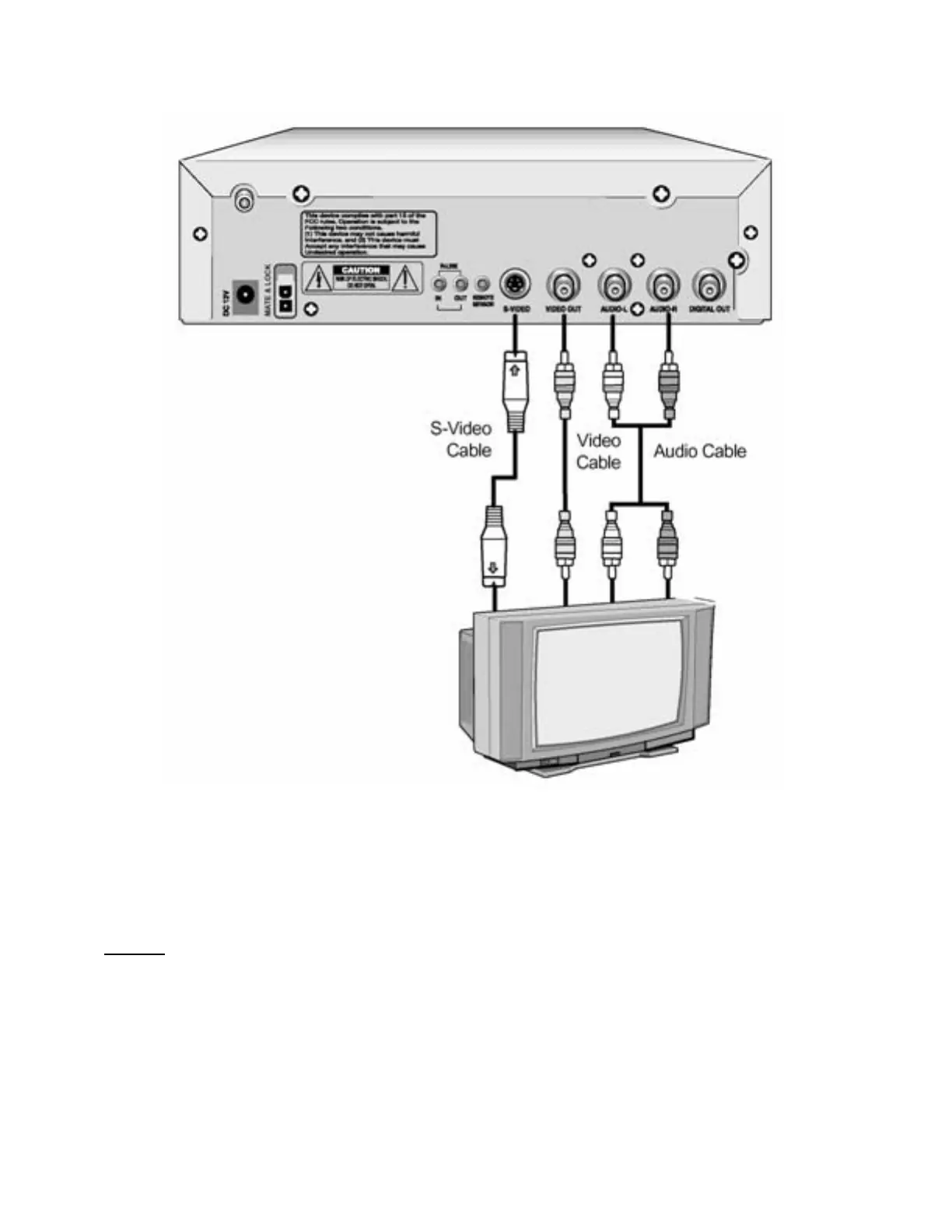
CONNECTIONS – VIDEO CONNECTIONS TO TV OR MONITOR
1. Connect the audi o cables between the AUDI O OUT ( L/R) jacks on the back of your DVD player and
the corresponding Audio Input jacks on your TV or Monitor (if there is only a single Audio Input jack on
your TV, connect the audio cable from the left jack of your DVD player).
2. Connect the video cable between the VIDEO OUT jack on the back of your DVD player and the
corresponding Video I nput jack on your TV or Monitor (I f your TV or Monit or has an S-Video jack,
connect this jack for improved picture quality).
Caution:
Be sure to turn of f power t o all units bef ore making any connections.


 To Next Page