28
Table of ContentsSetting Up the LSXUsing the KEF Control AppPlayback and StreamingFAQ and Troubleshooting
• Expert Mode
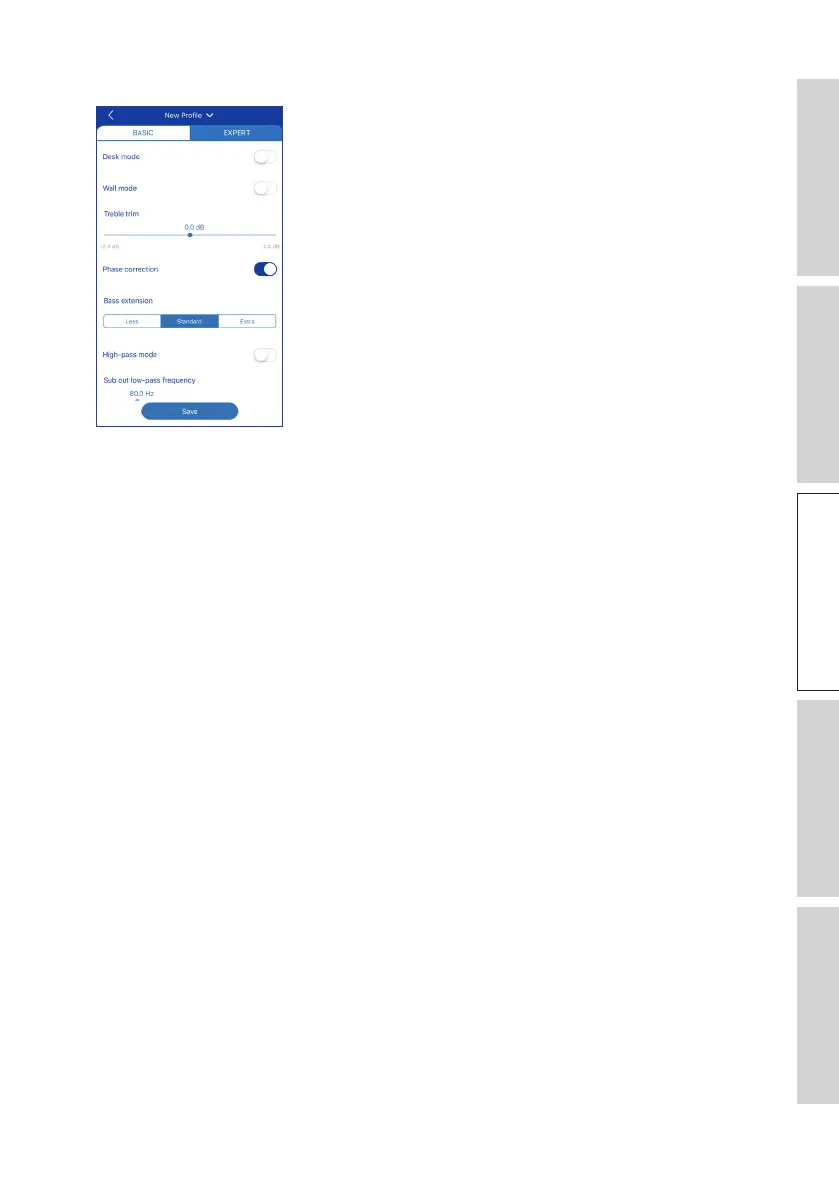
The Expert Mode lets you configure the EQ preferences in greater precision.
They include:
• Desk Mode (On / Off, -6.0 dB to 0.0 dB)
• Wall Mode (On / Off, -6.0 dB to 0.0 dB)
• Treble Trim (-2.0 dB to 2.0 dB)
• Phase Correction (On / Off)
• Bass Extension (Less / Standard / Extra)
• High-Pass Mode (On / Off, 50 Hz to 120 Hz)
• Sub Out Low-Pass Frequency (40 Hz to 250 Hz)
• Sub Gain (-10 dB to 10 dB)
• Sub Polarity (+ / –)
When the settings are done, tap “Save” at the bottom of the screen and create a name
for saving your sound profile.



 To Next Page