46
Table of ContentsSetting Up the LSXUsing the KEF Control AppPlayback and StreamingFAQ and Troubleshooting
9.1.1.12 Settings
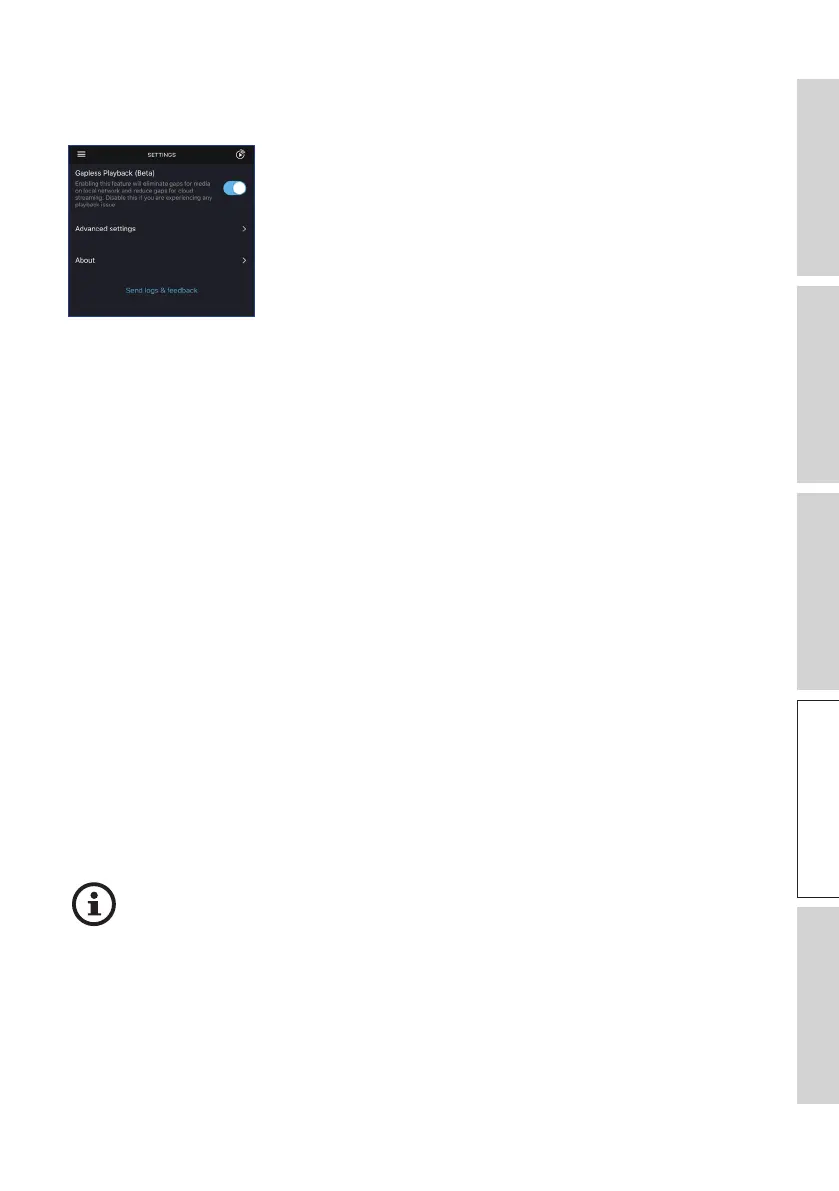
Tap “Settings” from the main menu to show the settings menu.
• Gapless Playback
Enable this feature to eliminate gaps for media on the local network and reduce gaps
for cloud streaming. Disable this feature if you are experiencing any playback issue.
• Advanced Settings
• My Speakers
This allows you to register a new pair of speakers with the KEF Control app.
• Analytics
This allows the KEF Control app to send crash reports and improvement analytics
to the manufacturer. We recommend to enable both items.
• About
This allows you to:
• Find out current version of the KEF Stream app.
• Visit the KEF website.
• Read the licenses agreement.
• Read the privacy policy.
• Read the FAQ for help and support.
Make use of the “Send logs and feedback” feature at the bottom of the settings
menu if you experience problems or want to send us feedback or suggestions.



 To Next Page