20
|
English
General features
Display Mode Switching
Switching the display mode.
1 Select the key function section
Press the [NEXT] button.
Repeatedly press the button until "DISP" is
displayed above the [6] (KDC-X889/MP828)/[2]
(KDC-MP7028/MP728/X789/MP628) button.
Refer to <Notes on Multi-function Key System>
(page 9).
2 Enter display control mode
Press the [6]/[2] ("DISP") button.
3 Select the display mode
Press the [1] ("MODE") button.
4 Select the display Type
Push the Control knob to [4] or [¢].
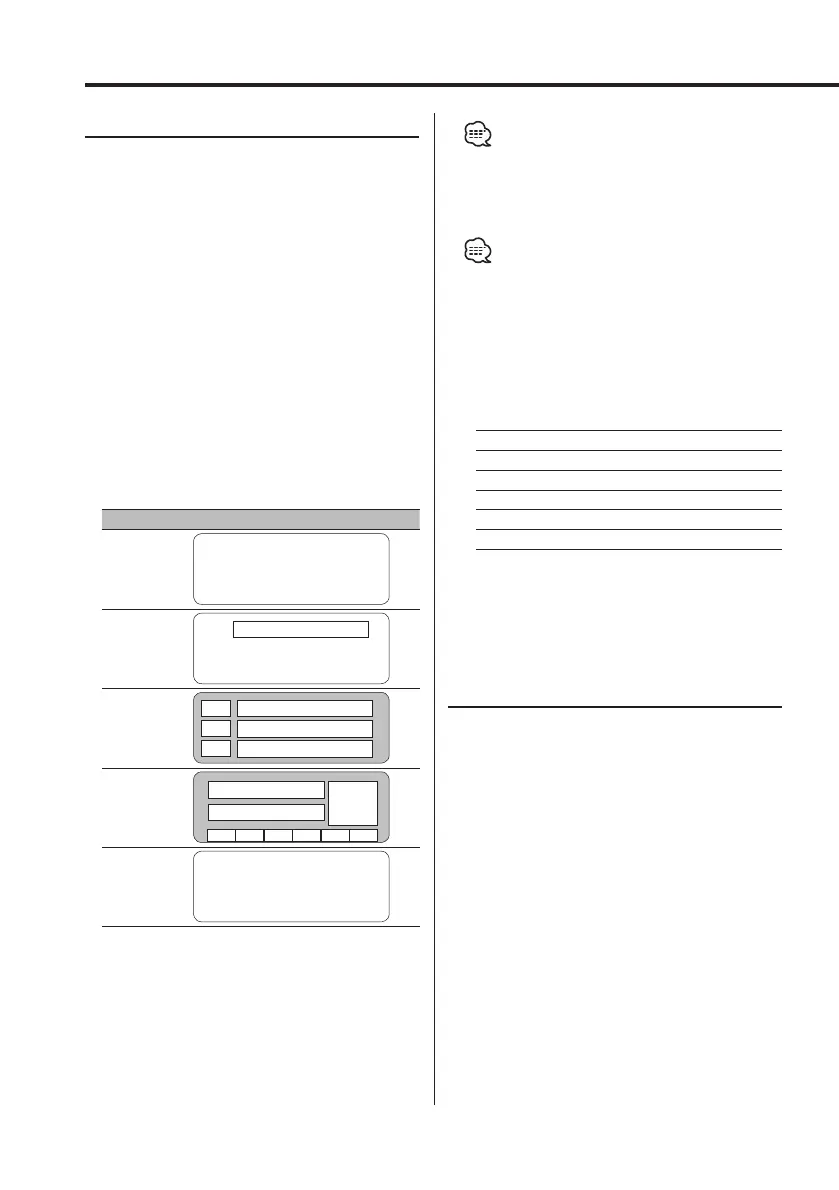
Each time the knob is pushed, the display mode
switches as shown below.
Display Mode Display
"Display Type A"
1
"Display Type B"
1
2
"Display Type C"
4
3
3
5
3
6
"Display Type D"
4 7
6
8 8 8 8 8 8
"Display Type E"*
9
1 Graphic display part
2 Text display part
3 Text icon display part
4 Upper text display part
5 Middle text display part
6 Lower text display part
7 Source icon display part
8 Function item display
9 G-Analyzer display part
• * Function of the KDC-X889/MP828/MP7028/MP728/
X789
5 Exit display control mode
Press the [6] ("RTN") button.
• Under the display type other than "Display Type D",
the function item is not displayed. When the display
type other than "Display Type D" is selected, press [1]
to [6] buttons or [NEXT] button. The function item will
be displayed approximately 5 seconds.
• The information can be switched by the Display
Type. Refer to the page on the following table for the
methods to switch by the Display Type.
Display Type
ABCDE
Graphic 1
20 20
———
Text 2
—22———
Upper 4
— — 23 23 —
Middle 5
—— 23 ——
Lower 6
— — 23 23 —
G-Analyzer 9
———— 27
Display Type A/ Display Type B
Graphic part/ Spectrum Analyzer
Display Switching
Switching the graphic Display/ Spectrum analyzer
display.
1 Select the key function section
Press the [NEXT] button.
Repeatedly press the button until "DISP" is
displayed above the [6] (KDC-X889/MP828)/[2]
(KDC-MP7028/MP728/X789/MP628) button.
Refer to <Notes on Multi-function Key System>
(page 9).
2 Enter display control mode
Press the [6]/[2] ("DISP") button.
3 Select the display mode
Press the [1] ("MODE") button.
4 Select the display Type
Push the Control knob to [4] or [¢].
Select the "Display Type A"/ "Display Type B"
display.
B64-2962-00Kr4English.Indd20B64-2962-00Kr4English.Indd20 04.11.1111:30:37AM04.11.1111:30:37AM



 To Next Page
 Loading...







