48
|
English
Menu system
In Standby mode
Built-in Auxiliary input Setting
Set the Built-in Auxiliary Input function.
Display Setting
"Built in AUX : OFF" When selecting the source there’s no Auxiliary
Input.
"Built in AUX : ON" When selecting the source there’s Auxiliary
Input.
In Standby mode
CD Read Setting
When there is a problem on playing a CD with
special format, this setting play the CD by force.
Display Setting
"CD Read : 1" Play CD and Audio file.
"CD Read : 2" Play CD by force.
• Setting "CD Read : 2" cannot play Audio file.
Some music CDs may not be played back even in the
"CD Read : 2" mode.
Function of the KDC-X889/KDC-MP828/KDC-X789
In Standby mode
Picture downloading
Downloading movies and wallpapers.
Downloaded pictures can be used for the display
of this unit.
1 Inset a CD-R/CD-RW.
Insert a CD-R/CD-RW containing files to be
downloaded into this unit.
Refer to <Playing CD & Audio file> (page 32) for
details.
Our URL http://www.kenwood.net-disp.com
describes how to make CD-R/CD-RW.
2 Enter Standby
Press the [SRC] button.
Select the "STANDBY" display.
3 Enter Menu mode
Press the [MENU] button for at least 1 second.
"Menu" is displayed.
4 Select the downloading mode
Push the Control knob to [FM] or [AM].
Select the "DISP Data DL" display.
5 Enter the downloading mode
Press the Control knob for at least 1 second.
"File Check!!" is displayed.
6 Select files to be downloaded
Push the Control knob to [4] or [¢].
7 Start downloading
Press the Control knob for at least 2 seconds.
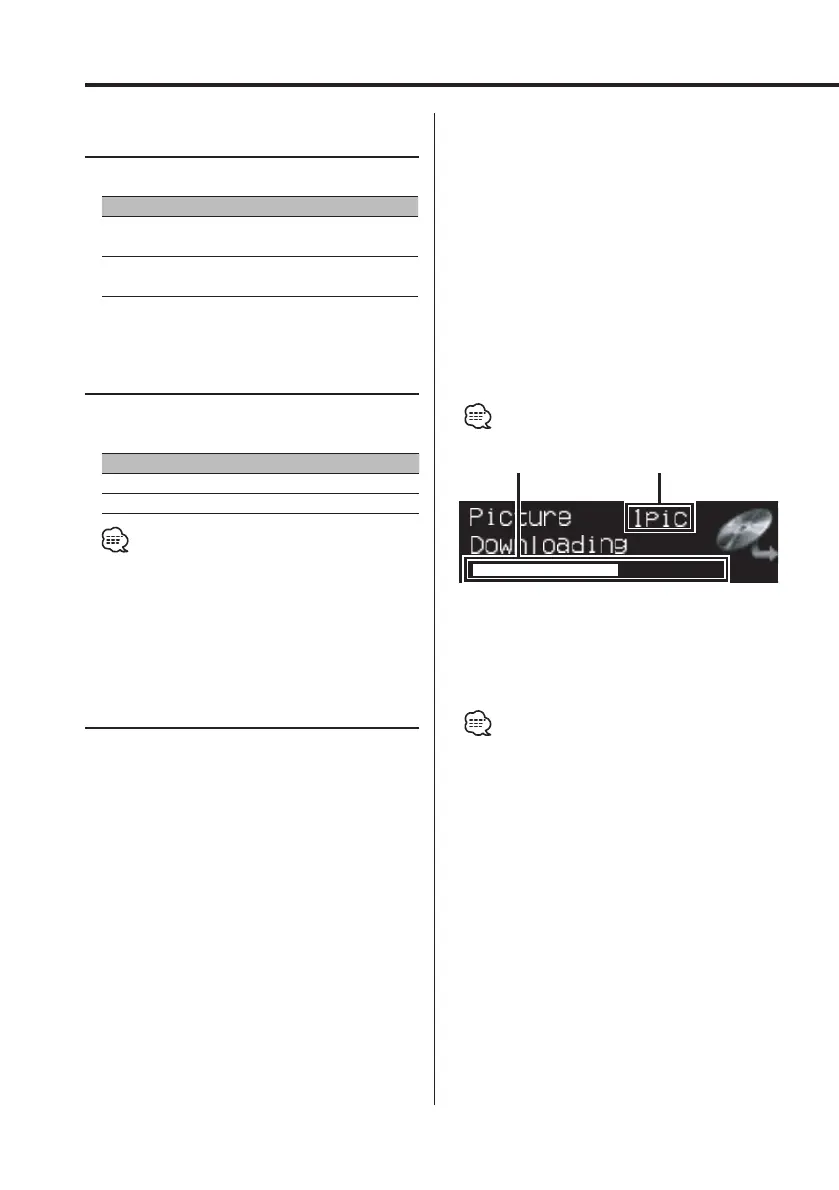
"Downloading" is displayed.
When the downloading finishes, "Finished
Download" is displayed.
• Picture download may take as long as 10 minutes.
Gradation Level
Quantity
Canceling Downloading
Press the [MENU] button.
8 Exit the downloading mode
Press the [MENU] button.
• Do not operate this unit, while "Downloading" is
displayed, to prevent data from being damaged.
• The number of files that can be downloaded.
- Downloaded movie: 1 file
- Wallpaper: 1 file
• When a new movie is downloaded, it is overwritten to
the currently downloaded movie.
Also, when a new wallpaper is downloaded, it is
overwritten to the currently downloaded wallpaper.
There is no way to delete the downloaded pictures.
• The downloaded pictures can be used for display.
<Graphic part/ Spectrum Analyzer Display Switching>
(page 20)
<Wallpaper selecting> (page 21)
• When you can’t download the pictures to this unit,
there may be a problem with the CD-R/CD-RW write
method.
Refer to the URL http://www.kenwood.net-disp.com,
and rewrite the CD-R/CD-RW.
B64-2962-00Kr4English.Indd48B64-2962-00Kr4English.Indd48 04.11.1111:30:52AM04.11.1111:30:52AM



 To Next Page
 Loading...







